
ZombieTrend AI
Third-partyzombietrend.orgZombie trend video generator from two photos
Turn two photos into a four-beat zombie love story video with sound, ready to post in about three minutes.

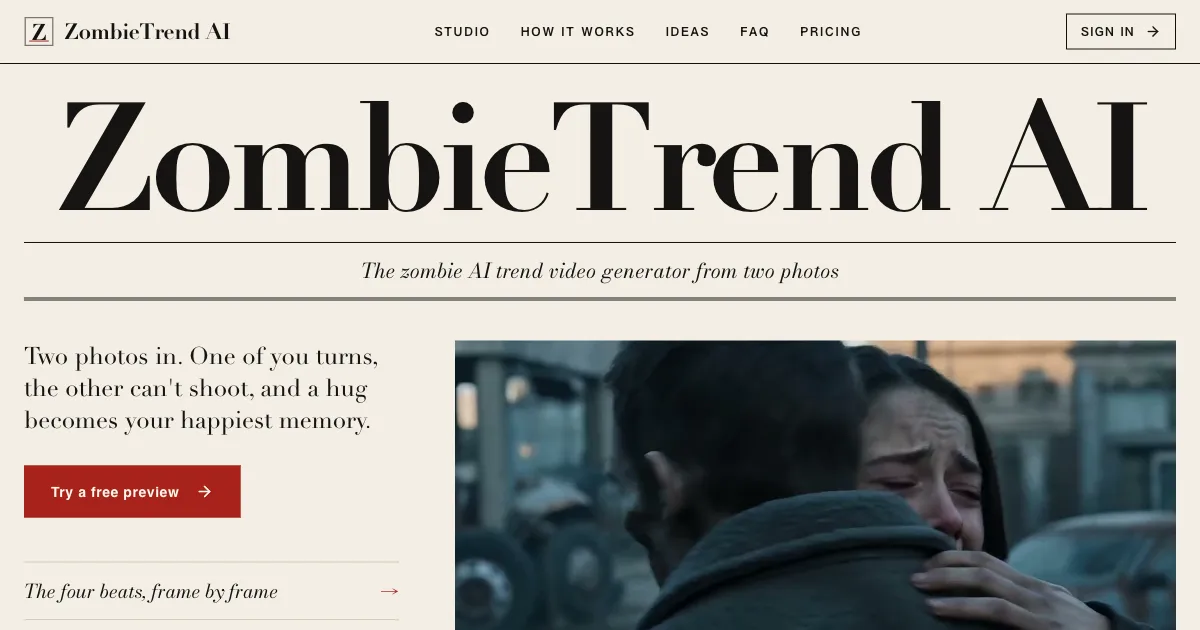
Overview
ZombieTrend AI is an online generator that turns two photos into a four-beat zombie love story video: aim, recognise, hug and a flashback memory. You upload a photo of the survivor and one of the person or pet who turned, pick a memory and length, and it produces a vertical 9:16 MP4 with sound and no watermark. It is for anyone who wants to create the viral zombie trend clip for TikTok, Reels or Shorts without stitching prompts in multiple tools. This is an independent third-party service and is not operated by the company behind the model it is built around.
How it works
Upload two photos: the survivor first, then the one who turns. Choose a story beat like 'The gun' or 'The cure', pick a memory such as a sunny picnic or wedding dance, and select a length of 8, 12 or 15 seconds. The scene preview appears in under a minute, and the full video with sound is ready in about 3-5 minutes. The second photo drives both the zombie look and the healthy flashback self.
Key capabilities
The generator builds the zombie scene with GPT Image 2 and films the full story in one continuous Seedance 2.0 clip with sound included. It supports JPG, PNG or WebP photos up to 10 MB each. Output is always vertical 9:16 MP4 with audio and no watermark. You can add optional mood details like a rainy night or hospital corridor, and the tool keeps clips non-graphic to stay shareable.
Who it is for
It is for couples, friends, and pet owners who want to create the zombie love story trend without manual editing. Long-distance couples can use photos taken years apart, and pet versions with dogs or cats are among the most shared. The tool is designed for anyone posting to TikTok, Instagram Reels, or YouTube Shorts, with no need for CapCut, Dreamina, or PixVerse.
Pricing and limits
Buy credits once with no subscription; credits are spent only when you generate a video. An 8-second video costs 580 credits, 12 seconds costs 860, and 15 seconds costs 1,070. Plans start at $5.9 for one 8-second video, with Starter, Standard, and Pro packs offering more videos. The scene preview is free once a day with no sign-up, and failed runs are refunded automatically. Credits never expire while your account is open.
Key features
Two-photo input
Upload a photo of the survivor and one of the person or pet who turns; the second photo also drives the flashback.
Four-beat story
Generates the aim, recognise, hug and remember beats as one continuous clip with sound.
Vertical output
Every video is a 9:16 MP4 with audio and no watermark, ready for TikTok, Reels and Shorts.
Free daily preview
See the zombie scene free once a day without signing up; full videos use credits.
Credit-based pricing
Buy credits once with no subscription; credits never expire and failed runs are refunded automatically.
Use cases
Anniversary posts
Make your partner the zombie and set the memory to the day you met for an anniversary post.
Pet tributes
Create a zombie dog or cat version; pets are among the most shared versions.
Long-distance couples
Use photos taken years and countries apart to create a shared memory clip.
Pricing & limits
Verified 11/18/2026Frequently asked questions about ZombieTrend AI
- What is ZombieTrend AI?
- It is an online generator that turns two photos into a four-beat zombie love story video: aim, recognise, hug and a flashback memory. It runs in any browser on phone or desktop with no app to install.
- Is ZombieTrend AI free?
- The scene preview is free once a day with no sign-up. Full videos with sound use credits; an 8-second video starts at $5.90 with no subscription.
- How do I make a zombie video?
- Upload a photo of the survivor and one of the person or pet who turned, pick the memory and length, and press the button. You see the scene in under a minute and the full video in about 3-5 minutes.
- Can I use a pet photo?
- Yes, pets are one of the most popular versions. Put the pet photo second and use a sharp, front-facing shot with both eyes visible.
- What format is the output video?
- Every video is a vertical 9:16 MP4 with sound and no watermark, ready to post on TikTok, Reels and Shorts.
Related tools

AI Rap Video Generator
Turn one photo into a 4, 6, or 8-second rap video with generated vocals, a beat, and lip sync, ready for TikTok, Reels, and Shorts.

Magic Hour
Create videos, images, and audio with 100+ AI tools in one browser-based studio.

Molyin
Generate cinematic videos, images, and music from text prompts in one studio.

Photo Animate
Turn still portraits into lifelike videos with natural motion and easy controls.

Hotel Lobby AI
Two photos, one mic, one unforgettable duet.
Genjutsu
AI video generation & effects studio
EveryGen AI
All-in-one AI image & video generator

SoraVideo
Turn prompts, images, and storyboards into cinematic 1080p or 4K MP4 and MOV clips with Sora 2.