
AI Rap Video Generator
Third-partyrap-video.aiPhoto-to-rap video generator
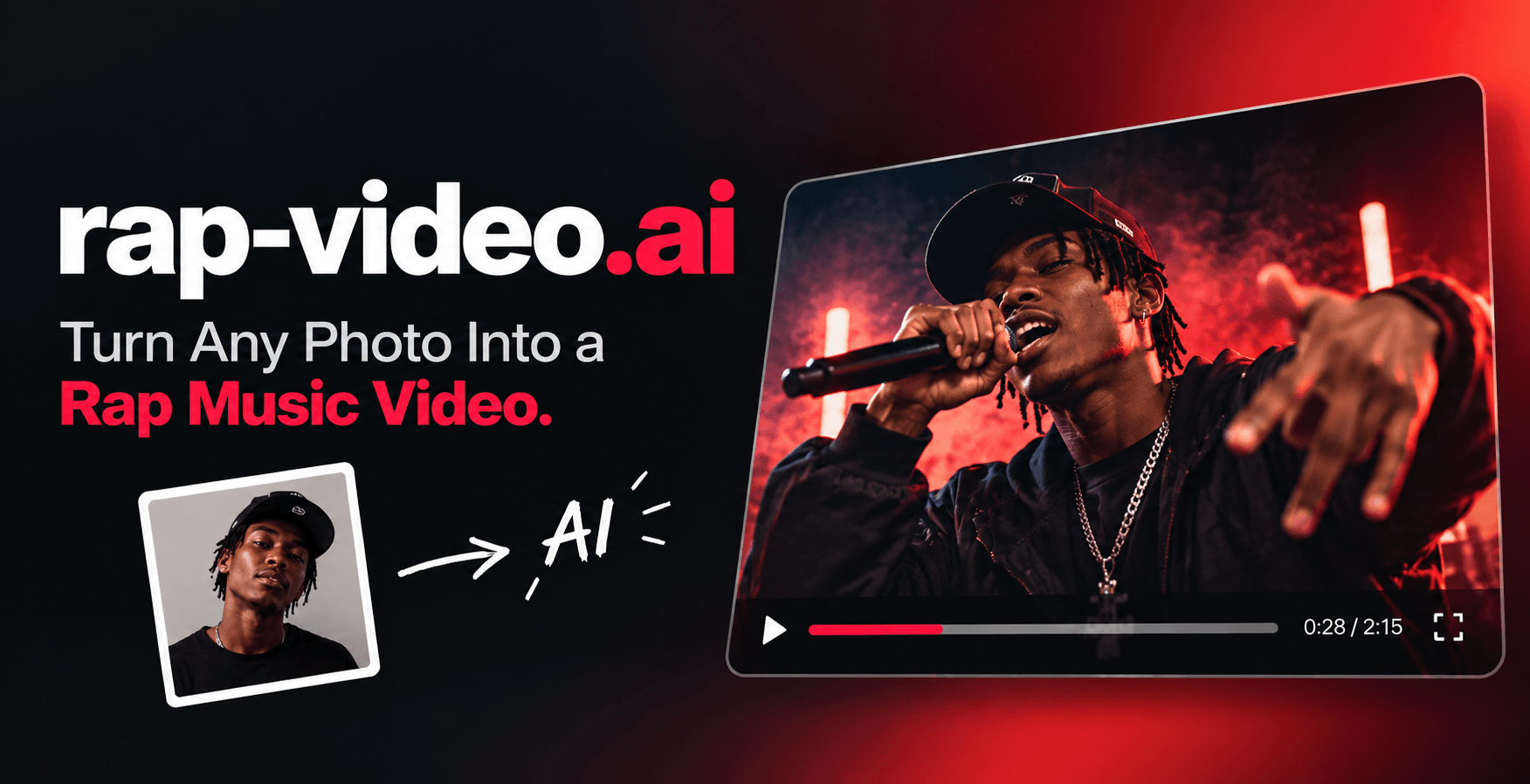
Turn one photo into a 4, 6, or 8-second rap video with generated vocals, a beat, and lip sync, ready for TikTok, Reels, and Shorts.
Overview
AI Rap Video is a photo-to-video tool that turns a single photo into a short rap music video with generated vocals, a beat, and lip sync. You upload a clear photo, choose one of six preset styles, and download an MP4 in 4, 6, or 8 seconds at 720p or 1080p. It is for anyone who wants to create fun rap videos for personal use, birthday greetings, or pet videos without filming or uploading a song. This is an independent third-party service and is not operated by the company behind the model it is built around.
How it works
Upload a clear, front-facing photo of yourself, a friend, or your pet (JPG, PNG, HEIC, up to 30 MB). Choose a style preset such as Hotel Lobby, Rap Battle, or Birthday Rap, then set the length and format. In a few minutes, you get an MP4 with lip-synced rap vocals and a beat, ready to post anywhere. Most videos are ready in 3–5 minutes, and you can leave the page while it works.
Key capabilities
Each style is a complete scene: setting, camera, beat, and verse. Styles include Hotel Lobby (viral orange-studio session), Rap Battle (underground warehouse), Birthday Rap (party-ready with balloons and cake), UK Drill (cold night-street drill), 90s Old School (boom-bap on a New York corner), and Pet Rapper (for dogs and cats). You can select 720p or 1080p output and download as MP4 in portrait or landscape.
Pricing and limits
Videos use credits. The default Veo 3.1 Fast model costs 80 credits at 720p or 100 at 1080p, regardless of duration. Seedance 2.5 supports 720p: 4s costs 140, 6s costs 180, and 8s costs 220 credits. Credit packs are available: Starter ($9.90 one-time, 200 credits), Pro ($19.90 one-time, 500 credits), and Ultimate ($39.90 one-time, 1,200 credits). Credits never expire, and failed generations restore credits.
Key features
Six preset rap styles
Choose from Hotel Lobby, Rap Battle, Birthday Rap, UK Drill, 90s Old School, or Pet Rapper, each with a complete scene including setting, camera, beat, and verse.
Multiple video lengths and resolutions
Generate videos in 4, 6, or 8 seconds, and select 720p or 1080p output.
Original beat and vocals
Each video includes generated rap vocals and a beat, with lip sync, so you don't need to film a performance or upload a song.
MP4 download
Download your finished video as an MP4 in portrait or landscape, ready to post on TikTok, Instagram, or YouTube.
Credit-based pricing
Videos use credits: the default Veo 3.1 Fast model costs 80 credits at 720p or 100 at 1080p, regardless of duration; Seedance 2.5 at 720p costs 140/180/220 credits for 4/6/8 seconds.
Use cases
Personal rap videos
Upload a clear, front-facing photo of yourself or a friend and generate a short rap performance in a chosen style.
Birthday greetings
Use the Birthday Rap style to create a party-ready verse with balloons and cake, and add a name to shout out.
Pet videos
Choose the Pet Rapper style and upload a photo of your dog or cat to turn them into a trap star with a gold chain and sunglasses.
Pricing & limits
Verified 10/30/2026Getting started
Visit the Create page to upload a photo. Choose a style preset, set the length (4, 6, or 8 seconds) and resolution (720p or 1080p), then generate. The finished video appears in your History. You can also browse sample videos on the pricing page before buying credits. For help with credits, generation, or your account, email support@rap-video.ai.
Frequently asked questions about AI Rap Video Generator
- What is an AI rap video generator?
- It is a tool that animates a still photo into a short music video where the person in the picture raps to an original beat. AI Rap Video writes the verse, builds the scene, and syncs the lips for you.
- What kind of photo works best?
- A clear, well-lit photo with the face looking at the camera works best. Waist-up shots give the model room for hand gestures. Avoid heavy filters, sunglasses, or faces that are very small in the frame.
- How long does it take to make a video?
- Most videos are ready in 3–5 minutes. You can leave the page while it works; the finished video appears in your History.
- Can I make my dog or cat rap?
- Yes. Choose the Pet Rapper style and upload a photo of your pet. It gets a gold chain, sunglasses, and a trap verse of its own.
- How much does it cost?
- Videos use credits. The default Veo 3.1 Fast model costs 80 credits at 720p or 100 at 1080p, regardless of duration. Seedance 2.5 supports 720p: 4s costs 140, 6s costs 180, and 8s costs 220 credits. See the pricing page for credit packs.
Related tools

Magic Hour
Create videos, images, and audio with 100+ AI tools in one browser-based studio.

Molyin
Generate cinematic videos, images, and music from text prompts in one studio.

Photo Animate - Photo to Video AI
Turn still portraits into lifelike videos with natural motion and easy controls.

SoraVideo
Turn prompts, images, and storyboards into cinematic 1080p or 4K MP4 and MOV clips with Sora 2.

Grow Creator
Diagnose reach leaks, score videos before posting, and find viral ideas for Instagram Reels and YouTube Shorts.

PromptWise
Generate images, videos, and audio with 40+ leading AI models on one subscription, from $19 a month.

seedance
Turn text, images, and audio into cinematic long-form videos with synchronized sound and stable characters.

LLMWISE
Chat with 20 top AI models and create images, video, voice, music and 3D on one $20 plan.