
Genjutsu
Third-partygenjutsu.tvTrending video template studio with MiniMax H3
AI video generation & effects studio

Overview
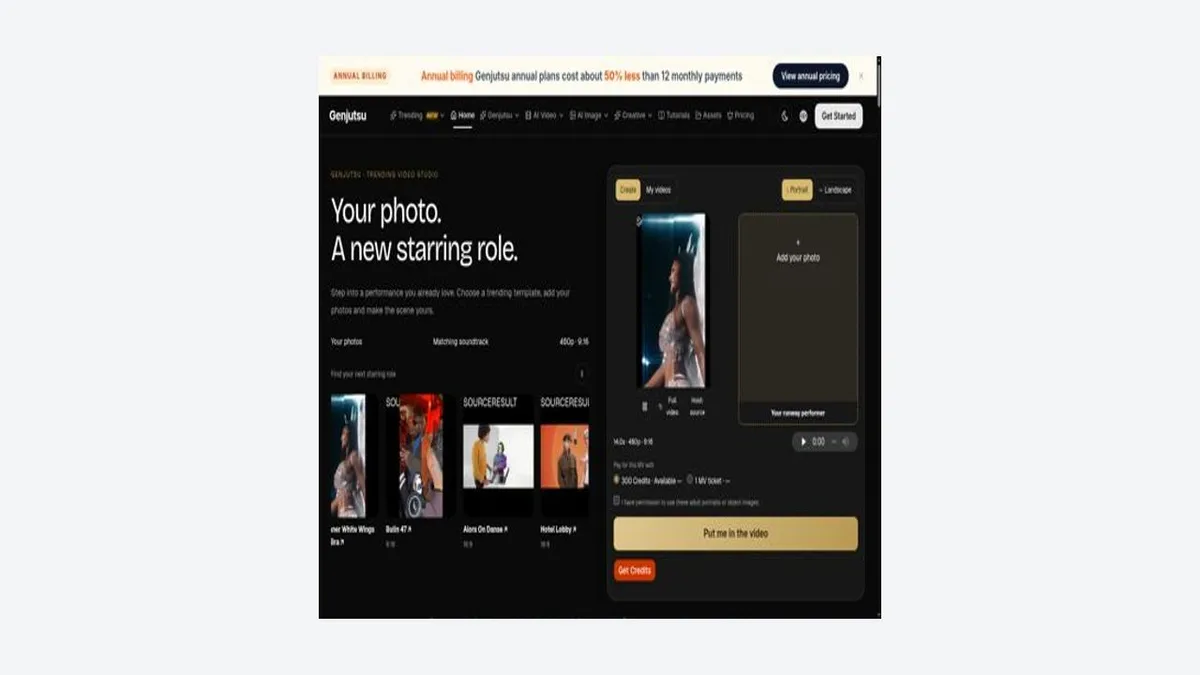
Genjutsu is a web-based AI video studio focused on motion transfer and template remixes. You start from a performance you already like—runway walks, dances, music moments or object shots—then add your own reference photos so the scene gets a new cast, outfit or subject while the source motion and camera remain the guide.
The homepage walks through a four-step flow: watch the source, add the right references, choose an available format, then compare and download from My videos. Output options include 480p, 720p and 1080p depending on the workflow, with source-guided duration up to about 30 seconds. Reusable source video and ordered image workflows help you keep multi-role inputs straight.
Key features
Trending video templates
Choose from a library of trending templates including runway, dance, music, and object videos.
Motion transfer
Transfer the motion from a source video to your own reference images.
Object and character replacement
Replace characters or objects in the source video with your own images.
Multiple formats and resolutions
Generate videos in 16:9 or 9:16 aspect ratios, with output up to 1080p.
Credit-based pricing
Pay per video with credit packs; each complete MV template video costs 300 credits.
Use cases
Personalized entertainment
Create fun, personalized videos by placing yourself or friends into popular music and dance templates.
Product showcases
Animate product photos into short, engaging videos for listings or social media.
Creative projects
Use motion transfer for artistic projects, such as character animations or stylized video remixes.
Pricing & limits
Verified 11/2/2026Frequently asked questions about Genjutsu
- What is Genjutsu?
- Genjutsu is a web-based AI video studio that lets you upload your photos and place them into trending video templates, such as runway shows, dance performances, and music videos.
- How does Genjutsu work?
- You choose a trending template, upload a clear reference image for each role you want to replace, select a format, and generate a new video. The AI transfers the motion from the source video to your images.
- How much does Genjutsu cost?
- Genjutsu uses a credit system. Each complete MV template video costs 300 credits. Credit packs are available for purchase, starting at $39.90 for 800 credits.
- What formats and resolutions are supported?
- Genjutsu supports 16:9 and 9:16 aspect ratios, with output resolutions up to 1080p. The available formats depend on the template.
- Can I use Genjutsu for product videos?
- Yes, Genjutsu offers an AI Product Video Generator that animates product photos into short videos, using the MiniMax H3 Max Turbo model.
Related tools

AI Rap Video Generator
Turn one photo into a 4, 6, or 8-second rap video with generated vocals, a beat, and lip sync, ready for TikTok, Reels, and Shorts.

Magic Hour
Create videos, images, and audio with 100+ AI tools in one browser-based studio.

Molyin
Generate cinematic videos, images, and music from text prompts in one studio.

Photo Animate
Turn still portraits into lifelike videos with natural motion and easy controls.
EveryGen AI
All-in-one AI image & video generator

Hotel Lobby AI
Two photos, one mic, one unforgettable duet.

ZombieTrend AI
Turn two photos into a four-beat zombie love story video with sound, ready to post in about three minutes.

SoraVideo
Turn prompts, images, and storyboards into cinematic 1080p or 4K MP4 and MOV clips with Sora 2.