EveryGen AI
Third-partyeverygenai.appCreative platform with MiniMax H3 Max Turbo
All-in-one AI image & video generator

Overview
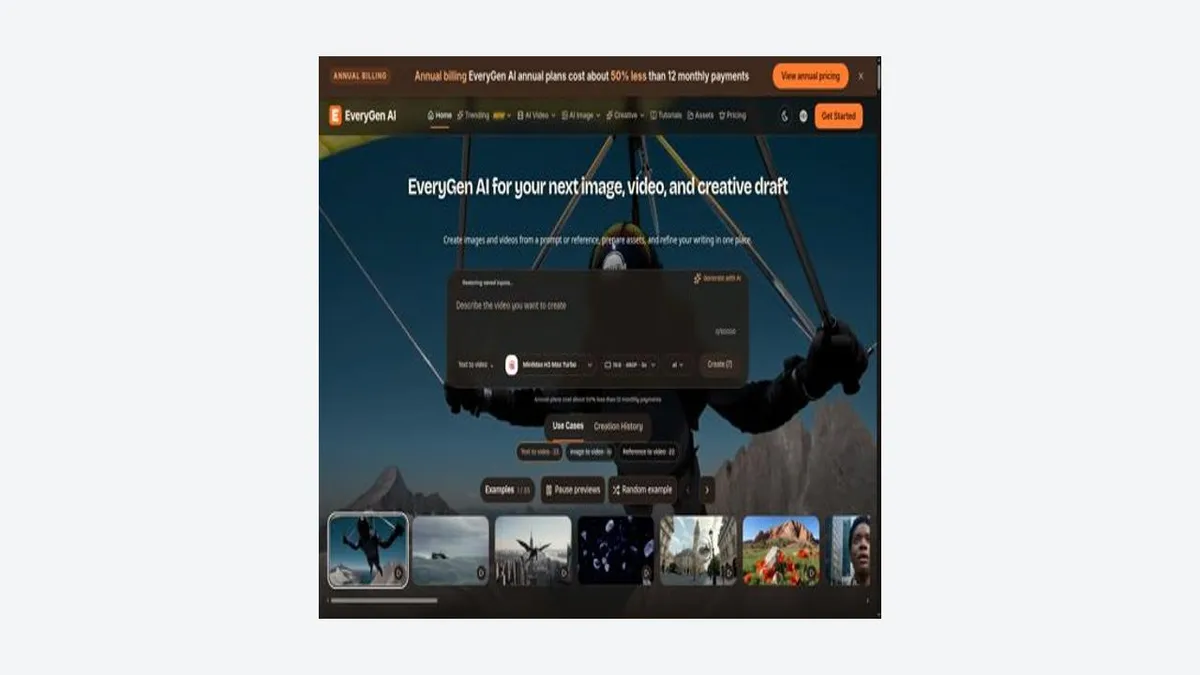
EveryGen AI is an all-in-one AI creative toolkit: generate images and videos from text or photos, prep pictures with browser-based image tools, and rewrite text for different audiences. EveryGen AI brings AI image generation, AI video generation and handy creative utilities into one web app. Describe what you want or upload a photo to create images and short videos, use task-focused pages for common jobs, prepare pictures with in-browser tools, and rewrite copy for different audiences and tones. No installs, works in the browser.
Key features
AI video generation
Generate videos from text or image references with models like MiniMax H3 Max Turbo, supporting 5-15 second clips, 480P to 1080P, and native synchronized audio.
AI image generation
Create images from text or references with models like GPT Image 2, offering resolutions up to 4K and multiple outputs per request.
Browser image tools
Compress, resize, convert, rotate, crop, watermark, and remove backgrounds directly in the browser without using generation credits.
Text rewriting
Humanize AI uses Gemini 2.5 Flash to rewrite text in Natural, Friendly, or Professional tones.
Image-to-video workflow
Turn a selected image into a video by choosing image-to-video, confirming settings, and describing motion.
Task-focused pages
Dedicated pages like the AI Product Video Generator help frame specific creative tasks with guided prompts and best practices.
Use cases
Product video generation
Create short product clips from an actual product photo, with restrained motion and coherent lighting for e-commerce or marketing.
Editorial illustration
Generate illustrations for articles by specifying subject, viewpoint, and visual metaphor in the image workspace.
Image preparation
Compress or resize images for attachments or web use, with browser-based processing and account storage.
Text refinement
Rewrite drafts for different audiences using Humanize AI, choosing tones like Natural, Friendly, or Professional.
Visual series creation
Maintain consistency across a series by recording palette, viewpoint, and lighting in a reusable brief.
Pricing & limits
Verified 11/2/2026Frequently asked questions about EveryGen AI
- What is EveryGen AI?
- EveryGen AI is a creative platform for image and video generation, task-focused pages, browser image tools, and text rewriting. It supports models like MiniMax H3 Max Turbo and GPT Image 2.
- Who is EveryGen AI for?
- It is for creators, marketers, and businesses needing to generate images and videos, prepare existing pictures, or refine written content.
- Is EveryGen AI free?
- No, EveryGen AI requires a paid subscription. Annual plans start at $179/year for the Lite plan, with credits issued monthly.
- What platforms does EveryGen AI support?
- EveryGen AI is a web application, accessible through a browser. Browser image tools process locally, but AI background tasks may require model downloads.
Related tools

AI Rap Video Generator
Turn one photo into a 4, 6, or 8-second rap video with generated vocals, a beat, and lip sync, ready for TikTok, Reels, and Shorts.

Magic Hour
Create videos, images, and audio with 100+ AI tools in one browser-based studio.

Molyin
Generate cinematic videos, images, and music from text prompts in one studio.

Photo Animate
Turn still portraits into lifelike videos with natural motion and easy controls.

Genjutsu
AI video generation & effects studio

Hotel Lobby AI
Two photos, one mic, one unforgettable duet.

ZombieTrend AI
Turn two photos into a four-beat zombie love story video with sound, ready to post in about three minutes.

SoraVideo
Turn prompts, images, and storyboards into cinematic 1080p or 4K MP4 and MOV clips with Sora 2.