
Photo Animate - Photo to Video AI
photoanimate.orgPhoto animator with natural motion
Turn still portraits into lifelike videos with natural motion and easy controls.

Overview
Photo Animate is an AI picture animator that turns still photos into lifelike videos with realistic facial motion. Users upload a portrait or family photo, choose a motion style or prompt, and the system analyzes the face and composition to generate a short animated clip. It is designed for people who want to bring old family photos to life, create memorial videos, or make fun content for social sharing. This is an independent third-party service and is not operated by the company behind the model it is built around.
How it works
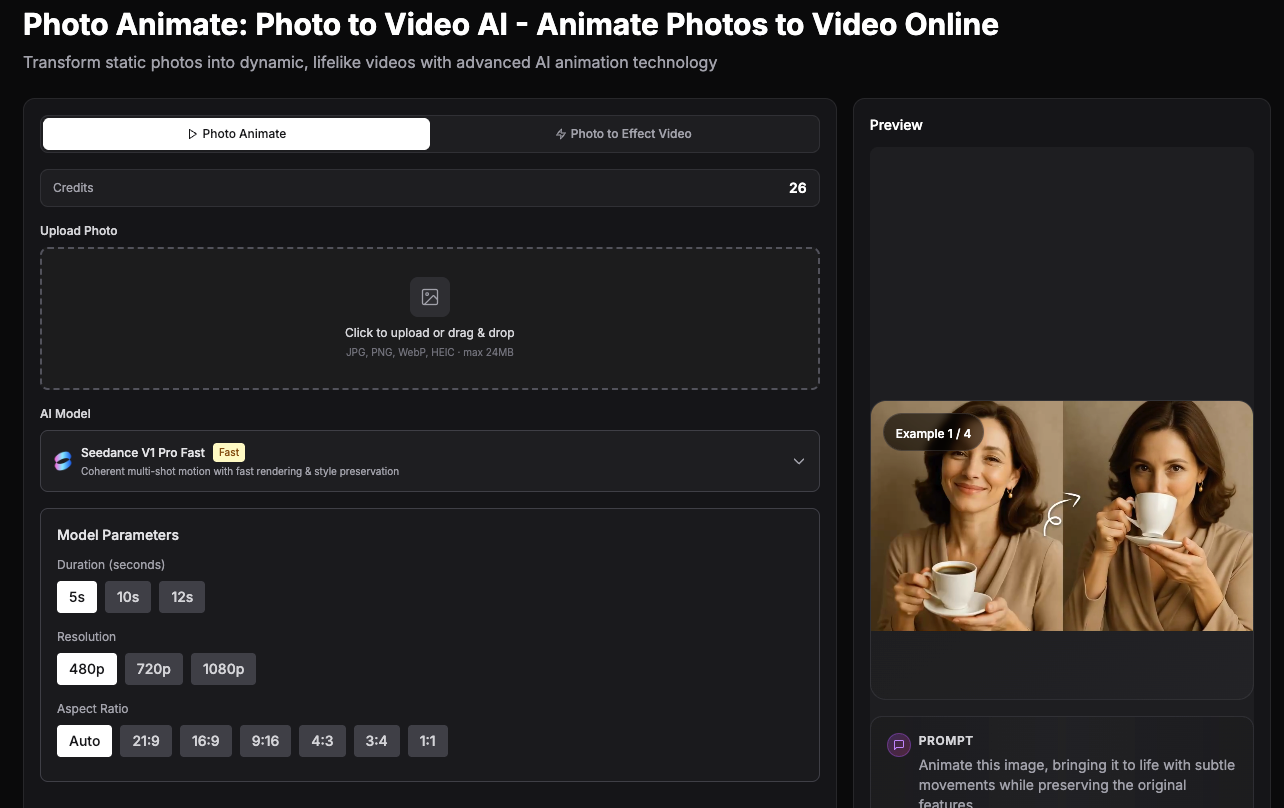
Photo Animate offers a straightforward workflow: upload a photo, describe the motion or pick a template, then generate and download the clip. Users can choose from templates like Dance, LoveHeart, Old Photo, Earth Zoom, Walking, Ghibli, Cartoon, Cloth Swap, Handshake, and Hugging. The tool supports JPG, PNG, WebP, and HEIC files up to 24MB, with adjustable duration from 5 to 15 seconds, resolution up to 720p, and multiple aspect ratios including 1:1, 16:9, 9:16, 4:3, 3:4, and 2:3.
Key capabilities
The platform includes the Grok Imagine Video 1.5 model for image-to-video with native audio, generating dialogue, ambience, and score in a single pass. It also offers free photo tools for signed-in members: Photo Restoration to repair scratches and fading, Photo Colorizer to add natural color to black and white photos, and Image Upscaler to sharpen low-resolution images. These tools help prepare old or damaged photos for better animation results.
Who it is for
Photo Animate is built for emotional and practical use cases, including bringing old family photos to life, creating respectful memorial clips, and making portraits blink and smile. It also supports fun transformations like AI Dance Generator, AI Hug Generator, AI Fight Generator, and viral trends such as Raindance AI Video and Gas Station Dance AI. The platform is suitable for family archives, reunion gifts, heritage projects, and creator content for social sharing.
Pricing and limits
Photo Animate offers monthly subscription plans with 20, 40, 100, or 300 credits per month, priced at $22.9, $26.9, $42.9, and $86.9 respectively. One-time credit packs are also available: 100 credits for $44.9 and 300 credits for $88.9. All paid plans include fast generation, high quality AI video, commercial license, and no watermark. Downloading videos does not consume credits, and new users get free credits to try the service.
Key features
Photo upload and animation
Upload JPG, PNG, WebP, or HEIC photos up to 24MB and animate them into lifelike videos.
Motion templates
Choose from templates like Dance, LoveHeart, Old Photo, Earth Zoom, Walking, Ghibli, Cartoon, Cloth Swap, Handshake, and Hugging.
Customizable parameters
Set duration from 5 to 15 seconds, resolution up to 720p, and aspect ratios including 1:1, 16:9, 9:16, 4:3, 3:4, and 2:3.
Grok Imagine Video 1.5 model
Use the Grok Imagine Video 1.5 model for image-to-video with native audio, including dialogue, ambience, and score in one pass.
Free restoration tools
Access free photo tools for members: Photo Restoration, Photo Colorizer, and Image Upscaler to prepare images before animation.
Use cases
Animate old family photos
Bring old family photos to life with gentle, realistic motion for heritage projects and family archives.
Memorial videos
Create respectful memorial clips with subtle blinking, small smiles, and gentle head movement.
Social sharing and slideshows
Make portraits blink, smile, or talk for social sharing, tribute videos, and anniversary slideshows.
Fun and viral content
Generate fun dance, hug, fight, or viral trend videos from single or two photos for entertainment.
Pricing & limits
From the official site · checked 10/10/2026Frequently asked questions about Photo Animate - Photo to Video AI
- What is Photo Animate?
- Photo Animate is an AI picture animator that turns still portraits and family photos into short clips with realistic facial motion and easy-to-use controls.
- How does photo to video AI work on Photo Animate?
- Upload a photo, choose a motion style or prompt, and the system analyzes the face, expression, and composition to create a short animated video from the original image.
- Can I animate deceased loved ones photos?
- Yes. Many people use Photo Animate to create respectful memorial clips. We recommend subtle motion such as blinking, small smiles, and gentle head movement for the most natural result.
- Can I animate old black and white photos?
- Yes. Old black and white portraits can often be animated successfully, especially after restoration or enhancement. Clearer facial details usually lead to better motion quality.
- Is my uploaded photo kept private?
- Photo Animate is designed with privacy in mind. You should still review our Privacy Policy for details about storage, processing, and support-related handling of uploaded media.
Related tools

Molyin
Generate cinematic videos, images, and music from text prompts in one studio.

Magic Hour
Create videos, images, and audio with 100+ AI tools in one browser-based studio.

Happy Horse AI
Generate cinematic AI videos with HappyHorse-1.0, Veo, Sora, Kling, and Seedance.

Gemini Omni
Create videos with multimodal prompts, chat editing, and remix workflows for fast iteration.

Seedance AI Video Generator
Generate videos from text, images, video, and audio references with five Seedance models.

OmniShow
Generate cinematic product demos with human-object interaction from text, images, audio, and pose inputs.

AI Animation Video
Turn a single photo or story into multi-minute animated shorts with consistent characters, free storyboards, and voiceover.

https://wan2-7ai.com
Generate 1080p 15s videos with 3x3 grid storyboards and identity locking.