
SpeedUp AI
speed-up.aiKiCad PCB design generator
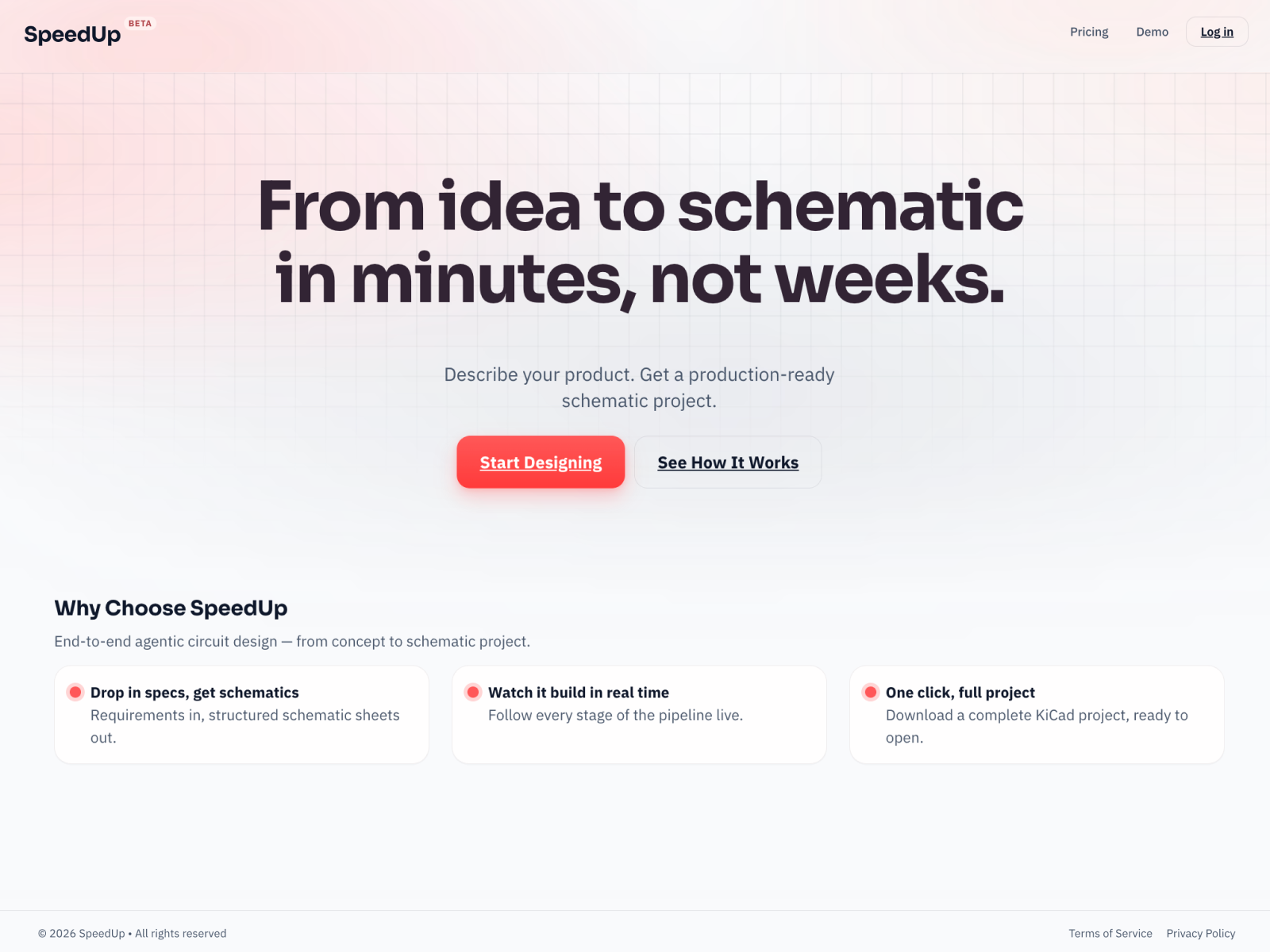
Turn a plain-language device brief into editable KiCad schematics, PCB layout, BOM, and design documentation.
Overview
SpeedUp is an AI PCB design platform that turns a plain-language product brief into electronics system architecture, schematics, PCB layout, a bill of materials, and editable KiCad project files. It is built for hardware founders, product teams, and electronics engineers who need a structured first draft for engineering review. SpeedUp produces design files, not a manufactured or tested board.
How it works
You describe what the device must do, including functions, power, interfaces, components, and operating constraints, in plain language. SpeedUp structures the requirements into electronics modules, power rails, and signal interfaces as a block-level plan you can inspect before any circuit is drawn. It then develops the schematic and places and routes the board. Finally you open the editable project in KiCad to continue review, refinement, and development with your team.
What you get
Each project includes system architecture, structured schematic sheets with named nets, a PCB layout you can inspect, and libraries with parts, symbols, and footprints. The handoff package contains native KiCad files (.kicad_pro, .kicad_sch, .kicad_pcb, .kicad_dru), module schematics, a bill of materials in CSV and Excel, and a design document PDF. A sample Smart Greenhouse Controller project ships with six module schematics, a 140 x 100 mm two-layer board, a 52-line BOM, and a 32-page design report.
Pricing and limits
Design is free, and projects are purchased separately when you download. You can buy and keep a project private forever or publish it and pay less. Pro renews monthly, delays automatic publication, offers 30% off purchases, and supports three parallel projects. Each design is priced individually and the exact price is shown before you pay. Repeat downloads are included, and private projects can be edited and downloaded again without another purchase.
Key features
Requirements to system architecture
Describe functions, power, interfaces, components, and operating constraints in plain language; SpeedUp organizes them into electronics modules, power rails, and signal interfaces you can inspect before any circuit is drawn.
Schematic and PCB layout generation
SpeedUp develops the schematic, then places and routes the board, producing structured schematic sheets with named nets and a routed PCB layout.
Editable KiCad project handoff
Download a native KiCad project with .kicad_pro, .kicad_sch, .kicad_pcb, and .kicad_dru files plus local symbol and footprint libraries.
BOM and design documentation
Each project includes a bill of materials in CSV and Excel plus a design document PDF covering system decisions, integration details, and next engineering work.
Design rule check reporting
A sample ESP32 console project ships with a KiCad DRC report showing 0 DRC errors, 0 unconnected items, and 14 silkscreen warnings, with the check method documented.
Use cases
Hardware founders validating an idea
Test feasibility and cost before committing engineers or hiring a design house.
Electronics engineers skipping bring-up
Start from real schematic sheets and a routed board instead of a blank canvas, then refine in KiCad.
Product teams planning a prototype
Turn a product opportunity into a first design the team can review and build on.
Robotics, IoT, and audio device concepts
Explore reference designs such as a portable CO2 monitor, an ESP32 retro gaming console, and a 24 V smart greenhouse controller.
Pricing & limits
From the official site · checked 11/12/2026Before you use it
SpeedUp runs in the browser and hands off to KiCad, so you need KiCad to open and edit the generated project. Generated designs are a starting point for engineering review, not a guarantee of a production-ready board. Review component choices, footprints, connectivity, placement, routing, and your manufacturer's requirements before fabrication, and assemble and test the prototype before relying on its performance. On Free, finished designs go public a set number of days after creation, and published designs cannot be edited or made.
Frequently asked questions about SpeedUp AI
- What can SpeedUp generate?
- SpeedUp generates schematics and PCB layouts for functional prototype boards starting from your device requirements, delivered as an editable design your team can review and refine. It produces design files, not a manufactured or tested physical board.
- What files do I get, and can I edit them?
- You get an editable KiCad project including schematic and PCB layout files, associated libraries, and a bill of materials. Open the project in KiCad to inspect the design, make changes, and continue development.
- Is the generated design ready to manufacture?
- No. Generated designs are a starting point for engineering review, not a guarantee of a production-ready board. Review component choices, footprints, connectivity, placement, routing, and your manufacturer's requirements before fabrication, and test the prototype before relying on its performance.
- What is free, and when do I pay?
- Design is free. Projects are purchased separately when you download, and Pro delays automatic publication, offers 30% off purchases, and supports three parallel projects.
- What happens if I never buy a project?
- Your finished design goes public a set number of days after creation on Free or Pro, and you still need to buy it to download. Unfinished projects expire and cannot be edited, and no project purchase is charged automatically.
Related tools

Nean Project
Turn a rough idea into a structured task tree plan, then review AI-suggested changes before applying them.

Apptune
Design App Store and Google Play screenshots, translate them into 87 languages, and publish or A/B test them in one click.
Renderspace Ai
Turn a job-site photo into a photorealistic pool, patio, exterior or interior concept in about 30 seconds.

Img2STL
Turn PNG, JPG or SVG images into printable STL files

3D House Planner
Design houses and apartments in your browser with AI assistance, live 2D-3D sync, and BIM export.

AI Yard Design Studio
Upload a yard, patio, or room photo and get climate-aware landscape or interior designs with DIY planning lists.

SkySnail
Generate CTR-optimized thumbnails for YouTube, TikTok, and Instagram in seconds.

FloorPlanBot
Turn a text description into a house layout concept with AI, then edit and export as PNG, PDF, or DXF.