
RemoveFrom.Video
removefrom.videoVideo text remover with AI inpainting
Erase text, captions, subtitles, and overlays from MP4, MOV, and WEBM videos online.
Overview
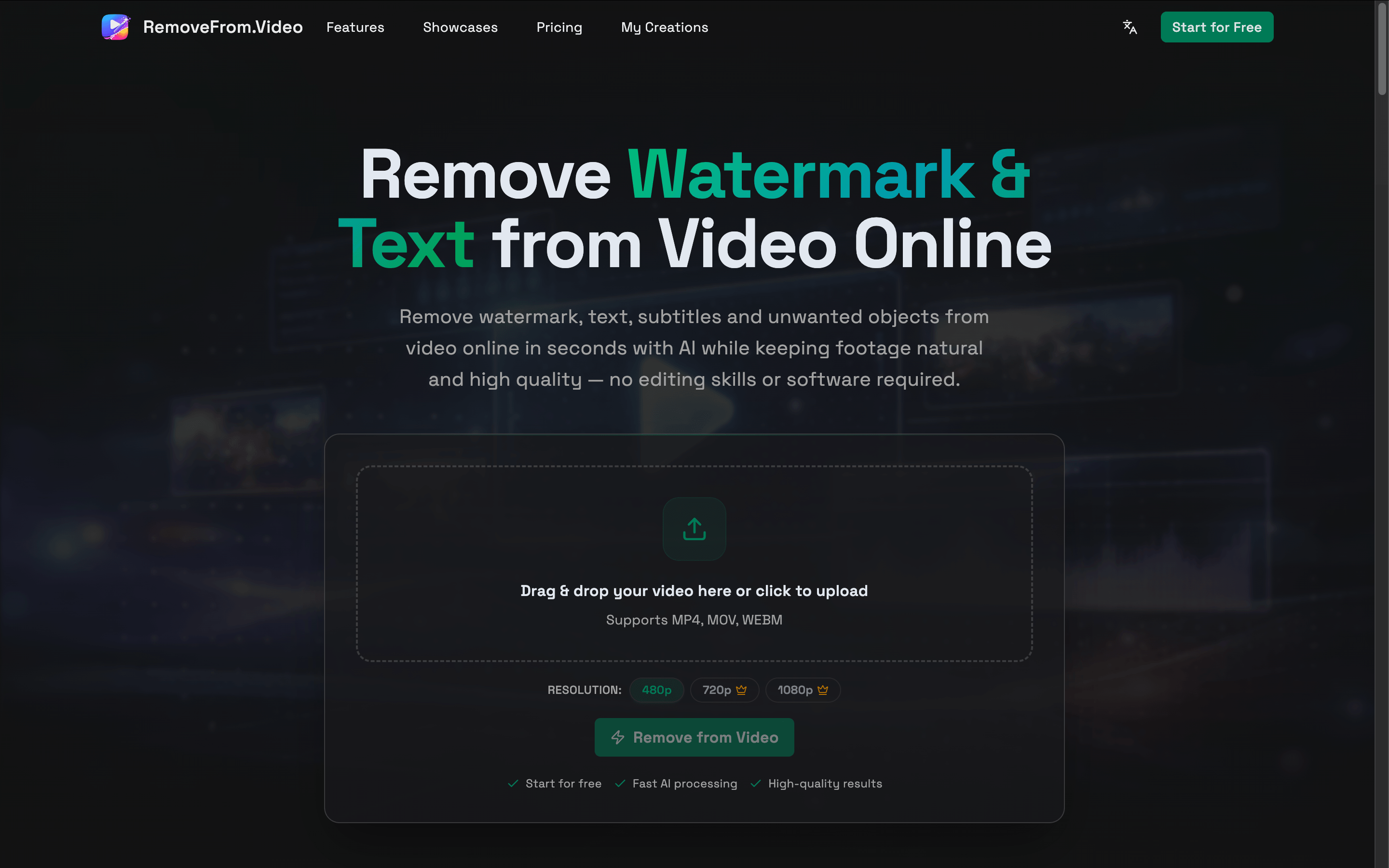
RemoveFrom.Video is an online AI video text remover that erases hardcoded text, captions, subtitles, overlays, watermarks, and logos from video files. Users upload MP4, MOV, or WEBM videos, select the text to remove, and the AI reconstructs the covered background while preserving motion and detail. It is designed for creators, marketers, educators, and anyone who needs to clean and reuse video footage without installing desktop editing software.
How it works
The workflow starts by uploading an MP4, MOV, or WEBM video. Users can let AI detect visible text automatically or use precise area selection to target a specific region. The AI then removes the text across the video and reconstructs the covered background while preserving surrounding motion and visual detail. After processing, users can preview the result, use included adjustments, and download the finished video.
Key capabilities
The tool removes hardcoded titles, captions, subtitles, lower thirds, usernames, text overlays, timestamps, date stamps, and labels. It also offers dedicated workflows for removing watermarks, logos, objects, backgrounds, and audio. Output supports up to 4K resolution on paid plans, and every completed text removal includes 2 free adjustments.
Who it is for
The service is aimed at YouTube creators, social media managers, marketing specialists, online course creators, app developers, and content creators. It helps repurpose short videos for Shorts, Reels, and TikTok, localize videos with new captions, update tutorials and screen recordings, refresh marketing creative, clean archived footage, and improve personal videos by removing date stamps and location labels.
Pricing and limits
New users get 30 free credits on first sign-in, with output up to 480p. Paid options include a Lite Pack at $6.90 for 180 credits, a Basic Pack at $24.90 for 900 credits with 4K output and commercial license, and a Pro Pack at $59.90 for 2400 credits with priority support. Credits are charged by video length, valid for 12 months, and refunded if a job fails.
Key features
AI video inpainting
AI inpainting reconstructs the background behind removed text, preserving motion and visual detail.
MP4, MOV, WEBM support
Supports MP4, MOV, and WEBM video formats.
2 free adjustments per removal
Every completed text removal includes 2 free adjustments with no extra credits.
30 free credits for new users
New users get 30 free credits on first sign-in.
Additional removal tools
Dedicated tools for removing watermarks, logos, objects, backgrounds, and audio from video.
Use cases
Republish short videos
Clean captions, usernames, and old overlays before adapting clips for Shorts, Reels, TikTok, and other channels.
Localize existing videos
Remove burned-in captions or subtitles before adding a new language version for another audience.
Update tutorials and screen recordings
Clear outdated labels, interface text, product names, or annotations from training and software-demo footage.
Refresh marketing creative
Remove old promotional text, prices, calls to action, or campaign overlays before creating a new version.
Clean archived footage
Reuse older videos by removing obsolete text, dates, labels, and other visual elements that no longer apply.
Pricing & limits
From the official site · checked 10/10/2026Frequently asked questions about RemoveFrom.Video
- How do I remove text from video online?
- Upload your video, choose text removal, identify the unwanted words, and let AI clean the affected frames while reconstructing the covered background. You can then preview and download the result directly in your browser.
- Can I remove text from video online for free?
- Yes. You can start with free credits and try the video text removal workflow online. Each completed text removal also includes 2 free adjustments, while higher-volume processing requires additional credits or a paid plan.
- Can I remove watermarks from video too?
- Yes. Use the dedicated video watermark remover for visible watermarks, brand marks, and fixed overlays while keeping the original frame intact.
- Can I remove captions and subtitles from video?
- Yes. Burned-in captions and hardcoded subtitles can be cleaned from the video frames using AI inpainting. This is useful when you need to localize or repurpose footage with new captions.
- What video formats are supported?
- Common formats such as MP4, MOV, and WEBM are supported, covering most videos from phones, cameras, screen recordings, and social media workflows.
Related tools

Photo Animate - Photo to Video AI
Turn still portraits into lifelike videos with natural motion and easy controls.

Molyin
Generate cinematic videos, images, and music from text prompts in one studio.

Magic Hour
Create videos, images, and audio with 100+ AI tools in one browser-based studio.

MakeAIVideo
Generate AI images and videos with frontier models in one prompt box, and let an agent handle the brief.

Music to Video
Upload MP3, WAV, or M4A and get a beat-synced music video in minutes, with 16:9 or 9:16 output.

Kling 5.0 AI Video Generator
Create 1080P HD videos from text or images with free daily credits and interactive controls.

ImagineToVideo
Turn text, images, or footage into professional videos with synced audio in minutes.

FragCut IO
Turn Twitch VODs and gameplay uploads into TikTok-ready vertical clips with AI highlight detection.