MakeAIVideo
makeaivideo.appCreative studio with agent-driven production
Generate AI images and videos with frontier models in one prompt box, and let an agent handle the brief.
Overview
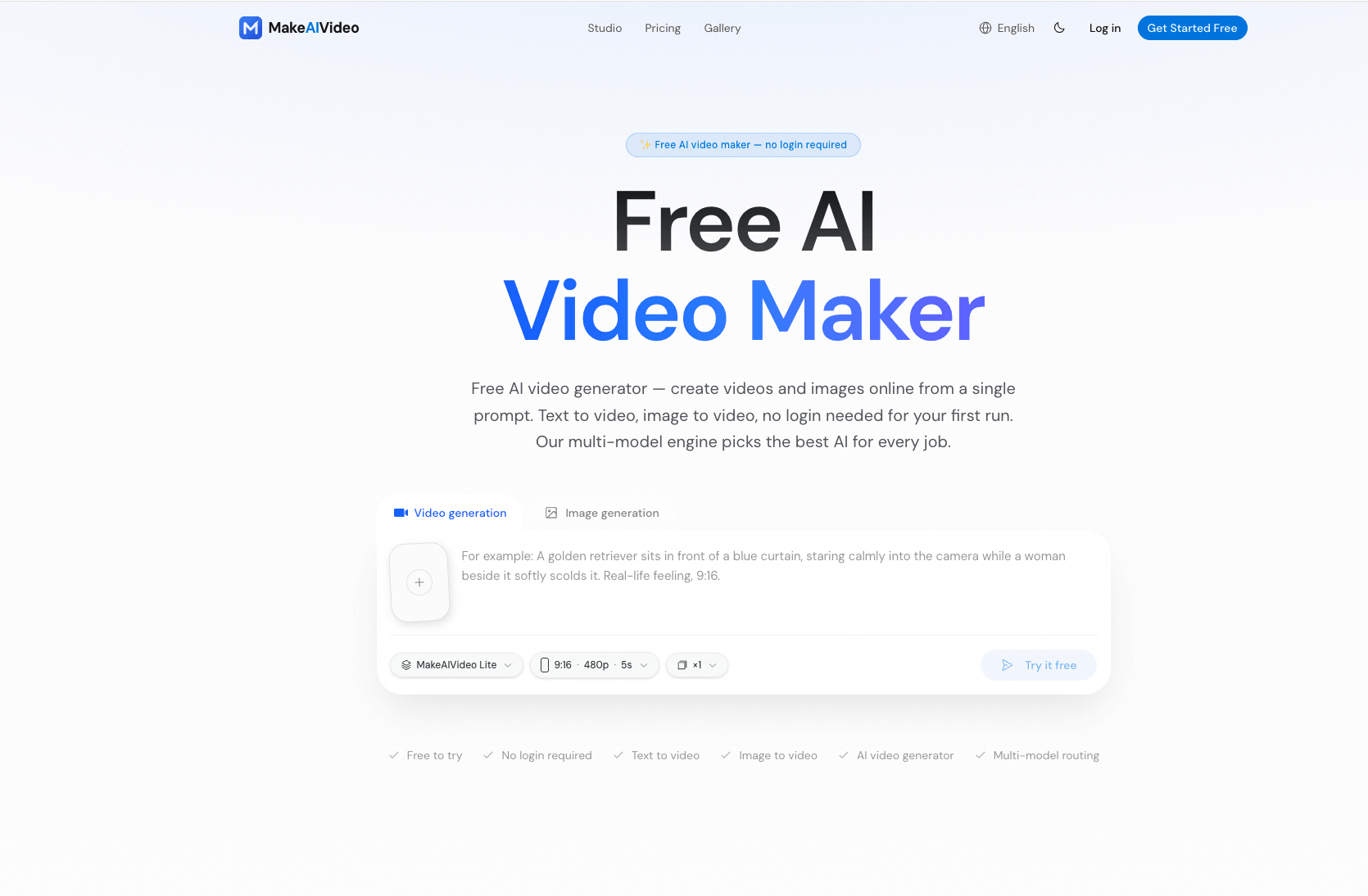
MakeAIVideo is an all-in-one creative studio for AI images, video, and agents. You write a prompt, choose a model, and get results in a library you keep, or hand the whole brief to an agent that picks models and runs variations. It runs in the browser with nothing to install, and every account starts free with credits on sign-in and more each day you return.
Models and workflow
The studio runs frontier text-to-video and image-to-video models including Seedance, Google Veo, Kling, Hailuo, and WAN, plus image models GPT Image, Nano Banana, and Grok. All models take the same prompt box and draw from the same credit balance, so switching models is a click rather than another subscription. Reference images lock faces, products, and palettes across shots, and everything lands in one library with the prompts that made it.
Agent-driven production
The agent layer takes a brief and does the job: it picks models, runs variations, and files work alongside yours. It has a computer of its own where it writes, renders, and assembles, and it can use your browser to gather references from pages you are signed into. Talking to the agent is free; credits move only when something is actually rendered.
Pricing and plans
Every account starts free with a welcome gift and more credits each day you return, with no card required. Paid plans export without a watermark and grant a commercial licence that stays with the work even if you stop paying later. Plans include Pro at $20.30 per month, Ultra at $41.30, Titan at $90.30, and MAXIMUM at $209.30, with yearly billing offering four months free.
Plan details
The free plan includes watermarked, personal-use output with media kept for 7 days. Paid plans offer priority queues, no watermark, commercial use, and longer media retention: 90 days on Pro, 180 days on Ultra, 360 days on Titan, and indefinite on MAXIMUM. Failed generations are refunded automatically, and you can upgrade or cancel any time with no exit fee.
Key features
Multiple frontier models
Access Seedance, Veo, Kling, Hailuo, WAN, GPT Image, Nano Banana, and Grok from one prompt box and one credit balance.
Agent-driven production
An agent that takes a brief, picks models, runs variations, and files work, with a computer and browser it can use.
Reference consistency
Reference images lock faces, products, and palettes across shots, not just the first frame.
Unified library
All renders, references, and uploads stay together with the prompts that made them in one library.
Commercial licence
Paid plans export without watermark and grant a commercial licence that stays with the work even after stopping payment.
Free to start
Free plan includes a welcome gift and daily credits, with no card required.
Use cases
Advertising and product spots
Create ads and product spots with cinematic motion and consistent characters.
Social media content
Produce social video and character or brand imagery with reference consistency.
Storyboards and animatics
Build storyboards and animatics from a brief, letting the agent pick models and run variations.
Editorial and e-commerce stills
Generate stills for editorial and e-commerce with text-accurate images from GPT Image.
Pricing & limits
From the official site · checked 10/10/2026Frequently asked questions about MakeAIVideo
- Is it free to start?
- Yes. Signing in gives you a welcome gift, with more to collect each day you come back. There is no card on file and no trial that quietly converts.
- Which AI models can I use?
- Seedance, Veo, Kling, Hailuo and WAN for video; GPT Image, Nano Banana and Grok for stills. All take the same prompt box and the same balance.
- Can I use what I make commercially?
- On a paid plan, yes — advertising, client work and resale included, with no attribution required. That licence stays with the work even if you stop paying later.
- Can I upgrade or cancel any time?
- Yes. Change the plan or stop it from Billing. It runs to the end of the period you already paid for — no contract, no exit fee.
- How long does a render take?
- Images usually land in under a minute. Video takes longer and depends on what you asked for; the studio tells you where it is while it works.
Related tools

Photo Animate - Photo to Video AI
Turn still portraits into lifelike videos with natural motion and easy controls.

Molyin
Generate cinematic videos, images, and music from text prompts in one studio.

Magic Hour
Create videos, images, and audio with 100+ AI tools in one browser-based studio.
Music to Video
Upload MP3, WAV, or M4A and get a beat-synced music video in minutes, with 16:9 or 9:16 output.
Kling 5.0 AI Video Generator
Create 1080P HD videos from text or images with free daily credits and interactive controls.
ImagineToVideo
Turn text, images, or footage into professional videos with synced audio in minutes.
FragCut IO
Turn Twitch VODs and gameplay uploads into TikTok-ready vertical clips with AI highlight detection.
Seedance 2 JP
Create up to 30-second AI videos from Japanese text or images, with audio and 1080p support.