
Music to Video
musictovideo.orgBeat-synced music video generator from audio
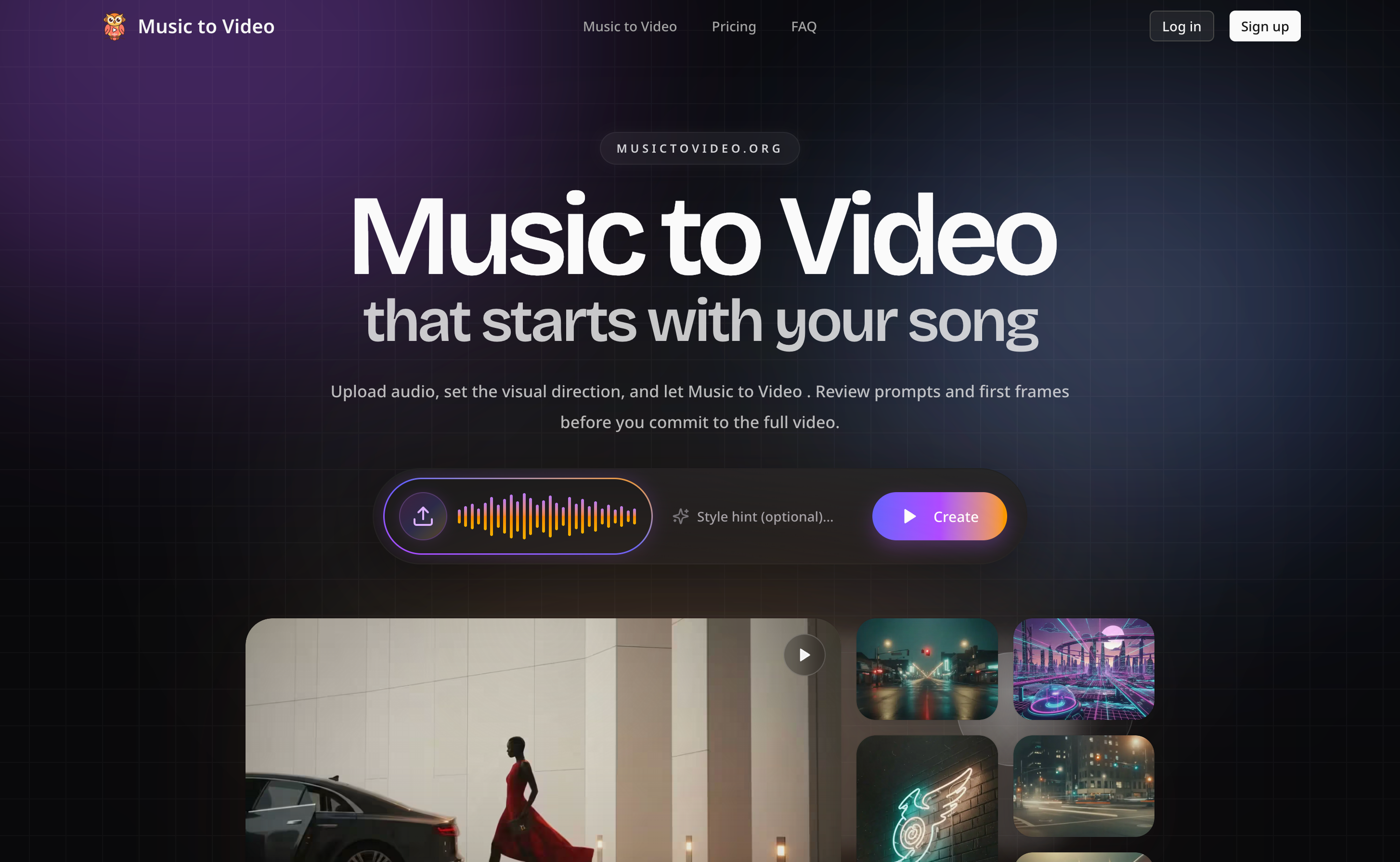
Upload MP3, WAV, or M4A and get a beat-synced music video in minutes, with 16:9 or 9:16 output.
Overview
Music to Video AI Generator is an online tool that turns any song, MP3, WAV, or M4A audio file into a beat-synced music video. Upload your track, and the AI analyzes tempo, mood, and section changes to build scene-by-scene visuals that follow the structure of your song. It is designed for independent musicians, AI music creators, social media creators, and labels who want to produce music videos without filming or editing.
How it works
The AI listens to your song first, reading tempo, mood, and section changes before generating any frames. This ensures chorus lifts, drops, and verses each get matching visuals, not random clips. Cuts and motion land on the beat, and scene energy follows the verse/chorus/drop structure, so the video feels made for your song.
Key capabilities
Upload MP3, WAV, or M4A files, including AI-generated tracks from Suno or Udio. Choose 16:9 widescreen for YouTube and music releases, or 9:16 vertical for TikTok, Instagram Reels, and YouTube Shorts. The AI composes scenes for the chosen format from the start, eliminating manual re-cutting between platforms.
Who it is for
Built for independent musicians and bands who want a music video for every release, AI music creators turning Suno or Udio tracks into shareable clips, TikTok and Shorts creators producing vertical promo cuts, and labels, agencies, and brand teams iterating on concepts without booking shoot days. The workflow supports lyric videos, visualizers, singer videos, dance cuts, album art animations, and social music videos.
Pricing and limits
New accounts receive free credits to generate a short music video and try the workflow. Paid plans include Starter at $18.90/month for 1,700 credits and up to 1m20s of video, Creator at $49.90/month for 5,100 credits and up to 4m, and Studio at $119.90/month for 13,090 credits and up to 10m16s. A one-time credit pack of 680 credits costs $9.96 for up to 32 seconds. All plans deliver watermark-free MP4s with full commercial use and 24/7 support.
Key features
Beat-synced AI generation
Upload MP3, WAV, or M4A files; AI analyzes tempo, mood, and section changes to generate beat-synced visuals.
16:9 and 9:16 output
Choose 16:9 widescreen for YouTube and music releases, or 9:16 vertical for TikTok, Instagram Reels, and YouTube Shorts.
Scene preview and editing
Preview scene-by-scene visuals and rewrite prompts for any section before the final render, without re-rendering the whole video.
Any music source
Works with recorded songs, instrumentals, or AI-generated tracks exported from Suno, Udio, or any music tool.
Watermark-free MP4
Every render is delivered without watermark on free and paid plans.
Use cases
Independent musicians
Generate a music video for every release without filming or hiring a crew.
AI music creators
Export AI-generated songs from Suno or Udio and turn them into finished music videos.
Social media creators
Create vertical 9:16 music videos for TikTok, Instagram Reels, and YouTube Shorts.
Labels and agencies
Produce music video concepts and campaign cuts for multiple artists without shoot days.
Pricing & limits
From the official site · checked 10/10/2026Frequently asked questions about Music to Video
- What is a music to video AI generator?
- A music to video AI generator is an online tool that turns a song, MP3 file, or audio track into a music video using AI. You upload your audio, choose an aspect ratio and style, and the AI generates beat-synced visuals that follow the rhythm, mood, and structure of your song.
- How do I turn music into a video with AI?
- Upload an MP3, WAV, or M4A file, choose 16:9 or 9:16, and optionally describe the visual direction. The AI analyses your audio, builds beat-synced scenes, and renders a finished MP4 you can download in minutes.
- Can I create a music to video from MP3?
- Yes. Upload your MP3 (WAV and M4A also work) and the generator will produce a video synced to your track. You can use your own song, an instrumental, or any audio file you have the rights to.
- Is there a free music to video AI generator?
- Yes. Sign up and you receive free credits, enough to generate a short music to video and see how the workflow handles your song. Paid plans add a monthly credit budget for regular releases.
- Does the AI sync visuals with the music?
- Yes. The AI reads tempo, mood, and section changes in your audio and builds scenes that follow the structure of the song, so chorus lifts, verses, and energy shifts are reflected in the visuals.
Related tools

Photo Animate - Photo to Video AI
Turn still portraits into lifelike videos with natural motion and easy controls.

Molyin
Generate cinematic videos, images, and music from text prompts in one studio.

Magic Hour
Create videos, images, and audio with 100+ AI tools in one browser-based studio.
Kling 5.0 AI Video Generator
Create 1080P HD videos from text or images with free daily credits and interactive controls.

ImagineToVideo
Turn text, images, or footage into professional videos with synced audio in minutes.

FragCut IO
Turn Twitch VODs and gameplay uploads into TikTok-ready vertical clips with AI highlight detection.
Seedance 2 JP
Create up to 30-second AI videos from Japanese text or images, with audio and 1080p support.

ReelsMakerAI
Turn text prompts into watermark-free faceless videos for TikTok, Instagram, and YouTube with AI automation.