
Motion Control AI
Third-partymotioncontrolai.ioKling motion transfer tool
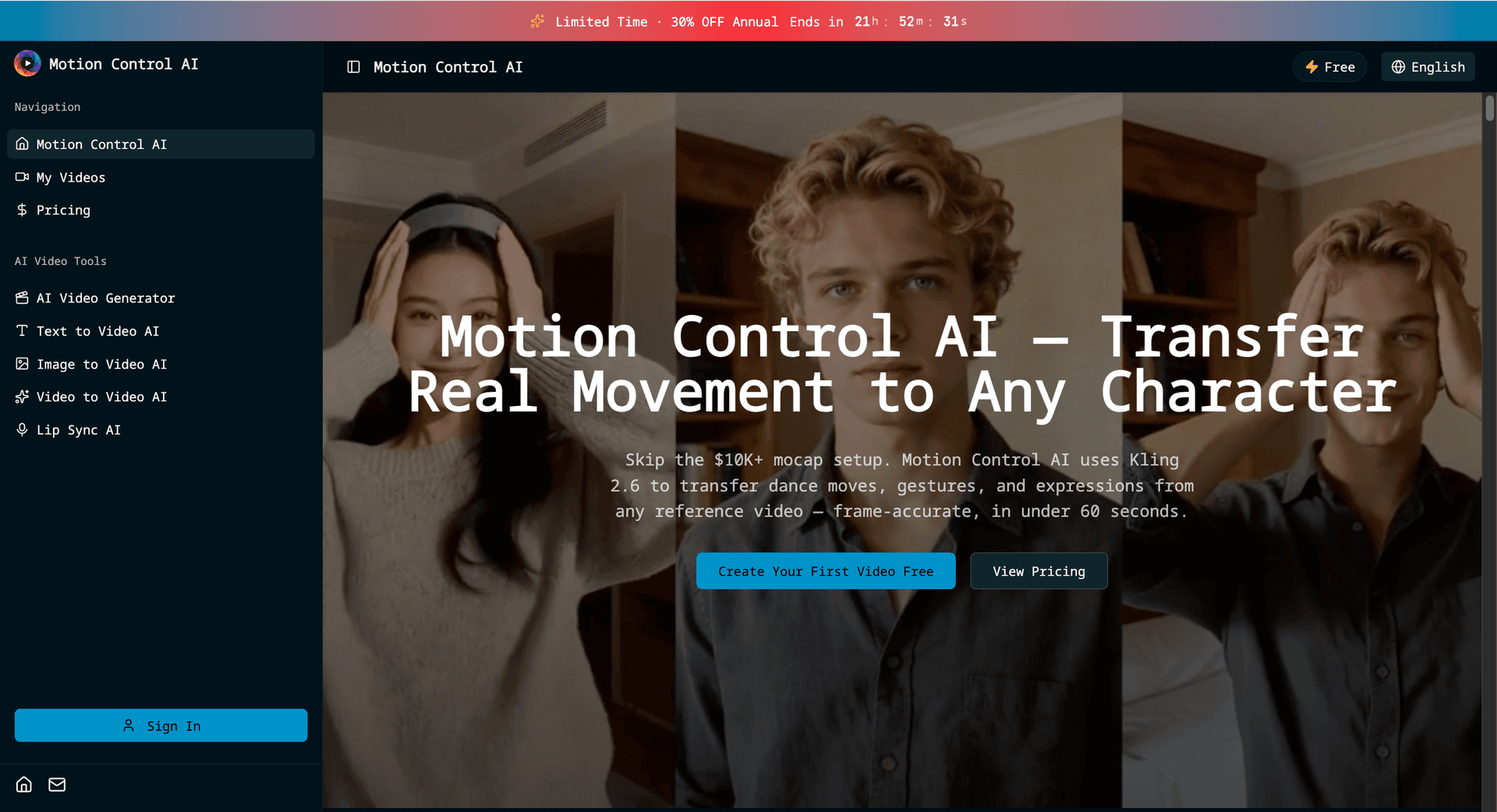
Transfer dance moves, gestures and facial expressions from a reference video onto a character image in 40 to 90 seconds.
Overview
Motion Control AI is an independent third-party service built around Kling 3.0 that transfers human movement from a reference video onto a character image. You upload a character image and a motion clip, pick a duration and quality tier, and get a 3 to 30 second video. It is aimed at creators, marketers, educators and studios who want character animation without motion capture equipment.
How it works
Upload a character image in JPG, JPEG or PNG at 1024x1024 or larger, plus a reference video in MP4 or MOV at 720p minimum and up to 60 seconds. The tool extracts skeletal motion frame by frame and maps it to the character, separating identity from motion data so the character's look stays consistent. Choose a duration from 3 to 30 seconds and a quality tier, then generate. Standard clips of 3 to 10 seconds take about 40 to 50 seconds, and Pro clips up to 30 seconds take 60 to 90 seconds.
Key capabilities
Four motion modes cover full-body transfer, hand tracking for finger articulation and sign language, facial expression sync, and cinematic output up to 1080p at 30fps with pan, tilt and zoom controls. Lip Sync AI matches mouth movement to audio input. Separate generators handle text to video and image to video through Grok Standard at 6, 10 or 15 seconds, and Veo 3.1 powers a Quality mode on Pro and Business plans.
Pricing and limits
The Free tier includes no credits and adds a watermark with no downloads. Basic is $19.9/month for 700 credits, Pro is $49.9/month for 1,800 credits, and Business is $99.9/month for 3,500 credits; annual billing saves 30%. Motion Control is charged per second: v2.6 Standard is 5 credits/s, v2.6 Pro 8 credits/s, v3.0 Standard 9 credits/s and v3.0 Pro 12 credits/s. Credit Packs cost $49.9 for 1,200 credits or $89.9 for 2,000 credits and last 30 days.
Who it is for
Creators use it to put trending dances on custom characters for YouTube Shorts, TikTok and Reels. Film and animation teams transfer actor performances to animated characters for short films and storyboarding. Marketing teams animate mascots and spokespersons for product demos and ads, and educators transfer instructor gestures to character tutors for training videos. Personal users can animate avatars with their own movements without technical skills.
Key features
Motion transfer from reference video
Uploads a reference clip and extracts skeletal motion frame by frame, mapping full-body movement such as dance choreography, walking and athletic motion onto a character image while keeping the character's identity.
Gesture and expression sync
Kling 3.0 tracks finger articulation, pointing, sign language and hand waves, and maps facial expressions including smiles, frowns, eye movement and lip articulation from the source video.
Lip Sync AI
Synchronizes character mouth movements with an audio input to produce talking-head videos, priced by audio duration at 720p or 1080p.
Text to video and image to video
Grok Standard turns a prompt or a photo into a 6, 10 or 15 second silent clip at 480p or 720p, and Veo 3.1 powers a Quality mode on Pro and Business plans.
Camera and output controls
Output runs up to 1080p at 30fps with camera controls for pans, tilts and zooms; Pro and Business plans add 4K generation, private generation and watermark-free downloads.
Use cases
Short-form social content
YouTube Shorts, TikTok and Instagram Reels creators transfer trending dance moves to custom characters without hiring an animator.
Film and character animation
Studios transfer actor performances to animated characters for short films, visual effects and storyboarding at a fraction of traditional mocap cost.
Marketing and brand mascots
Teams animate mascots and character spokespersons for product demos, ad campaigns and explainer videos.
E-learning and training video
Educators transfer instructor gestures to character tutors for tutorials, training videos and course content.
Pricing & limits
From the official site · checked 11/18/2026Frequently asked questions about Motion Control AI
- What is Motion Control AI?
- It is an independent AI video generator built around Kling 3.0 that transfers real human movement from a reference video onto a character image with frame-accurate precision, without motion capture equipment.
- Which input formats are supported?
- Images can be JPG, JPEG or PNG at 1024x1024 or larger, and reference videos can be MP4 or MOV at 720p minimum and up to 60 seconds. Output is 3 to 30 seconds of motion control video.
- Is there a free plan?
- Signing up is free, but new accounts do not include free credits. The Free tier lets you preview generated videos with a watermark and no downloads; generating requires a subscription or a one-time credit pack.
- How long does generation take?
- Standard quality clips of 3 to 10 seconds take about 40 to 50 seconds, while Pro quality clips of up to 30 seconds take 60 to 90 seconds.
- Can I use the videos commercially?
- Commercial usage rights are included with the Business plan. Free, Basic and Pro plans are licensed for personal and non-commercial use only.
Related tools

AI Rap Video Generator
Turn one photo into a 4, 6, or 8-second rap video with generated vocals, a beat, and lip sync, ready for TikTok, Reels, and Shorts.

Magic Hour
Create videos, images, and audio with 100+ AI tools in one browser-based studio.

Molyin
Generate cinematic videos, images, and music from text prompts in one studio.

Photo Animate
Turn still portraits into lifelike videos with natural motion and easy controls.
VoooAI
Turn one sentence into a multi-step workflow that outputs images, video, music and digital-human narration.
Storyship
Turn a product URL or an MP4, WebM or MOV screen recording into a narrated demo video with captions and zooms.
Seedance Now
Multi-model AI video & image generator in your browser
Vidsembly
Turn PowerPoint, PDFs, and documents into narrated videos with AI voiceover or your voice clone.