
Word Remover
wordremover.comVideo text remover with AI background repair
Remove burned-in subtitles, captions, and text watermarks from your videos with AI background reconstruction.

Overview
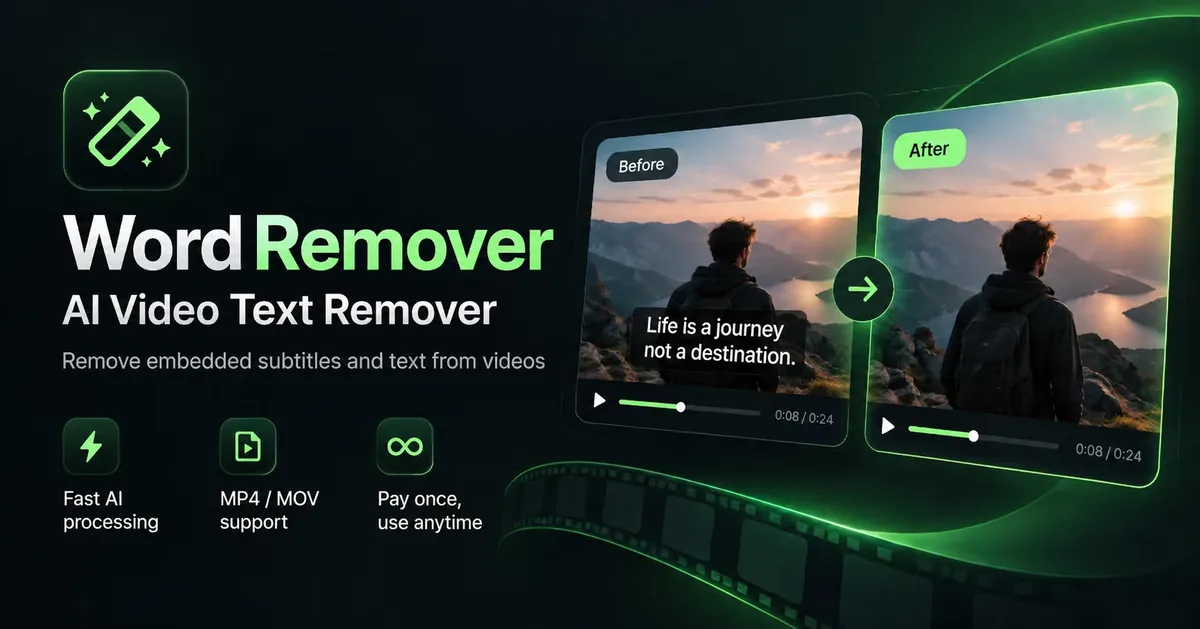
Word Remover is an online AI tool that removes unwanted text, subtitles, captions, and text watermarks from videos. Users upload an H.264 MP4 or MOV file, draw a box over the text, and let AI reconstruct the background instead of applying a blur filter. It is designed for content creators editing videos for platforms like YouTube, TikTok, and Instagram Reels, with no software installation required.
How it works
The process is simple: upload your video, select the text area by drawing a box and adjusting its timing, then start the repair. AI reconstructs the background behind the lettering, and you can preview the result before downloading. The tool preserves the full video frame and source frame rate, with no cropping or resolution loss.
Key capabilities
Word Remover targets burned-in subtitles, captions, timestamps, and text watermarks. It uses AI background reconstruction rather than a blur filter, and you control exactly which text to remove and when it appears. The tool works entirely in the browser, with no installation, and exports at the original resolution and frame rate.
Pricing and limits
Word Remover offers a one-time free trial for one video up to 30 seconds and 100 MB, with no sign-up required. For additional processing, prepaid packs are available: Starter at $9.90 for 40 minutes, Creator at $29.90 for 150 minutes, and Pro at $69.90 for 400 minutes. All packs are one-time payments, valid for 365 days, with no automatic renewal. Videos up to 1080P can be up to 5, 15, or 30 minutes depending on the plan, while 2K videos are limited to 1 minute per video on all plans.
Key features
AI background reconstruction
Repairs the selected background instead of applying a blur filter, preserving original resolution.
Selective text removal
Draw a box around unwanted text and set its timing to control exactly what gets removed.
Full frame preservation
Keeps the entire video frame without cropping, maintaining source dimensions and frame rate.
No installation
Works entirely in the browser with no software download required.
Prepaid processing packs
One-time payments for processing minutes with no automatic renewal, valid for 365 days.
Use cases
Clean up vlogs
Remove handwritten text overlays or timestamps from vlogs before publishing on YouTube, TikTok, or Instagram Reels.
Remove burned-in subtitles
Eliminate hardcoded subtitles from videos where the words are part of the picture.
Erase text watermarks
Delete text watermarks, recording labels, and timestamps from footage you own or have permission to edit.
Pricing & limits
Verified 10/29/2026Before you use it
Word Remover supports H.264 MP4 and MOV videos only; WebM and HEVC are not supported. The free trial is limited to one video up to 30 seconds and 100 MB, and a shorter video still uses the entire trial. Processing minutes are deducted only after successful processing, and failed tasks do not consume your balance. Videos are re-encoded during export, so bitrate and visual quality can change.
Frequently asked questions about Word Remover
- What is Word Remover?
- Word Remover is an online AI tool that removes unwanted text, subtitles, captions, and text watermarks from videos by reconstructing the background behind the lettering.
- Is Word Remover free to use?
- Yes, Word Remover offers a one-time free trial for one video up to 30 seconds and 100 MB, with no sign-up required. Additional processing requires purchasing a prepaid pack.
- What video formats does Word Remover support?
- Word Remover supports H.264 MP4 and MOV videos. WebM and HEVC are not currently supported.
- Does removing text blur my video?
- No, Word Remover uses AI background reconstruction instead of a blur filter and preserves the original frame dimensions. Complex scenes may still show visual artifacts.
- How do I remove text from a video?
- Upload your video, draw a box over the unwanted text and set its timing, then let AI reconstruct the background. Preview and download the result.
Related tools

AI Rap Video Generator
Turn one photo into a 4, 6, or 8-second rap video with generated vocals, a beat, and lip sync, ready for TikTok, Reels, and Shorts.

Magic Hour
Create videos, images, and audio with 100+ AI tools in one browser-based studio.

Molyin
Generate cinematic videos, images, and music from text prompts in one studio.

Photo Animate
Turn still portraits into lifelike videos with natural motion and easy controls.

img2.video
Turn any photo into a watermark-free HD MP4 video in about a minute using six AI models.

seedance
Turn text, images, and audio into cinematic long-form videos with synchronized sound and stable characters.

LLMWISE
Chat with 20 top AI models and create images, video, voice, music and 3D on one $20 plan.

PromptWise
Generate images, videos, and audio with 40+ leading AI models on one subscription, from $19 a month.