Uptown Funk AI
Third-partyuptownfunkai.comPersonalized Uptown Funk music video maker
Upload up to 9 photos and get a 15-second Uptown Funk music video with the original soundtrack, no editing needed.
Overview
Uptown Funk AI is a web-based tool that creates personalized Uptown Funk music videos from your photos. Upload up to 9 photos, and the AI generates a 15-second MV with the original soundtrack, pre-set dance, and camera movement. It is for anyone wanting a fun, custom music video without editing skills. This is an independent third-party service and is not operated by the company behind the model it is built around.
How it works
Upload your lead photo first, then add photos of anyone else you want in the scene (up to 9 total). Sign in and use credits or buy one MV for $9.90. Review your photos and confirm creation. When the result is ready, play it and download the MP4 from the studio. Buying credits does not start generation automatically.
Key capabilities
The MV uses a pre-set template with choreography, camera movement, and the original soundtrack. It outputs a 16:9 video at 480p, approximately 15 seconds long. The wizard example was generated with Seedance 2.5. You can compare your result with the original and download the MP4.
Pricing and limits
Each complete MV costs 300 credits. Credit packs are available: Starter 800 credits for $39.90, Value 2,000 credits for $79.90, Pro 7,500 credits for $199.90, Bulk 50,000 credits for $999.90, and Mega 160,000 credits for $2599.00. There is no subscription or automatic renewal. Failed jobs return reserved credits.
Key features
Photo-based MV generation
Upload 1-9 JPG, PNG, or WebP photos (300-6000 px, up to 8 MB each) to create a personalized music video with the original Uptown Funk soundtrack.
Pre-set template
The dance, choreography, camera movement, and music are pre-prepared; no video upload, prompt, or editing skills required.
Credit-based pricing
Each MV costs 300 credits or $9.90 one-time; credit packs range from 800 to 160,000 credits, with no subscription required.
MP4 download
Finished MVs are delivered as MP4 files, playable and downloadable from the studio.
Example comparisons
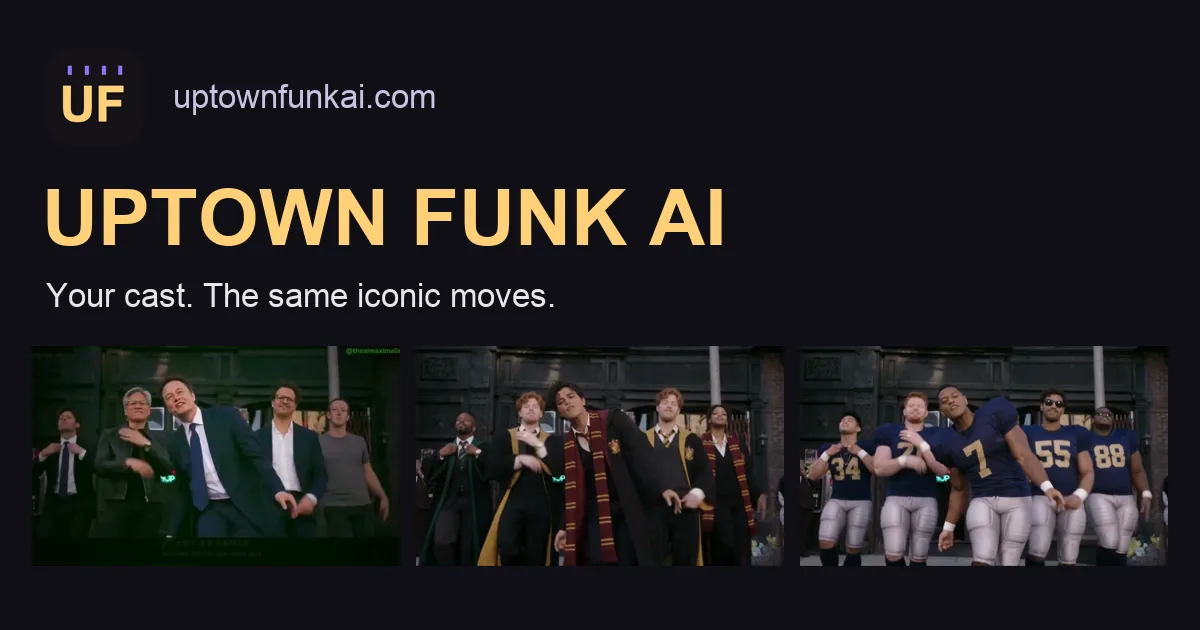
Compare CEO, wizard, and football remixes, including a third-party CEO reference and wizard video generated with Seedance 2.5.
Use cases
Personalized music videos
Create a fun, personalized Uptown Funk MV featuring yourself or friends for entertainment or social sharing.
Gifts and celebrations
Make a unique video gift for birthdays, parties, or special occasions with a custom cast.
Brand or team videos
Use the template to create a branded or team-themed MV with a specific cast of characters.
Pricing & limits
Verified 11/10/2026Before you use it
You need to upload 1-9 JPG, PNG, or WebP photos, up to 8 MB each, with dimensions from 300 to 6000 pixels. Use a clear photo of one person at a time with an unobstructed face. Only use photos you have permission to use. The provider may return a slightly shorter video, and faces or supporting cast can vary.
Frequently asked questions about Uptown Funk AI
- What is Uptown Funk AI?
- Uptown Funk AI is a web-based tool that lets you create a personalized Uptown Funk music video by uploading photos of yourself and others. The dance, choreography, camera movement, and original soundtrack are pre-set, so no video upload or editing is needed.
- Who is Uptown Funk AI for?
- It is for anyone who wants to create a fun, personalized music video featuring themselves or others, such as for entertainment, gifts, or social sharing. It is also used for brand or team videos.
- Is Uptown Funk AI free?
- No, Uptown Funk AI is not free. Each MV costs 300 credits or $9.90 one-time. Credit packs are available starting at $39.90 for 800 credits, with no subscription required.
- What platforms does Uptown Funk AI support?
- Uptown Funk AI is a web-based application, so it works on any device with a web browser and internet connection.
- What are the photo requirements?
- You can upload 1-9 JPG, PNG, or WebP photos, up to 8 MB each, with dimensions from 300 to 6000 pixels. Use a clear photo of one person at a time with an unobstructed face, and put the lead first.
Related tools

AI Rap Video Generator
Turn one photo into a 4, 6, or 8-second rap video with generated vocals, a beat, and lip sync, ready for TikTok, Reels, and Shorts.

Magic Hour
Create videos, images, and audio with 100+ AI tools in one browser-based studio.
Molyin
Generate cinematic videos, images, and music from text prompts in one studio.

Photo Animate
Turn still portraits into lifelike videos with natural motion and easy controls.

Victoria Secret Runway AI
Turn one front-facing portrait into a 14-second runway video with original sound and seven Victoria's Secret-inspired looks.
Burning Bridges AI
Remix existing videos by combining a source clip with character, outfit, product, or scene references for motion transfer and object swap.
airapvideo
Turn two photos into a 10-second vertical rap video with built-in beat and vocals, ready for TikTok, Reels, or Shorts.

ZombieTrend AI
Turn two photos into a four-beat zombie love story video with sound, ready to post in about three minutes.