
Descript
Officialdescript.comText-based video and audio editor
Edit video by editing text, with AI tools for audio cleanup, captions, and clips.
Overview
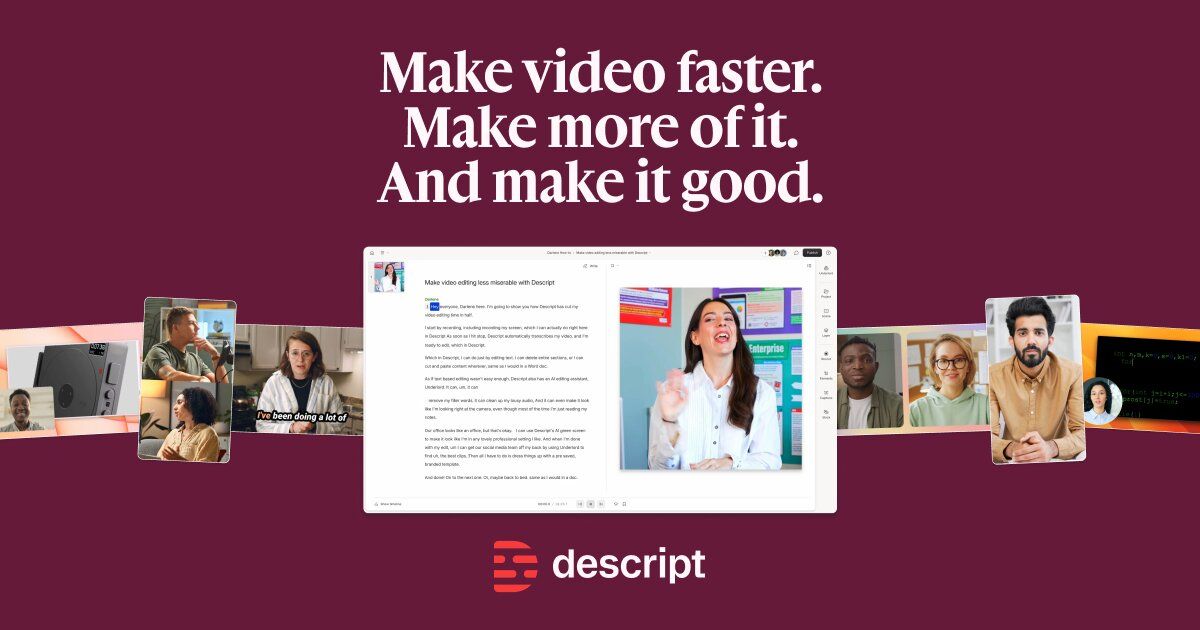
Descript is an AI video and audio editor that makes editing as easy as editing text. You record or upload media, Descript's AI transcribes it, then you cut, trim, and rearrange the video by changing the transcript. It is designed for creators, podcasters, and teams who want to produce polished video and audio content without a steep learning curve.
How it works
Descript transcribes your recordings in seconds, then lets you edit video by editing the transcript. Delete a word to remove that moment of video, move a sentence to shift the footage. The timeline is available for fine control, but you can make a whole video without touching it. You can also import media, record remotely, or use video templates to start projects.
Key capabilities
Key capabilities include text-based editing, Studio Sound for one-click audio cleanup, Underlord AI co-editor for prompt-based edits, dynamic captions, green screen removal, eye contact correction, filler word removal, and video translation in 30+ languages. You can also generate images, video, and custom avatars, and repurpose long-form content into clips for social platforms.
Who it is for
Descript is for creators, podcasters, marketers, sales engineers, and teams who need to produce video and audio content efficiently. It is used by companies like Amazon, Canva, Salesforce, and HubSpot. The tool supports workflows for video podcasts, product demos, screen recordings, and social media clips, making it suitable for both beginners and professionals.
Pricing and limits
Descript offers a free plan with 1 hour of media minutes and 100 AI credits one-time. Paid plans start at $16/month for Hobbyist (10 media hours, 400 AI credits, 1080p export), $24/month for Creator (30 media hours, 800 AI credits, 4K export, top-ups), and $50/month for Business (40 media hours, 1500 AI credits, Brand Studio, priority support). Enterprise plans are custom with advanced security and controls.
Key features
Text-based video editing
Edit video by editing the transcript; deleting a word removes that moment of video, moving a sentence moves the footage.
Underlord AI co-editor
AI-powered co-editor that makes polished edits and helps create videos with just a prompt.
Studio Sound
One-click audio cleanup with background-noise removal and voice enhancement.
Dynamic captions
Automatically create animated captions, choose from stock styles or customize font, colors, and positioning.
Video translation and dubbing
Translate and dub video in 30+ languages with proofread.
Custom avatars
Generate custom avatars from photo upload or text.
Use cases
Product demos
Create product demo videos by editing the transcript and adding AI-generated B-roll.
Video podcasts
Record, transcribe, edit, and publish video podcasts with AI tools for cleanup and clips.
Social media clips
Turn long-form videos into short clips for social media with AI picking viral-worthy moments.
Audio cleanup
Clean up audio, remove filler words, and enhance voice quality for professional recordings.
Video translation
Translate and dub videos into multiple languages for global audiences.
Pricing & limits
Verified 10/19/2026Frequently asked questions about Descript
- What is Descript?
- Descript is an AI video and audio editor that lets you edit by editing text. You record or upload, Descript's AI transcribes it, then you cut, trim, and rearrange the video by changing the transcript.
- How does editing by text work?
- You edit video the way you edit a doc. Descript's AI transcribes your recording, so deleting a word deletes that moment of video and moving a sentence moves the footage with it.
- Is Descript free?
- There's a free plan, no credit card required. Record, edit, and publish for free, and upgrade only when you outgrow the limits.
- Is Descript good for beginners?
- You edit by deleting words in a transcript, so most people make their first cuts within minutes. The timeline is there for fine control when you want it, but you can make a whole video without touching it.
- What files can I bring into Descript?
- Drag in video, audio, or a recording from a Zoom call; Descript's AI transcribes it so you can start editing right away. There is nothing to convert or migrate first.
Related tools

Magic Hour
Create videos, images, and audio with 100+ AI tools in one browser-based studio.

Molyin
Generate cinematic videos, images, and music from text prompts in one studio.

Photo Animate - Photo to Video AI
Turn still portraits into lifelike videos with natural motion and easy controls.

Kling AI
Create cinematic videos and 4K images with native audio and multi-reference control.

Synthesia
Create, translate, and publish AI videos with avatars in 140+ languages.

OpusClip
Turn long videos into viral clips with AI clipping, captions, and publishing.

HeyGen
Create professional AI videos with realistic avatars, voice cloning, and translation into 175+ languages.

Luma AI
Generate and edit video, images, and audio with AI agents for creative work.