
AI Image Enhancer
mejorarcalidaddeimagen.appFree 4K image enhancer
Enhance photos to 4K, remove backgrounds, and restore old images for free.
Overview
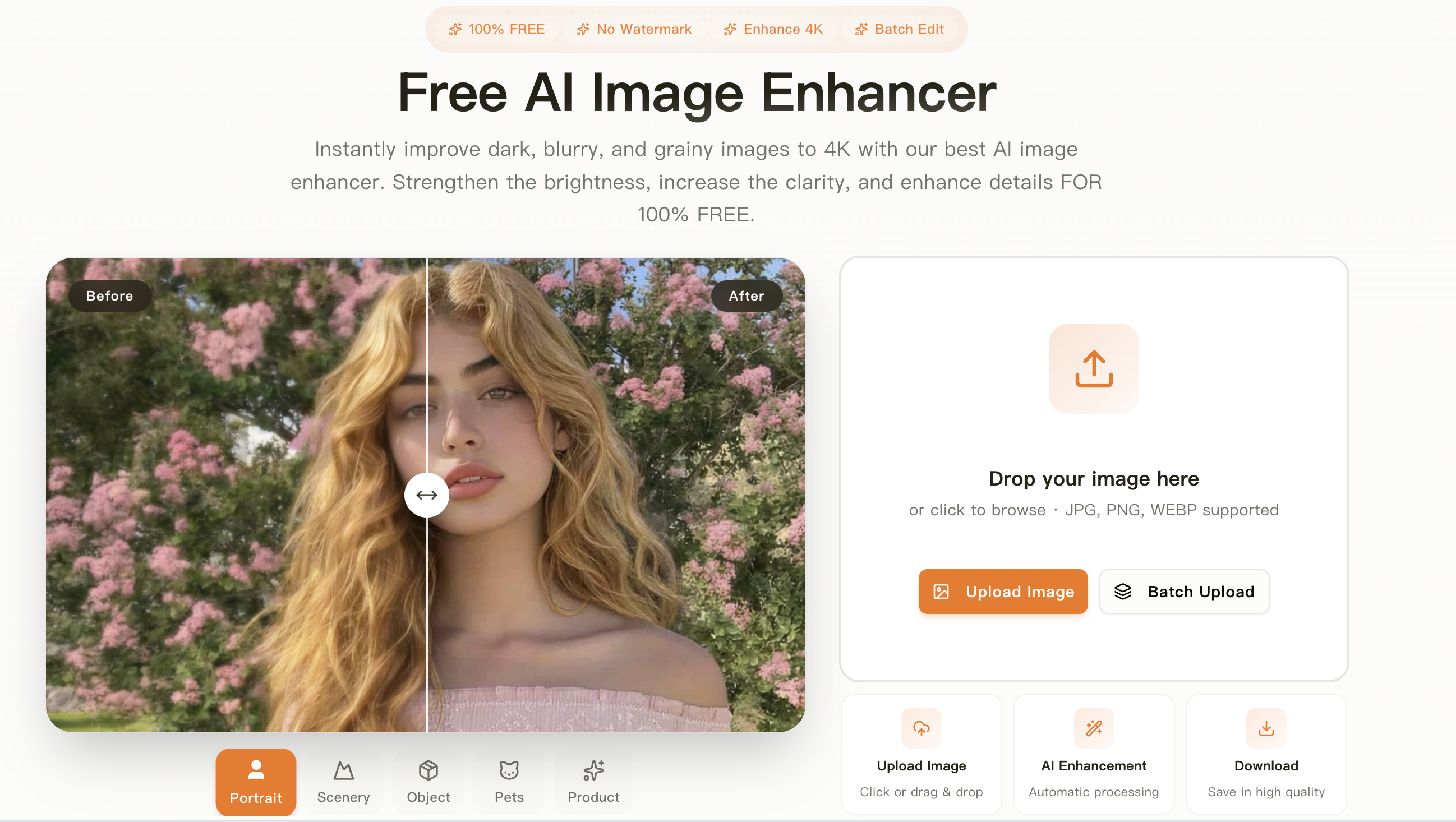
Mejorar Calidad de Imagen is a free online AI tool that enhances image quality to 4K resolution without watermarks. It automatically improves brightness, clarity, and details, and also offers background removal, old photo restoration, and batch processing. Designed for e-commerce sellers, social media users, and photographers, it works directly in the browser with no installation or registration.
How it works
The tool accepts JPG, PNG, and WEBP files, and enhances them to 4K resolution (3840x2160 pixels) using AI super-resolution technology. It automatically adjusts brightness, contrast, saturation, and sharpness, and reduces noise to produce clean, professional-looking images. Users can upload images by drag-and-drop or click, and download the enhanced result in high quality without any watermark.
Key capabilities
Beyond basic enhancement, the platform includes a suite of AI photo studio tools: a background remover that detects people, products, or animals and creates transparent PNGs; an old photo restoration feature that repairs scratches, stains, and discoloration and can colorize black-and-white images; an object remover; and a face swap tool. These tools are accessible from the same site, making it a one-stop solution for photo editing.
Who it is for
The tool is designed for a wide audience: e-commerce sellers who need to showcase product details, social media users wanting vibrant posts for Instagram, Facebook, and TikTok, real estate agents improving property listings, and families restoring precious old photos. It is also useful for photographers and marketing agencies that need batch processing of multiple images with consistent settings.
Pricing and limits
The service is 100% free, with no watermark on any enhanced images. Users can process multiple images in batch, and there is no need to register or install software. The tool works directly in the browser on any device, including mobile phones, and enhanced images can be used for commercial purposes, provided the user has rights to the original image.
Key features
AI Enhancement to 4K
Enhance images to 4K resolution with AI, improving clarity, colors, and brightness.
Background Removal
Remove backgrounds from images automatically with professional precision.
Old Photo Restoration
Restore old photos by repairing scratches, stains, and discoloration, and colorizing black-and-white images.
Batch Processing
Process multiple images simultaneously with the same settings, ideal for photographers and online stores.
No Watermark
All enhanced images are free of watermarks and can be used for any purpose.
Use cases
E-commerce product photos
Enhance product photos to 4K for e-commerce listings, making details sharper and colors more vibrant to attract customers.
Family photo restoration
Improve family photos by restoring old images, enhancing clarity and color, and upscaling them for printing or sharing.
Social media content
Make social media posts stand out by automatically adjusting brightness, contrast, saturation, and sharpness for platforms like Instagram, Facebook, and TikTok.
Real estate listings
Enhance real estate listing photos to make properties more attractive by improving color, contrast, and clarity, and upscaling resolution.
Pricing & limits
From the official site · checked 10/10/2026Frequently asked questions about AI Image Enhancer
- Is the image enhancement tool free?
- Yes, the tool is 100% free to use. You can enhance images to 4K, remove backgrounds, restore old photos, and more without any cost.
- What image formats are supported?
- The tool supports JPG, PNG, and WEBP formats for upload. You can also export in these formats.
- Can I use enhanced images for commercial projects?
- Yes, you can use the enhanced images for commercial purposes, including e-commerce, marketing, and advertising, as long as you have rights to the original image.
- Can I use the tool on my mobile phone?
- The tool works directly in your web browser on any device, including mobile phones, without requiring any installation or app download.
- What is the maximum resolution for enhanced images?
- The maximum resolution you can achieve is 4K (3840x2160 pixels), using AI super-resolution technology to upscale images without losing quality.
Related tools
PixMagic
Create Amazon-ready main images, Shopify lifestyle photos, and product videos from stills in your browser.

Image to Prompt
Convert any image into detailed prompts for Stable Diffusion, Midjourney, and DALL-E.

Novabrand AI
Turn a product photo into ad-ready creatives and product page images for your ecommerce brand.

Idea To Image
Restyle photos, replace backgrounds, and create matching variations from one starting image.

Easy Watermark Remover
Remove Gemini watermarks from images online with Quick Crop or AI Smart Removal, no signup needed.

OmneSuite-All-in-one AI generator for images, video, music, voice, and text
Generate images, video scripts, music lyrics, voice, and text with 26 AI tools and 20 free credits on signup.

gpt image 2
Create 4K images with accurate text in any language and consistent characters for marketing, design, and publishing.

Gemini Nano Banana
Create images from text, edit photos, and combine up to 14 reference images with Nano Banana models.