
Easy Watermark Remover
easywatermarkremover.comCorner-aware Gemini watermark remover
Remove Gemini watermarks from images online with Quick Crop or AI Smart Removal, no signup needed.
Overview
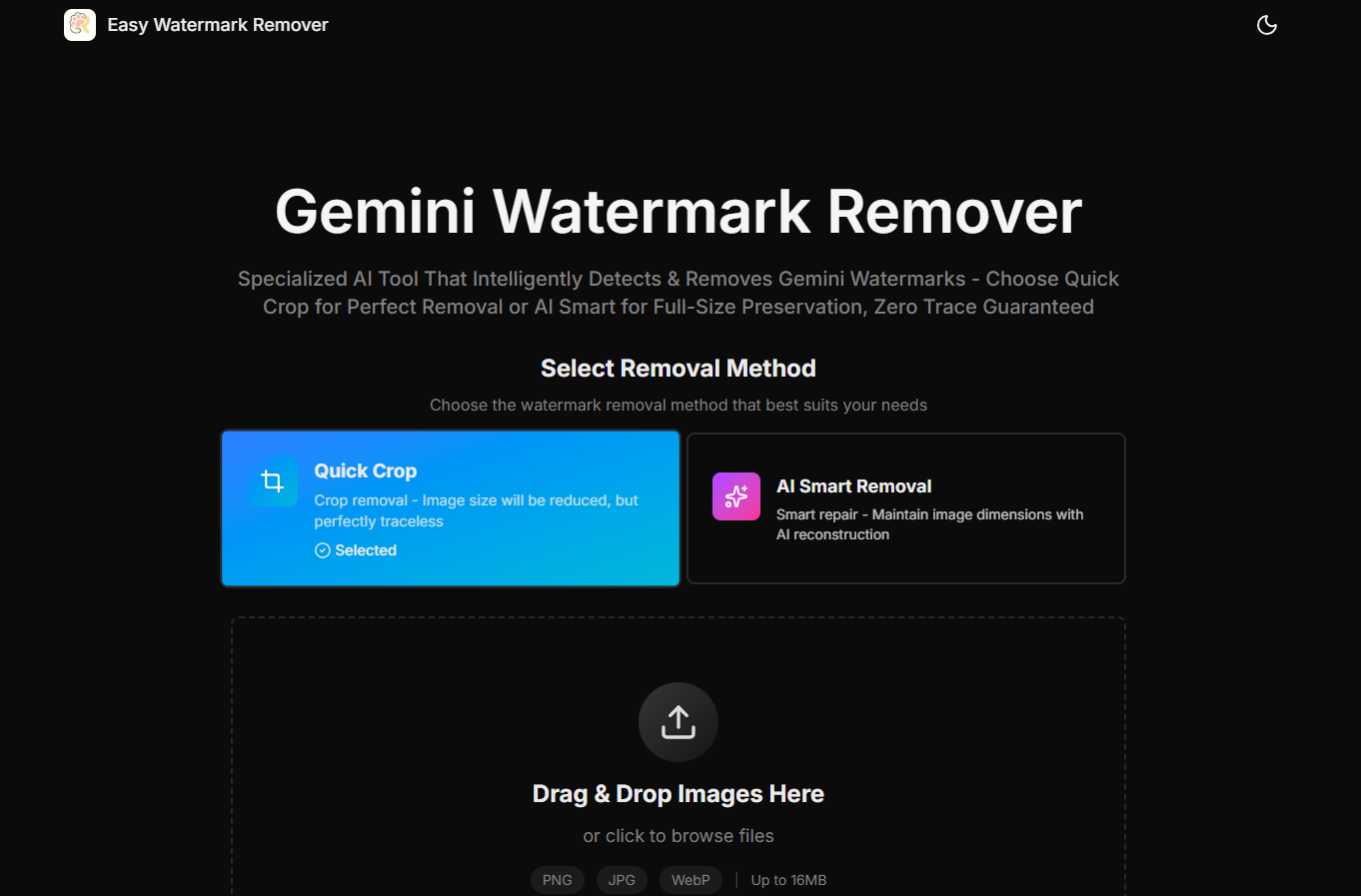
Gemini Watermark Remover is a free online tool that removes the visible Gemini watermark from exported AI images. It offers two methods: Quick Crop for trimming the marked corner and AI Smart Removal for reconstructing the background while preserving original dimensions. It is designed for users who need clean images for social posts, presentations, or product mockups without installing software. This is an independent third-party service and is not operated by the company behind the model it is built around.
How it works
The tool focuses on the lower-right corner where Gemini exports typically place the visible mark. Quick Crop trims the marked edge for instant cleanup, while AI Smart Removal uses deep learning-based inpainting to reconstruct the area, matching surrounding texture and lighting. Users upload the original image, choose a method, preview the result, and download the cleaned file.
Key capabilities
Supports PNG, JPG, JPEG, and WebP formats up to 16MB. The workflow is optimized for Gemini exports, including images from Imagen 3. It includes batch processing for multiple images and works on all devices with a responsive interface. The tool is not designed to remove invisible provenance systems like SynthID.
Who it is for
This tool is for anyone who needs to clean Gemini-generated images for social posts, slides, blog thumbnails, product mockups, or presentation assets. It is especially useful for users who need to preserve original dimensions for layout-sensitive graphics. The decision guide helps choose between cropping and reconstruction based on the image content.
Pricing and limits
The tool is free to use with no signup or extension required. It is built specifically for Gemini watermark cleanup, not as a generic editor. The workflow includes a preview step to check the repaired corner before download. Users are advised to review complex areas like faces, text, and product edges for quality.
Key features
Quick Crop and AI Smart Removal
Two methods: Quick Crop for trimming the corner and AI Smart Removal for reconstructing the background while preserving original dimensions.
Multiple formats up to 16MB
Supports PNG, JPG, JPEG, and WebP formats up to 16MB.
No signup required
No signup or extension needed; works directly in the browser.
Preview before download
Preview the repaired corner before downloading to ensure quality.
Batch processing
Batch processing support for handling multiple images at once.
Use cases
Social media cleanup
Clean Gemini watermarks from images for social media posts and thumbnails.
Presentation assets
Remove watermarks from presentation slides and blog thumbnails while keeping dimensions.
Product mockups
Clean product mockups and layout-sensitive graphics without cropping.
Pricing & limits
From the official site · checked 10/10/2026Frequently asked questions about Easy Watermark Remover
- How do I remove a Gemini watermark online?
- Upload the exported Gemini image, choose Quick Crop or AI Smart Removal, preview the repaired corner, and download the cleaned JPG, PNG, or WebP file.
- Is this Gemini watermark remover really free to use?
- Yes, the core image cleanup workflow is available for free. Upload your Gemini image, choose your preferred method, review the result, and download the cleaned image.
- What image formats and sizes are supported?
- The tool supports PNG, JPG, JPEG, and WebP formats up to 16MB in size.
- What's the difference between Quick Crop and AI Smart Removal?
- Quick Crop removes the marked edge by trimming a small corner, best for plain backgrounds. AI Smart Removal keeps the original canvas size by repairing the affected area.
- Can I use the Gemini watermark remover on my phone or tablet?
- The tool is fully responsive and works on all devices including desktop, tablet, and mobile.
Related tools

OmneSuite-All-in-one AI generator for images, video, music, voice, and text
Generate images, video scripts, music lyrics, voice, and text with 26 AI tools and 20 free credits on signup.

gpt image 2
Create 4K images with accurate text in any language and consistent characters for marketing, design, and publishing.

Gemini Nano Banana
Create images from text, edit photos, and combine up to 14 reference images with Nano Banana models.

Imaginepro
Create images with Midjourney and Flux models, remove backgrounds, and add text effects.

Nano Banana 2 Flash
Generate pro-level AI images with extreme speed and low latency, supporting 1K, 2K, and 4K resolutions.
Tryonr
Turn flat product shots into model try-ons, annotations, and 9-angle galleries in under 2 minutes.

Wan 2.7 Image
Generate and edit images with face control, palette matching, and readable long text in one browser workflow.

Fiddl.art
Create AI images and videos with top models, earn points, and train custom models.