Idea To Image
ideatoimg.comImage to image editor with Nano Banana Pro
Restyle photos, replace backgrounds, and create matching variations from one starting image.
Overview
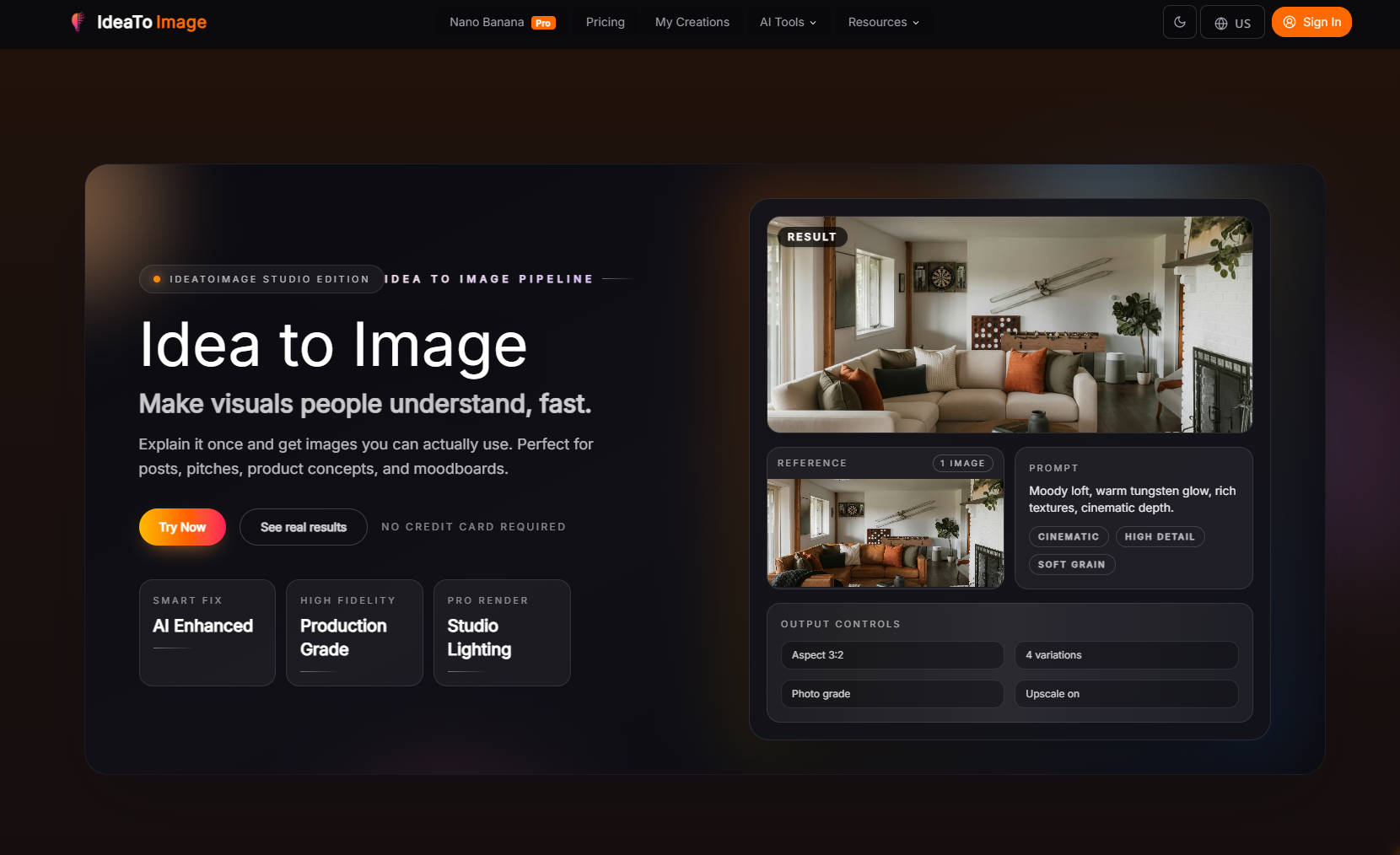
IdeaToImg is an independent third-party service built around Nano Banana Pro that lets you edit and restyle existing images using simple text prompts. Upload a photo, product shot, or draft, then transform it by replacing backgrounds, changing colors, refining details, or generating matching variations. It is designed for creators, marketers, and small business owners who want faster, more controllable image edits without complex software.
How it works
Upload a source image, describe the exact edit in plain English, and the AI model transforms it while keeping the main subject, layout, or composition stable. You can specify what must stay unchanged, such as a product angle or pose, and what should change, like the background or mood. The workflow is designed to be beginner friendly: upload, describe, compare outputs, and export the version you like best.
Key capabilities
IdeaToImg supports restyling photos and artwork, replacing backgrounds for product and brand shots, making local fixes like changing a jacket color or removing an object, generating matching variations from one starting image, and polishing rough drafts into presentation-ready visuals. It offers multiple AI models including Nano Banana Pro, GPT Image 2, and Seedream 5 Lite, with aspect ratios from 1:1 to 9:16 and 16:9. The platform reports over 1 million images created and 300,000 active users.
Who it is for
The service is built for e-commerce sellers, social media managers, homeowners testing interior styles, freelance designers, content marketers, and small business owners. It is useful for refreshing product photos, creating poster variations, testing room makeovers, polishing rough drafts, and building matching assets for campaigns or social posts. Users do not need layers, masks, or complicated software to get a cleaner result.
Pricing and limits
IdeaToImg offers a free plan with 200 credits per month, 60 days of cloud storage, and secure processing. Paid subscriptions include Creator at $9.90 per month for 500 credits and 90 days storage, Studio at $24.90 per month for 1700 credits and 120 days storage, and a higher-tier plan at $79.90 per month. All paid plans include priority support, private generation, and commercial use rights. First-time subscribers get a 7-day risk-free guarantee with refunds for remaining unused credits.
Key features
Image to image editing
Upload an image and use text prompts to restyle, refine, or transform it while preserving the main subject or layout.
Targeted edits
Replace backgrounds, change colors, fix details, or polish rough drafts with targeted edits.
Matching variations
Generate coordinated variations from one starting image for campaigns or social posts.
Multiple AI models
Choose from multiple AI models including Nano Banana Pro, GPT Image 2, and Seedream 5 Lite.
Flexible aspect ratios
Supports aspect ratios from 1:1 to 9:16 and 16:9 for different platforms.
Free and paid plans
Free plan with 200 credits per month, plus paid plans with more credits and features.
Use cases
E-commerce product shots
Refresh product photos with new backgrounds or moods while keeping the same product angle.
Marketing campaigns
Create coordinated campaign assets and social posts from one source image.
Room makeovers
Test different interior styles on a room photo before redesigning the space.
Design drafts
Turn rough sketches or mockups into polished visuals for presentations or client reviews.
Pricing & limits
From the official site · checked 10/10/2026Frequently asked questions about Idea To Image
- What is image to image AI?
- Image to image AI starts from a picture you upload and transforms or refines it based on your text instructions, preserving the main subject or layout better than starting from text alone.
- Can I try image to image AI for free?
- Yes. You can start free, test a few image to image edits, and see how the workflow fits your projects before deciding if you need more usage.
- What kinds of images can I upload?
- Most people start with product shots, room photos, posters, sketches, mockups, branded graphics, or earlier AI generations. A clean source image usually gives more controllable results.
- Can I change only one part of a picture?
- Yes. Image to image AI is often used for targeted updates like replacing a background, changing clothing color, removing one distracting object, or refining lighting in a specific area.
- Is image to image AI beginner friendly?
- Yes. You do not need professional design software. Upload one image, describe the change in plain English, compare the outputs, and keep the version you like best.
Related tools

Easy Watermark Remover
Remove Gemini watermarks from images online with Quick Crop or AI Smart Removal, no signup needed.
OmneSuite-All-in-one AI generator for images, video, music, voice, and text
Generate images, video scripts, music lyrics, voice, and text with 26 AI tools and 20 free credits on signup.
gpt image 2
Create 4K images with accurate text in any language and consistent characters for marketing, design, and publishing.
Gemini Nano Banana
Create images from text, edit photos, and combine up to 14 reference images with Nano Banana models.
Imaginepro
Create images with Midjourney and Flux models, remove backgrounds, and add text effects.
Nano Banana 2 Flash
Generate pro-level AI images with extreme speed and low latency, supporting 1K, 2K, and 4K resolutions.
Tryonr
Turn flat product shots into model try-ons, annotations, and 9-angle galleries in under 2 minutes.
Wan 2.7 Image
Generate and edit images with face control, palette matching, and readable long text in one browser workflow.