Video to Text
video2text.netVideo transcription with speaker labels
Turn video and audio into searchable text with speaker labels and timestamps in minutes.
Overview
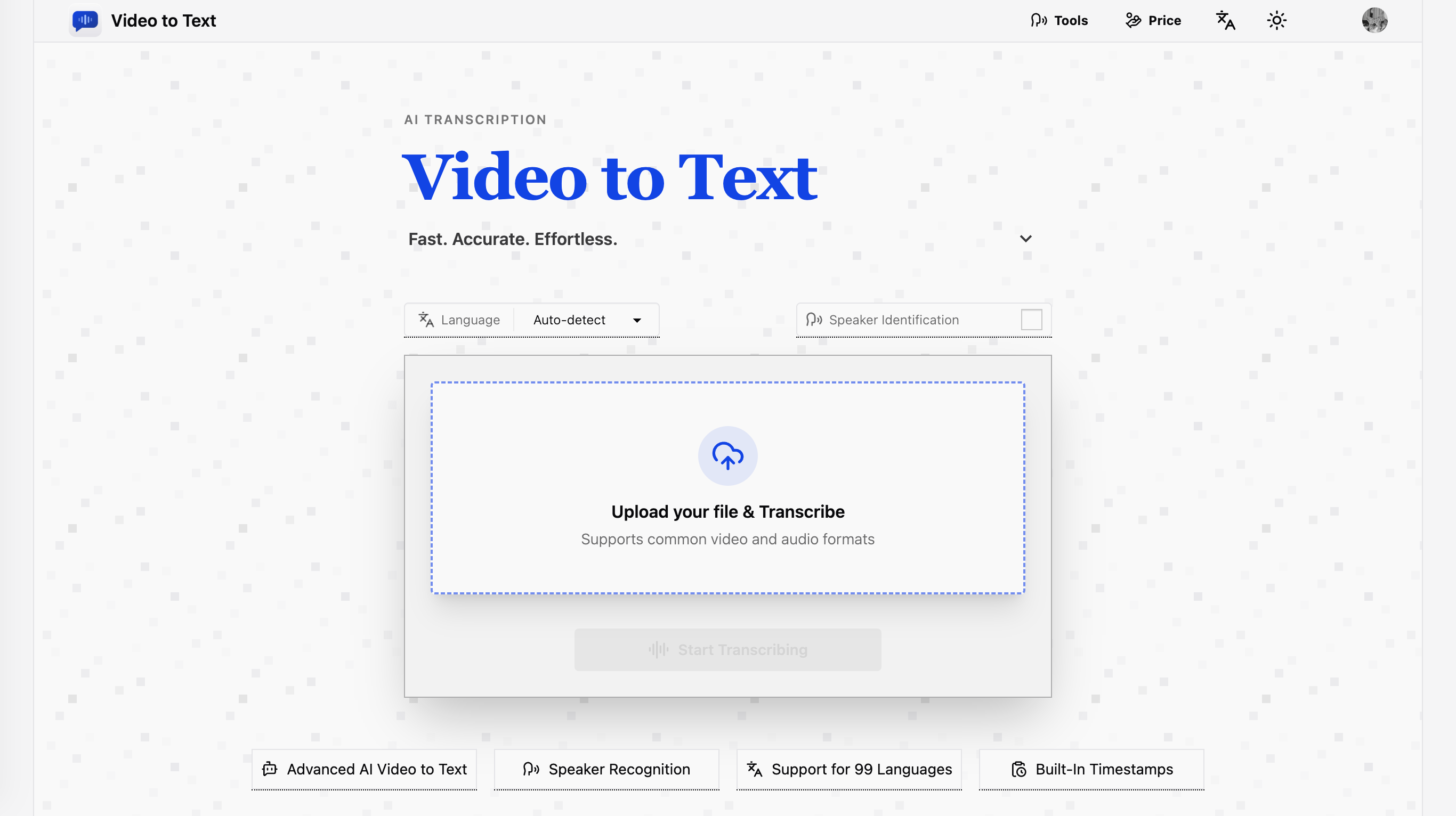
Video to Text is an AI transcription web app that converts video and audio files into text, subtitles, and timestamped transcripts. It supports 99 languages with automatic language detection, speaker diarization, and exports in TXT, SRT, VTT, or CSV formats. Designed for creators, journalists, teachers, students, and teams who need fast, accurate transcripts without a complicated workflow.
How it works
Upload a video or audio file, or paste a public link from YouTube, TikTok, Instagram, Facebook, or X. The AI transcribes the content, and you can export the result in your preferred format. Files up to 5 GB and 10 hours long are supported, with common formats including MP4, MOV, MKV, WEBM, MP3, WAV, FLAC, and more.
Key capabilities
The tool offers automatic language detection and multi-language recognition for mixed-language recordings, plus speaker diarization to label who said what. Transcripts include built-in timestamps for jumping to exact moments. Export options include TXT for plain text, CSV for spreadsheets, and SRT or VTT for subtitles.
Who it is for
Creators use it for YouTube subtitles and social media captions, teams turn meetings and webinars into searchable notes, journalists transcribe interviews, teachers create study materials from lectures, and students convert lessons into review notes. Language learners also use transcripts to practice listening and check comprehension.
Pricing and limits
Pricing is pay-as-you-go with no subscription required. New users receive 30 free credits after sign-up. Credit packs start at $9.9 for 200 credits, with larger packs offering better value, such as $99 for 6000 credits. Transcription costs 1 credit per minute for uploaded files, and 5 credits per social media video with no length limit.
Key features
99-language transcription
Supports 99 languages with automatic language detection and multi-language recognition for mixed-language recordings.
Speaker diarization
Speaker diarization identifies different speakers clearly in interviews, meetings, and discussions.
Multiple export formats
Export transcripts as TXT, SRT, VTT, or CSV for plain text, subtitles, or structured analysis.
Social media video transcription
Paste public video links from YouTube, TikTok, Instagram, Facebook, and X to transcribe without uploading files.
Large file support
Upload files up to 5 GB with a maximum media length of 10 hours.
Usage-based pricing
Pay-as-you-go credits with no subscription required; new users get 30 free credits.
Use cases
Subtitles and captions
Create subtitles and captions for YouTube videos, online courses, and social media clips.
Meeting notes
Convert meetings, webinars, and calls into searchable notes with speaker labels.
Interview transcription
Transcribe interviews for journalism, research, and content production.
Study materials
Turn lectures and lessons into study materials for students.
Language learning
Practice listening and review language-learning audio with transcripts.
Pricing & limits
From the official site · checked 10/10/2026Frequently asked questions about Video to Text
- What is a Video to Text Converter?
- Video to Text is an AI transcription tool that converts video and audio files into text, subtitles, and timestamped transcripts.
- Can I convert video to text for free?
- Yes. New users receive 30 free credits after sign-up.
- What file formats do you support?
- You can upload common video and audio formats such as MP4, MOV, MKV, WEBM, M4V, MP3, WAV, M4A, FLAC, OGG, AAC, and OPUS.
- Which export formats are available?
- You can export your results as TXT, SRT, VTT, or CSV.
- Does it support multiple speakers and languages?
- Yes. Video to Text supports speaker labels, automatic language detection, multi-language recognition, and transcription in 99 languages.
Related tools

Local AI Subtitles Generator
Generate private SRT, VTT, and ASS subtitles locally with OpenAI Whisper in 90+ languages.

aimusicmaker
Turn text prompts or lyrics into complete, royalty-free songs in seconds with no music experience.

SAM Audio
Separate vocals, instruments, and noise from audio using text prompts or visual cues.
AI Cover Song
Upload any song, choose a voice, and generate a new AI cover in minutes.

SpotScribe
Turn any Spotify podcast into searchable text with AI summaries and chat.

Lyria 3 Pro
Generate full-length songs with vocals, lyrics, and instrumentals from text or image prompts.

Sipsip AI
Turn YouTube videos, podcasts, and audio files into transcripts, summaries, and daily briefs.

MelodySeek
Paste a social media link, upload a file, or record a song to get the track name in seconds.