
MelodySeek
melodyseek.ioSong finder for social video links
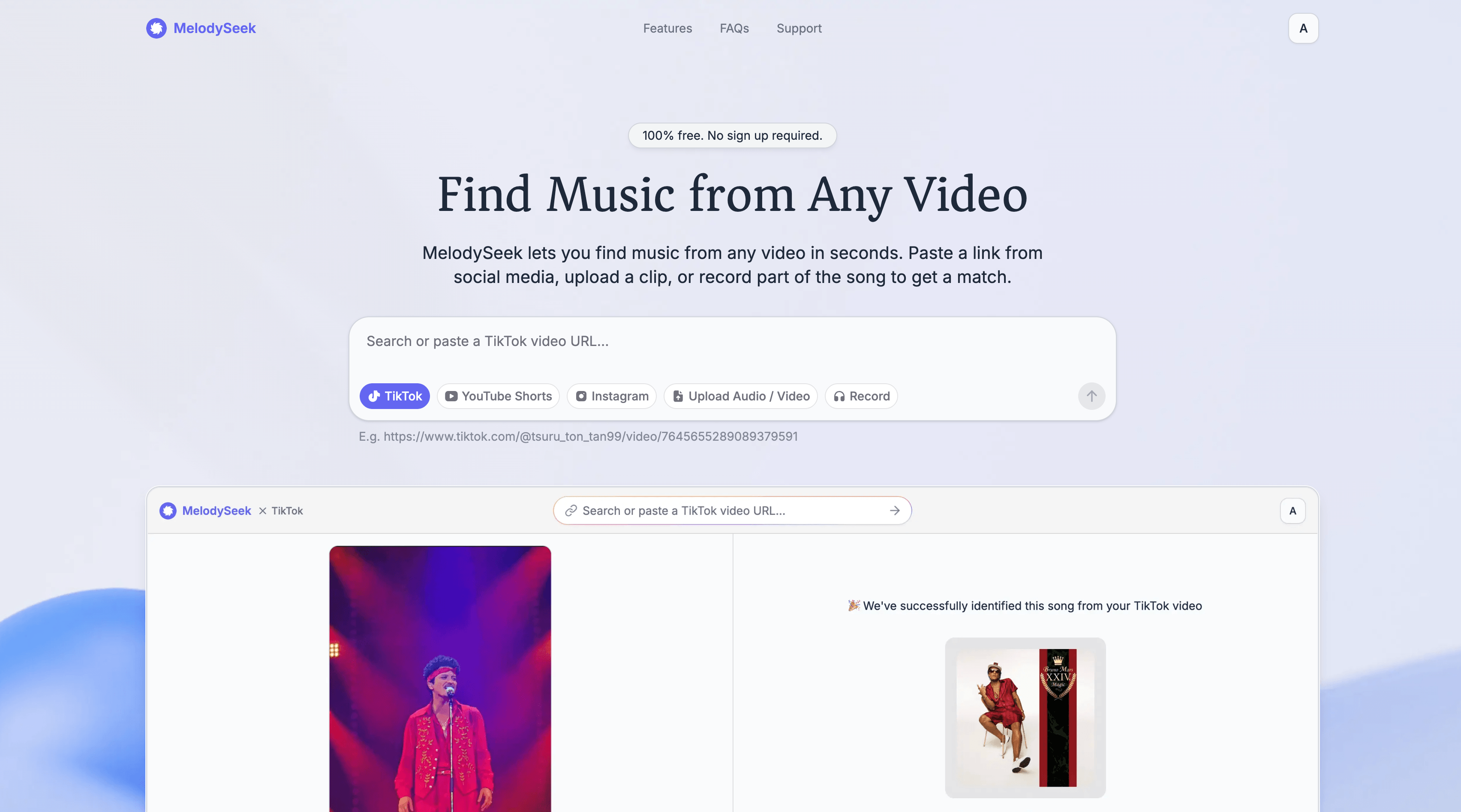
Paste a social media link, upload a file, or record a song to get the track name in seconds.

Overview
MelodySeek is a browser-based music recognition service that identifies songs from any video or audio. You can paste a link from TikTok, Instagram, YouTube Shorts, or Facebook Reels, upload a file in formats like MP3, MP4, or AVI, or record a song directly. It is designed for anyone who wants to find the name of a track heard in a video, from casual listeners to content creators looking for music references.
How it works
To use MelodySeek, copy a link from a supported platform like TikTok, Instagram, YouTube Shorts, or Facebook Reels, and paste it into the input box. Alternatively, you can upload an audio or video file from your device, or use the record feature to capture a song with your microphone. After clicking 'Identify,' the service analyzes the content and returns the song name in a few seconds.
Key capabilities
MelodySeek supports multiple input methods: pasting social media links, uploading files in MP3, OGG, WAV, MP4, MKV, and AVI formats, and recording audio directly. It also offers a trim tool on paid plans to isolate a specific part of a video for better identification. Once a song is found, you can open it on YouTube, Spotify, or Apple Music, or download the audio.
Who it is for
MelodySeek is for anyone who hears a song in a video and wants to know its name, whether it's a viral TikTok clip or a background track in a reel. It is also useful for content creators who want to find the same or similar music for their own edits, or for editors looking for music references that match the mood and pacing of their work.
Pricing and limits
MelodySeek uses a credit system where one credit equals one recognition. Credit packs are available for one-time purchase, with no recurring subscription. Prices range from $2.99 for 100 credits to $19.99 for 2,000 credits. Recognition typically takes less than 10 seconds, and there are no ads before results. The service works entirely in your browser, so no installation is needed.
Key features
Social media link recognition
Paste a link from TikTok, Instagram, YouTube Shorts, or Facebook Reels to identify the song.
File upload support
Upload audio or video files in MP3, OGG, WAV, MP4, MKV, or AVI formats.
Record to recognize
Record a song directly from your device to get a match.
Streaming links
Get streaming links to YouTube, Spotify, or Apple Music after identification.
Fast and accurate
Recognition usually takes less than 10 seconds, even on short clips or low quality recordings.
Trim tool
Built-in trim tool to select a specific part of a video for identification, available on paid plans.
Use cases
Find songs from social media clips
Identify songs from TikTok videos, Instagram Reels, YouTube Shorts, and Facebook Reels by pasting the link.
Upload your own recordings
Upload your own audio or video files from your phone or desktop to identify the music.
Record a song
Record a song directly from your device to get a match.
Find the right track for your edit
Find music references for your edits by identifying tracks that match the cut, mood, or pacing.
Pricing & limits
From the official site · checked 10/10/2026Frequently asked questions about MelodySeek
- How can I recognize a song?
- Paste a link from TikTok, Instagram, YouTube Shorts, or Facebook Reels, upload an audio or video file, or record the song directly. MelodySeek returns the song name in seconds.
- Do I need to install an app?
- No. MelodySeek works in your browser. No downloads or installations needed.
- Which platforms are supported?
- Currently, we support TikTok, Instagram Reels, YouTube Shorts, and Facebook Reels. If your platform isn't on the list, feel free to reach out via our support email.
- How long does recognition take?
- Most songs are identified in under 10 seconds. Larger or more complex files may take a bit longer.
- How do credits work?
- Each recognition uses one credit. Some additional features may require more than one credit per use.
Related tools

Miso One
Create expressive dialogue audio, test voice cloning, and review prompts in a browser workspace.
Kekoso
Dictate, transcribe files and calls, and give AI agents a local MCP server, all on your Mac.

Eleven Labs
Generate lifelike speech, music, and voice agents for any language.

Podcast Transcript | PodText
Turn podcast episodes and recordings into searchable, timestamped text with AI summaries and exports.

Song Flow: AI Music Generator
Create original songs, remix tracks, and generate music videos with AI on iOS and Android.

BritishAccent
Generate natural British English audio with 214 regional voices for voiceovers, lessons, and more.

Transcribe Audio to Text
Turn audio, video, and YouTube links into editable transcripts with timestamps and speaker labels.

Inwista
Transcribe video and audio in 70+ languages, identify speakers, and export subtitles in SRT, VTT, or MP4.