Veo 4
Third-partyveo4.imCinematic video generator with audio-ready output
Create cinematic text-to-video and image-to-video clips with audio-ready scenes and 4K-ready output.
Overview
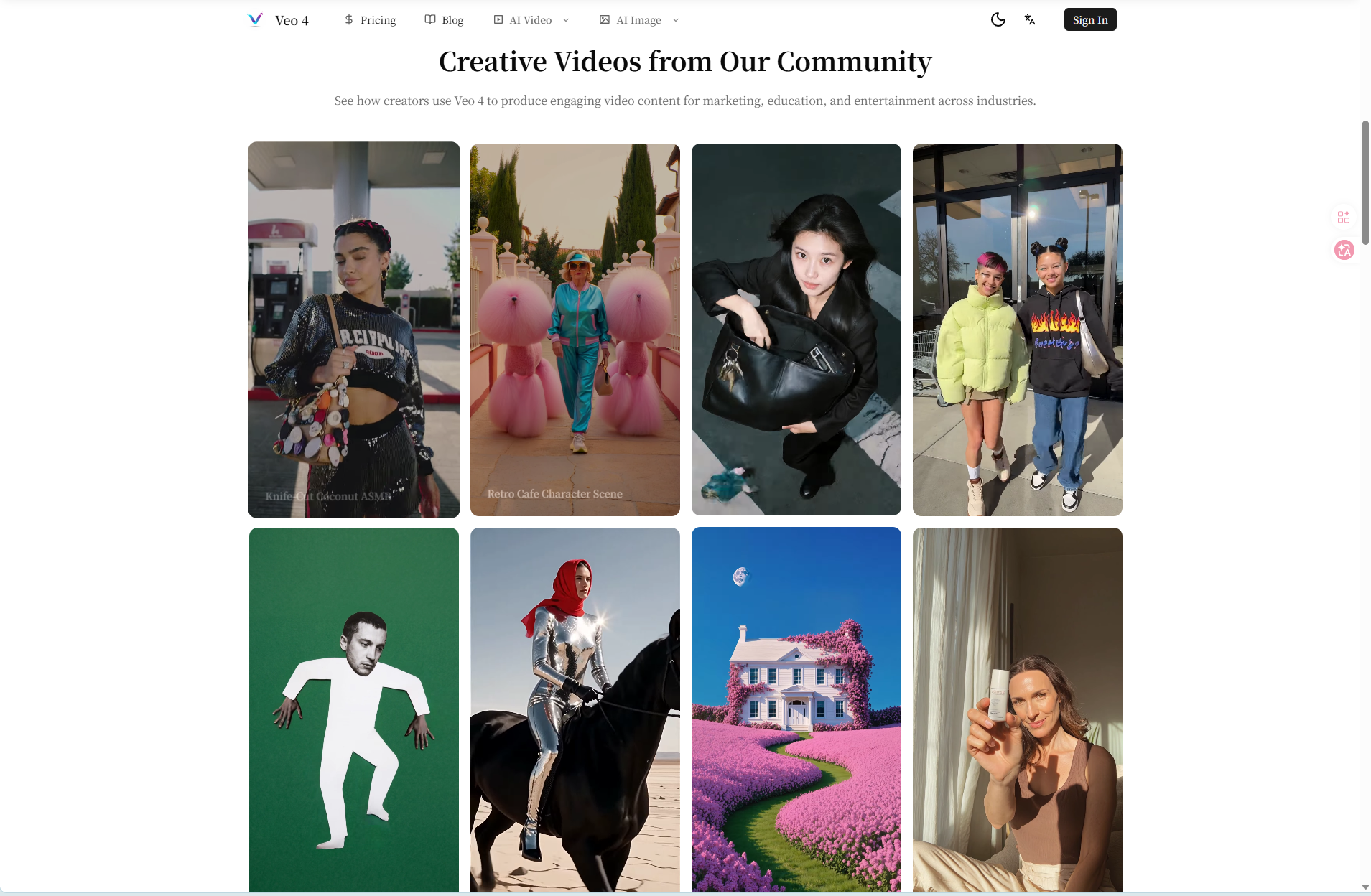
Veo 4 AI Video Generator is an independent third-party service built around Google DeepMind's Veo 4 model. It turns text prompts and reference images into cinematic video clips with audio-ready scenes, stronger prompt control, and 4K-ready output. It is designed for video creators and marketing teams who need fast creative validation for social, ad, and product video drafts.
Creation modes and output specs
Veo 4 supports four core creation modes: text-to-video, image-to-video, frame-to-frame control, and multi-reference mode for character and object consistency. Users can generate 720p or 1080p clips at 24fps in 4, 6, or 8 seconds. The workflow includes clip chaining to extend stories while keeping subject identity and visual tone stable.
How it works
The workflow is designed for browser-based creation, so users can write prompts, add references, generate drafts, and review results without installing desktop editing software. The process involves writing a video brief, adding references and settings, generating and reviewing drafts, then refining, exporting, and publishing the final video.
What sets it apart
Veo 4 is positioned for quality-first, per-frame fidelity, structured prompt control, and audio-aware scene planning. It prioritizes visual polish and creative control over raw generation speed. The model is developed by Google DeepMind, and this site provides a workflow layer for practical Veo 4 creation.
Pricing and plans
Pricing is available in three yearly plans: Starter at $9.9/month billed yearly at $119, Standard at $39.9/month billed yearly at $479, and Premium at $59.9/month billed yearly at $719. All plans include up to 4K video generation, all core AI models, commercial usage rights, and priority processing or support. Credit allowances range from 15,000 to 100,000 credits per year.
Key features
Four creation modes
Supports text-to-video, image-to-video, frame-to-frame control, and multi-reference mode for character and object consistency.
Quality-first clip specs
Generate 720p or 1080p clips at 24fps in 4, 6, or 8 seconds, with 4K-ready upscaling direction.
Reference-guided consistency
Use images and detailed direction to keep products, characters, colors, backgrounds, and brand cues closer to the intended visual identity.
Audio-ready output
Plan videos with dialogue, ambient sound, music cues, and sound-friendly visual beats for audio-ready output.
Clip chaining for longer stories
Chain multiple Veo 4 generations with shared prompt structure and references to extend story flow while keeping subject identity, motion direction, and visual tone stable.
Use cases
Social media videos
Create short-form video hooks, loopable product moments, character scenes, and social-first visuals for TikTok, Instagram Reels, YouTube Shorts, and feed posts.
Product demo videos
Turn product benefits, reference images, seasonal offers, and feature angles into quick ecommerce demos for product pages, landing pages, and marketplace listings.
AI video ads and UGC variations
Generate multiple ad concepts, hook variations, UGC-style scenes, camera angles, and message tests before spending budget on paid social campaigns.
Training and explainer videos
Convert onboarding steps, process walkthroughs, product education, support topics, and internal training ideas into clearer visual explanations.
Storyboards and pitch visuals
Explore scenes, camera language, character movement, atmosphere, and visual direction before investing in editing, production, or a full creative shoot.
Pricing & limits
From the official site · checked 10/10/2026Frequently asked questions about Veo 4
- What is Veo 4 AI Video Generator?
- Veo 4 is a video generation model developed by Google DeepMind. This site provides a workflow layer for prompt planning, reference-guided generation, draft comparison, and creative iteration.
- What creation modes does Veo 4 support?
- Veo 4 supports four core modes: text-to-video, image-to-video, frame-to-frame control, and multi-reference mode for stronger character and object consistency across related clips.
- What output specs can I expect from Veo 4?
- Typical Veo 4 workflows target 720p or 1080p output at 24fps, with clip durations of 4, 6, or 8 seconds. For longer content, teams usually chain multiple clips with consistent prompts and references.
- Can I use Veo 4 AI Video Generator in a browser or on mobile?
- Yes. The workflow is designed for browser-based creation, so you can write prompts, add references, generate drafts, and review results without installing desktop editing software.
- Can I use generated Veo 4 videos commercially?
- Commercial use is supported based on your active plan and workspace policy. Before running paid ads, client projects, or public campaigns, confirm export rights, model/provider license scope, and any attribution or trademark restrictions in the latest terms.
Related tools

Photo Animate - Photo to Video AI
Turn still portraits into lifelike videos with natural motion and easy controls.

Molyin
Generate cinematic videos, images, and music from text prompts in one studio.

Magic Hour
Create videos, images, and audio with 100+ AI tools in one browser-based studio.

ClipMake
Create UGC video ads in minutes with AI, no hiring or waiting.
MagiHuman
Turn prompts and images into lifelike human videos with natural motion and expressive faces.

Photo to Video AI
Turn photos into videos with Veo, Kling, Seedance, and Wan models.
Free Seedance 3.0 AI Video Generator
Generate 1080p video with dialogue, music, and sound effects from text, images, or audio.

China AI Image & Video Generator
Create AI images and videos with Chinese and global models in one workspace.