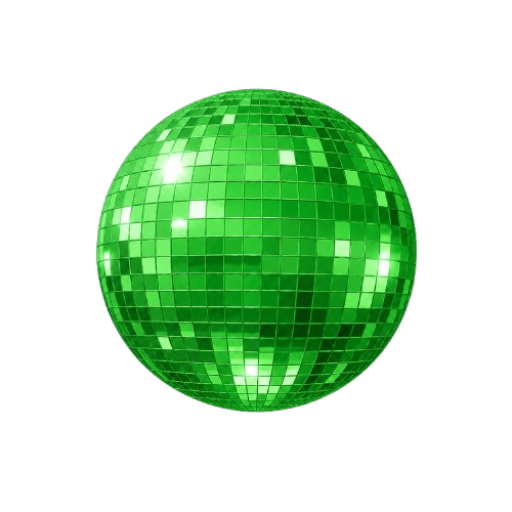
Spotify Logo Generator
aidetectionhub.comDisco-ball logo generator
Turn any logo into a glossy disco-ball icon for playlist covers, avatars, and campaign mockups.


Overview
Anymorphism is a web-based AI logo generator that turns uploaded logos into Spotify-style disco-ball icons. It accepts PNG, JPG, or WebP images up to 3 MB and outputs a square PNG with reflective mirror tiles and dramatic lighting. Designed for playlist curators, indie artists, social media marketers, and casual creators who need quick visual concepts without design software or prompt writing. This is an independent third-party service and is not operated by the company behind the model it is built around.
How it works
The tool uses GPT-Image-2 via the APIMART API with a server-side prompt and a reference image to produce a consistent mirror-tile disco-ball effect. Users upload a logo, choose standard or fast draft mode, and the app generates a reflective 3D version. The result is displayed in a 1:1 square format with a rounded app-icon finish, ready for download or sharing.
Key capabilities
Key features include shape-aware transformation that keeps the original silhouette recognizable, color-aware styling that matches the brand mood, and fast iteration for generating multiple variations. The tool supports PNG, JPG, and WebP uploads up to 3 MB, offers standard and fast draft modes, and provides a downloadable PNG output. No prompt writing or design software is required.
Who it is for
The generator is built for playlist curators, indie artists, labels, social media marketers, and casual creators. It is useful for creating playlist cover icons, promotional visuals for singles and tours, campaign mockups, social media thumbnails, and personal creative projects. The output is intended for personal and creative exploration, not as an official platform badge.
Pricing and limits
The public tool includes a daily free generation limit, allowing users to generate a few logos each day without payment. There is no account needed, and the transformation prompt is configured server-side for a repeatable style. Users can preview the result, copy a share link, or download the PNG. The tool is independent and not affiliated with Spotify AB.
Key features
Upload formats
Upload PNG, JPG, or WebP logo images up to 3 MB.
Disco-ball transformation
Generate a Spotify-style disco-ball icon with reflective tiles and dramatic lighting.
Speed options
Choose standard for higher quality or fast draft mode for quicker results.
Downloadable PNG
Download a square PNG result in a 1:1 format.
Share link
Copy a share link for hosted results.
Use cases
Playlist covers
Create striking playlist cover icons for genre drops, seasonal edits, workout mixes, and mood-based collections.
Artist promos
Turn artist marks or release symbols into promotional visuals for singles, tour teasers, and social posts.
Social media marketing
Generate scroll-stopping icon variations for campaign mockups, music posts, launch announcements, and short-form video thumbnails.
Personal projects
Make a fun Spotify-style logo for personal projects, fan edits, profile images, or mood boards in a few clicks.
Pricing & limits
From the official site · checked 10/10/2026Frequently asked questions about Spotify Logo Generator
- What is Anymorphism?
- Anymorphism is an independent AI tool that turns uploaded logos into Spotify-inspired disco-ball icons with reflective tiles, dramatic lighting, and a rounded-square format.
- Is this an official Spotify product?
- No. It is an independent creative tool, not affiliated with, endorsed by, or sponsored by Spotify AB.
- Is the generator free?
- The public tool includes a daily free generation limit. If you reach the limit, come back the next day or use fewer test images before choosing a final logo.
- Do I need to write a prompt?
- No. The transformation prompt is configured server-side so the tool stays focused on one repeatable style.
- What file format do I get?
- The result returns an image URL from the provider. The app displays it and lets you download the generated PNG.
Related tools
Floor Plan AI
Describe any space and get a professional floor plan in seconds with 2D, 2.5D, and 3D previews.
Diatech Studio
Generate, search, price, and present jewelry designs in one project.
PicText
AI-powered image text editor that detects and replaces text in photos, screenshots, and product images
AppIconKitchen
Generate app icons from text prompts and export Xcode-ready asset catalogs, Android mipmaps, and Web/PWA icons.
ailogogenerator
Create professional logos in seconds with AI, no design skills needed.
PatentFig AI
Turn photos, sketches, or text into filing-ready patent figures for six offices.

Image to STL
Turn JPG and PNG images into 3D printable STL files in under a minute.
Birthday Invitation AI
Create personalized AI birthday invitations with QR code RSVP tracking and gift wishlists.