
Overview
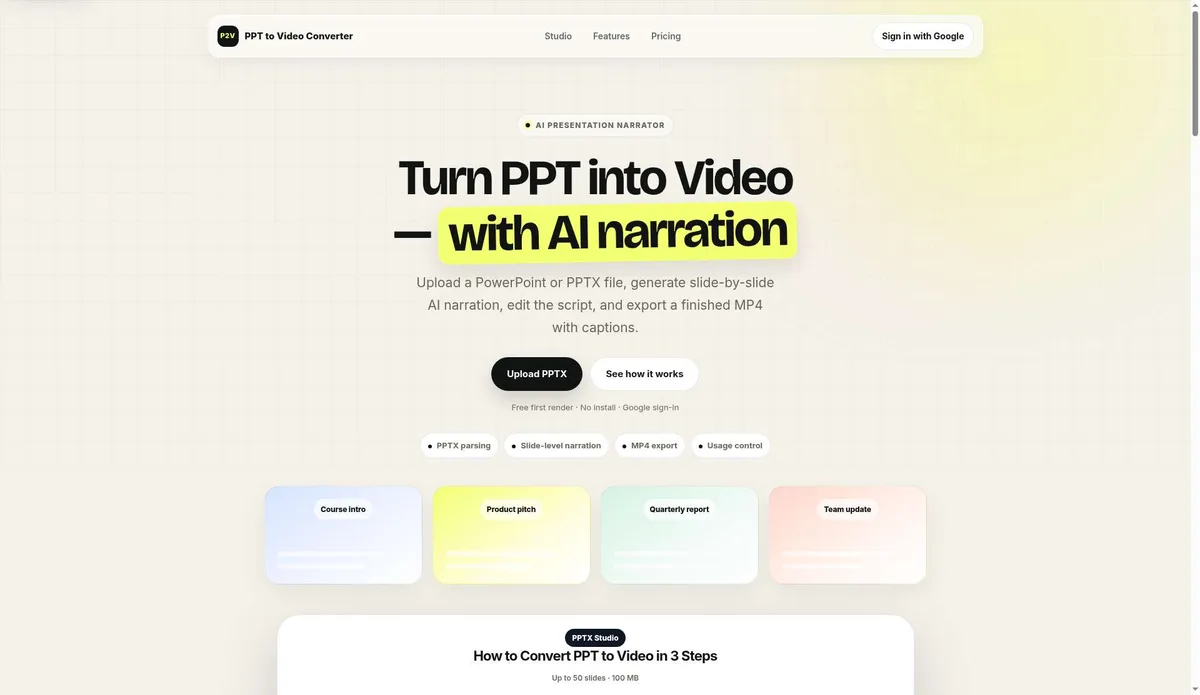
PPT2Video turns PPT/PPTX decks into narrated videos. It parses slides, drafts per-slide AI narration you can edit, then renders an MP4 with optional SRT captions. Free to try, no install — built for courses, pitches, reports, and team updates.
PPT2Video is a PPT to video converter for people who already have a deck and need a watchable video. Upload a PPTX (up to 50 slides / 100 MB on paid plans), let it extract slide order and previews, generate editable narration for every slide, then render a downloadable MP4 plus SRT. No watermark. Free plan includes 5 lifetime credits (up to 10 slides / 30 MB). Good for course intros, product pitches, quarterly reports, and async team updates.
Key features
Slide-by-slide AI narration
Generates a script for every slide that you can edit before rendering.
MP4 and SRT export
Download finished videos as MP4 and captions as SRT for accessibility or further editing.
No watermark
Exported videos do not include a watermark.
No install
Runs in the browser. Free to try, with 5 lifetime credits on the free plan.
Use cases
Course intros
Turn a lesson deck into a narrated video with optional SRT captions.
Pitches and reports
Narrate a product pitch or quarterly report from an existing PowerPoint.
Team updates
Share an async team update as a narrated MP4 instead of a live meeting.
Pricing & limits
Verified 11/18/2026Frequently asked questions about PPT2Video
- What is PPT2Video?
- It is a web-based tool that converts PowerPoint PPTX files into narrated MP4 videos with AI voiceover, editable scripts, and downloadable SRT captions.
- Who is PPT2Video for?
- It is designed for course creators, executives, and internal teams who need to turn existing presentations into watchable videos without learning a video editor.
- Is PPT2Video free?
- Yes, there is a free plan with 5 lifetime credits, supporting up to 10 slides and 30 MB per file. Paid plans start at $19 per month.
- What formats can I download?
- You can download MP4 video and SRT subtitles. SRT can be imported into editors like Premiere, Final Cut, CapCut, or DaVinci Resolve.
- Can I edit the AI narration?
- Yes, each slide has its own editable script, and the timeline shows the narration with the slide image so you can revise wording before rendering.
Related tools

AI Rap Video Generator
Turn one photo into a 4, 6, or 8-second rap video with generated vocals, a beat, and lip sync, ready for TikTok, Reels, and Shorts.

Magic Hour
Create videos, images, and audio with 100+ AI tools in one browser-based studio.

Molyin
Generate cinematic videos, images, and music from text prompts in one studio.

Photo Animate
Turn still portraits into lifelike videos with natural motion and easy controls.

RapGlow
Turn one photo into a vertical rap video with a template's beat and verse, ready to post in minutes.

AI Rap Video Generator
Upload two photos, edit four AI-written lines, get a 12-second lip-synced rap duo video.
TinyDesk.video
Turn one photo into an 11-second desk-concert video.

AI Rap Videos
Turn a performer photo and your rap audio or lyrics into a short AI video clip.