
Podcast Transcript | PodText
podtext.aiPodcast transcription with AI summaries
Turn podcast episodes and recordings into searchable, timestamped text with AI summaries and exports.
Overview
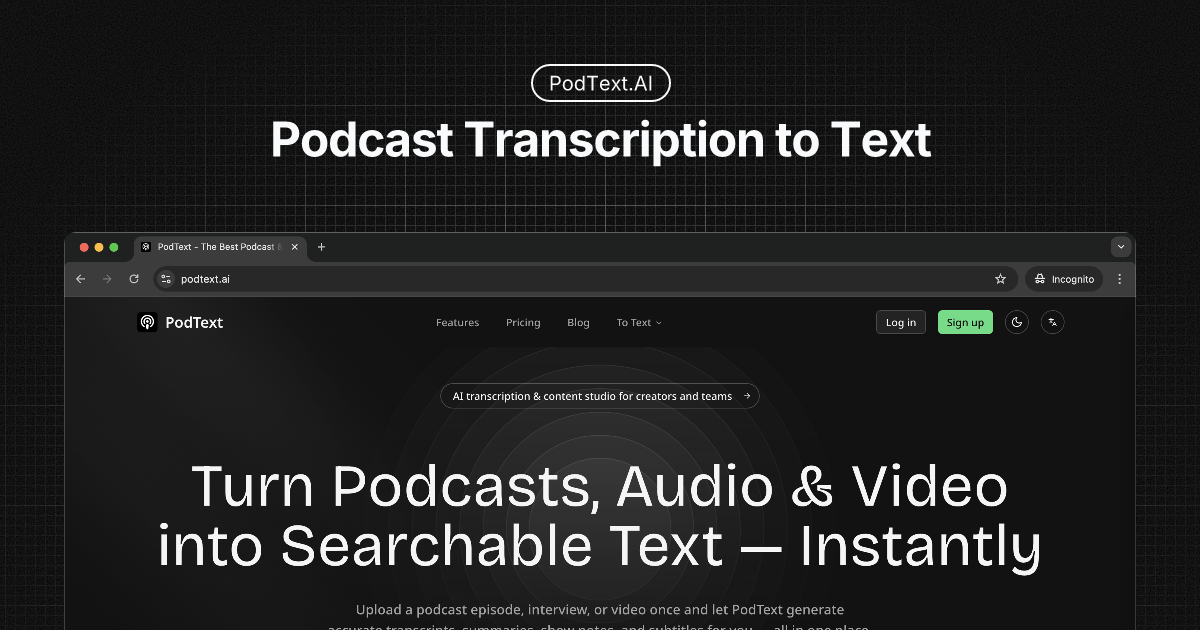
PodText is a web-based service that converts podcast episodes and recordings into searchable, timestamped transcripts. It accepts links from Apple Podcasts, Spotify, RSS feeds, YouTube captions, or direct audio/video uploads, and outputs text with AI-generated summaries, chapters, and highlights. Designed for podcast listeners, creators, learners, and researchers who want to read, search, and export content instead of replaying audio.
How it works
Paste a podcast link from Apple Podcasts, Spotify, iHeart, RSS, or accessible YouTube captions, or upload an audio or video file up to 500 MB and 6 hours. PodText processes the source with AI to generate a transcript with timestamps, summaries, chapters, and highlights. You can follow progress in a private workspace and then search, jump to audio moments, and export in TXT, Markdown, SRT, or VTT formats.
Key capabilities
PodText supports transcription in 99+ languages with automatic detection or manual selection. It handles audio and video uploads, and link imports depend on source availability; YouTube requires accessible captions. The service includes a private workspace where transcripts are not published or indexed, and source audio is retained until you delete it, except for signup-credit audio which is deleted after 7 days.
Who it is for
PodText is for heavy podcast listeners who want to search and revisit episodes, creators who need quotable passages and clean exports for content, learners reviewing lectures or interviews, and researchers who need accurate citations with timestamps. It also works for meeting recordings from Zoom, Teams, or Meet, though it does not support live transcription or speaker labels.
Pricing and limits
PodText offers 60 free minutes after signup with no credit card required. Paid plans include Starter at $19.99/month for 500 credits, Pro at $39.99/month for 1,500 credits, and Advanced at $99.99/month for 5,000 credits, with yearly billing options. Pay-as-you-go packs are $10 for 100 credits or $20 for 250 credits, and credits never expire. Subscription credits reset each billing cycle, and failed jobs refund credits automatically.
Key features
Multiple source support
Transcribe from Apple Podcasts, Spotify, iHeart, RSS feeds, YouTube captions, Xiaoyuzhou, or direct audio/video URLs, plus uploads up to 500 MB and 6 hours.
AI summaries and chapters
AI-generated summaries, chapters, and quotes alongside the transcript, with timestamps for jumping back to audio.
Search and export
Full-text search within transcripts and export in TXT, Markdown, SRT, and VTT formats.
Multilingual transcription
Supports 99+ languages with auto-detection or manual selection.
Private workspace
Private workspace requiring sign-in; transcripts are not published or indexed publicly.
Use cases
Search and revisit podcast episodes
Search within an episode and jump back to the audio with timestamps to revisit key insights.
Create content from episodes
Find quotable passages and export clean text or subtitles for content creation.
Review lectures and educational content
Search transcripts for key concepts and keep timestamps with notes for study.
Research and cite sources
Locate passages precisely and export text for analysis with source context.
Pricing & limits
From the official site · checked 10/10/2026Frequently asked questions about Podcast Transcript | PodText
- What is PodText?
- PodText is a web-based tool that creates searchable, timestamped transcripts from podcast links (Apple Podcasts, Spotify, iHeart, RSS, YouTube captions, Xiaoyuzhou) or uploaded audio/video files up to 500 MB and 6 hours long.
- Who is PodText for?
- It is for podcast listeners who want to search episodes, content creators who need quotable passages, learners reviewing lectures, and researchers citing sources accurately.
- Is PodText free?
- Yes, you get 60 one-time free minutes after signup with no credit card required. After that, you can buy credit packs or subscribe to a plan.
- What platforms does PodText support?
- PodText works in any web browser. You can paste a link or upload a file; it supports audio and video formats and exports in TXT, MD, SRT, and VTT.
- How do credits work?
- Credits are calculated per minute of audio, rounded up. Subscription credits reset each billing cycle, but pay-as-you-go credits never expire. Failed transcriptions are fully refunded.
Related tools

Ramsa Speech
Turn text into natural Emirati Arabic speech for live conversations and studio-quality voice-over.

BritishAccent
Generate natural British English audio with 214 regional voices for voiceovers, lessons, and more.

Song Flow: AI Music Generator
Create original songs, remix tracks, and generate music videos with AI on iOS and Android.

Eleven Labs
Generate lifelike speech, music, and voice agents for any language.
Kekoso
Dictate, transcribe files and calls, and give AI agents a local MCP server, all on your Mac.

Miso One
Create expressive dialogue audio, test voice cloning, and review prompts in a browser workspace.

Transcribe Audio to Text
Turn audio, video, and YouTube links into editable transcripts with timestamps and speaker labels.

Inwista
Transcribe video and audio in 70+ languages, identify speakers, and export subtitles in SRT, VTT, or MP4.