
Luxoret
luxoret.comAll-in-one AI creative studio with 80+ tools
Generate, edit and finish creative work with over 80 AI tools for image, video, voice and film.
Overview
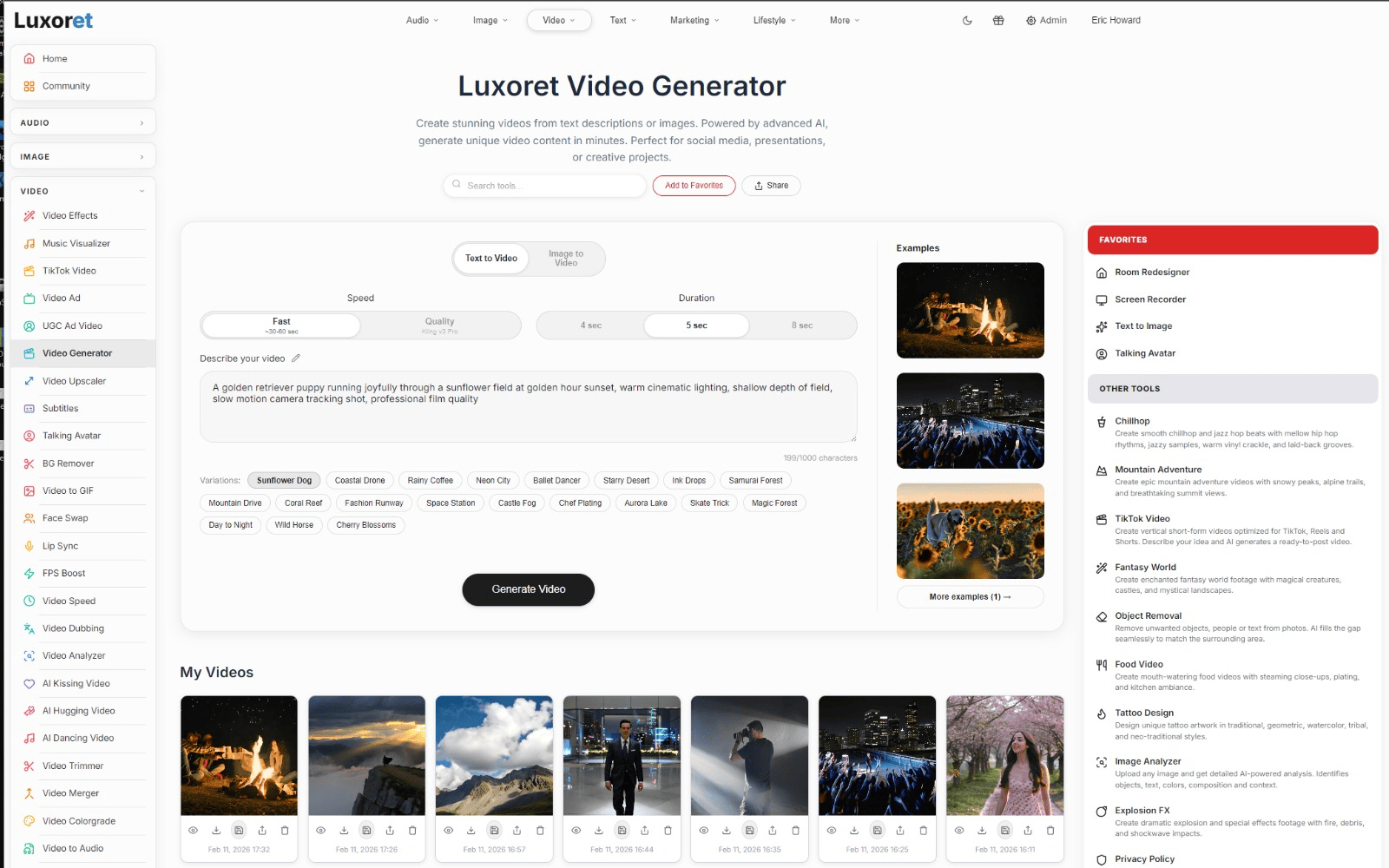
Luxoret Fly is a browser-based AI creative studio that brings together over 80 tools for generating, editing, and finishing images, videos, audio, and films. It supports 17 picture models and 19 video models, including Seedream 5 Pro, GPT Image 2.5, and Seedance 2.5, all accessible from a single prompt box. Designed for creators, marketers, and businesses, it enables everything from product photography and video ads to full short films with consistent characters and scenes.
How it works
Start with an image or a line of text, then choose from a suite of tools. The Assistant can plan and execute a campaign, showing the price before each step runs. The Canvas node board lets you wire tools together into a pipeline, where outputs flow from one node to the next. An MCP server and CLI expose every tool to agents like Claude, allowing them to generate finished assets directly into your project folder.
Key capabilities
Generate images and videos with multiple models, edit videos by describing changes, split pictures into layers, lip-sync faces to voice tracks, and train a face model for consistent characters. Additional tools include product photography, background replacement, upscaling to 4K, face swap, relighting, and motion control. Audio tools cover voiceover, voice changing, translation into 29 languages, and music composition.
Who it is for
Luxoret Fly serves creators, marketers, and businesses that need to produce visual content at scale. It is suited for e-commerce sellers creating product listings, advertisers generating video ads, real estate agents staging properties, and filmmakers producing short films. The try-on tools also cater to fashion and beauty retailers wanting to show products on real people.
Key features
Over 80 AI tools
Access a comprehensive suite of AI tools for image generation, video creation, audio production, and filmmaking, all within a single browser-based workspace.
Multi-model support
Choose from 17 picture models and 19 video models, including Seedream 5 Pro, GPT Image 2.5, Nano Banana 2 Lite, MiniMax H3 Max, Gemini Omni Flash, and Seedance 2.5, all behind one prompt box.
Cinema mode
Create full films with shot-by-shot continuity, selecting genre, color, lighting, and lens, then export in one pass without round trips.
Assistant
Describe a campaign and the assistant plans and executes every step, showing the price before each tool runs.
Canvas node board
Wire tools together in a visual pipeline, where the output of one node feeds the next, and changes propagate downstream automatically.
MCP server and CLI
Expose every tool to Claude and other agents via an MCP server and CLI, allowing AI agents to generate finished assets directly into project folders.
Use cases
Product photography
Turn a single phone photo into a full listing set with studio lighting, material swaps, mockups, and background replacement.
Video ads
Generate finished commercials from one product picture and a sentence, complete with sound and multiple connected beats.
Short-form content
Create vertical videos for TikTok, Reels, and Shorts with captions, music, and timeline editing.
Property marketing
Redesign rooms, virtually stage empty listings, declutter spaces, and enhance exteriors for real estate sales.
Try-on tools
Visualize clothes, hairstyles, makeup, and jewelry on real photos before purchase.
Film production
Write, shoot, and cut full short films with consistent characters and scenes, as demonstrated by originals like Black Tide and Ironfall.
Pricing & limits
Listed as freemium. A dated pricing breakdown is not available. Check the provider for current plans and allowances.
Check current pricing on the official siteGetting started
Open the studio in your browser without any installation. Upload an image or type a prompt to begin. For video, add an image, choose a camera preset, and generate. For a full film, use Cinema mode to select genre, color, lighting, and lens. To automate workflows, set up the MCP server or use the Canvas node board to connect tools.
Frequently asked questions about Luxoret
- What is Luxoret Fly?
- Luxoret Fly is a browser-based AI creative studio offering over 80 tools for generating, editing, and finishing images, videos, audio, and films.
- Who is Luxoret Fly for?
- It is designed for creators, marketers, and businesses needing to produce visual content, from product photos and video ads to full short films.
- What AI models does Luxoret Fly support?
- It supports 17 picture models and 19 video models, including Seedream 5 Pro, GPT Image 2.5, Nano Banana 2 Lite, MiniMax H3 Max, Gemini Omni Flash, and Seedance 2.5.
- Can I use Luxoret Fly without installing software?
- Yes, Luxoret Fly runs entirely in your browser with no installation or seat license required.
- Does Luxoret Fly offer automation features?
- Yes, it includes an Assistant that plans and runs campaigns, a Canvas node board for building pipelines, and an MCP server and CLI for integration with AI agents like Claude.
Related tools

Magic Hour
Create videos, images, and audio with 100+ AI tools in one browser-based studio.

Molyin
Generate cinematic videos, images, and music from text prompts in one studio.

Photo Animate - Photo to Video AI
Turn still portraits into lifelike videos with natural motion and easy controls.

SeedanceTips
Learn to master ByteDance's Seedance 2.0 video generator with step-by-step tutorials, 50+ tested prompts, and honest comparisons.

Regentflow
Run stocktakes, rosters, invoices, and signs from your phone, with AI help and live team sharing.

BudgetPixel AI
Generate images, videos, music, and designs with 100+ top models on one credit balance.

Veo 3.2
Generate 4K videos from text or images with world-model physics and character consistency.

PopNow
Create videos, images, and songs from one photo or idea using 117 AI models in your browser.