
Video2PPT
video2ppt.comEditable PowerPoint converter
Convert videos to editable PowerPoint, Google Slides, PDF, or HTML with local processing.
Overview
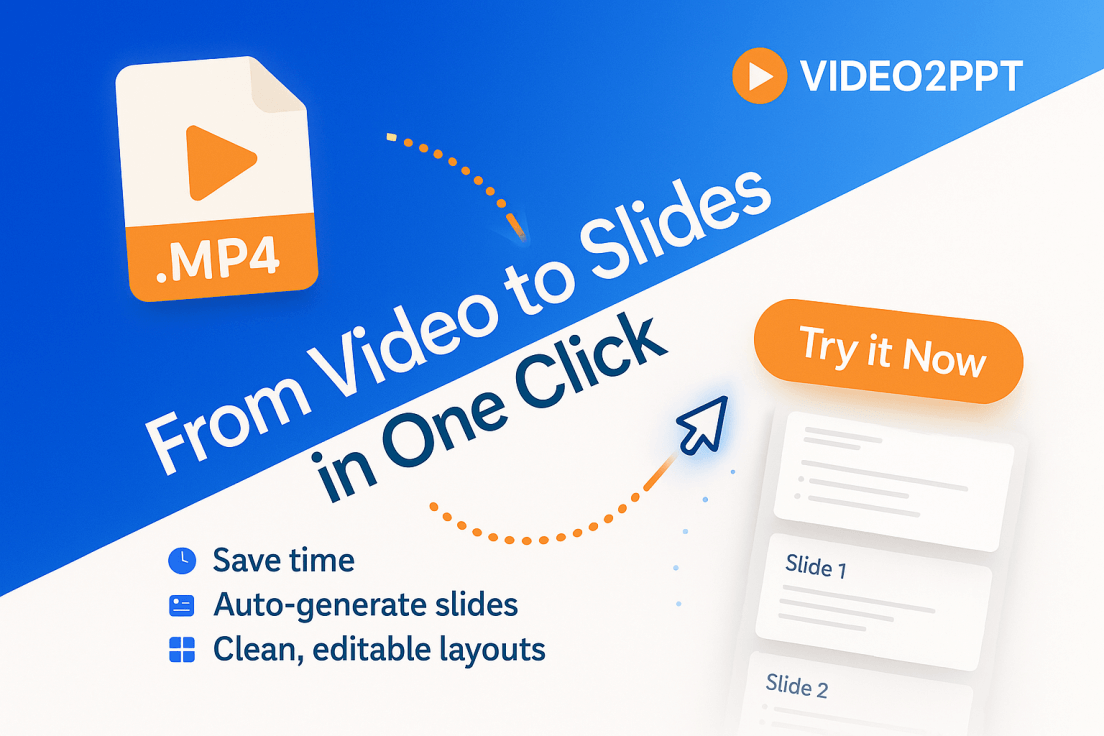
Video2PPT is an online tool that converts any video into editable PowerPoint presentations. You can upload local files, paste online video links, or record your screen in real-time. It is designed for professionals, educators, and content creators who need to extract slides from webinars, lectures, meetings, and demos quickly and privately.
Supported sources and limits
Video2PPT supports multiple video sources: you can upload local files in formats like MP4, WebM, and MOV, paste links from platforms such as YouTube, TikTok, and Vimeo, or record your screen in real-time. The tool also offers batch processing, allowing you to convert more than 20 videos at once. Processing happens locally on your device, so there is no hard duration limit; the maximum file size depends on your device's memory and performance.
Key capabilities
The AI identifies and extracts key frames from your videos, delivering them as ready-to-use PowerPoint slides. The exported PPTX is fully editable: text, shapes, and layouts can all be adjusted, and the original layout is closely preserved. You can also export to Google Slides, PDF, or HTML formats for maximum compatibility. Additionally, Video2PPT supports video transcription, converting speech to text with timestamp-aligned transcripts that can be exported to DOCX documents.
Who it is for
Video2PPT is ideal for professionals, educators, and content creators who need to extract slides from webinars, lectures, meetings, and demos. It is used by training managers, professors, marketing directors, consultants, and sales teams to save hours of manual screenshotting. The tool is also suitable for medical professionals and wellness consultants who need to review lecture slides or create handouts from recorded sessions.
Pricing and plans
Video2PPT offers a free plan with no signup required, including up to 10-minute duration, 3 video conversions per month, YouTube video support, screen recorder support, batch processing, and watermark removal. The Pro plan costs $7 per month and includes 100 video conversions per month, 100 editable PowerPoint pages, 600 minutes of video transcription, and watermark removal.
Key features
Multiple export options
Convert videos to editable PowerPoint, Google Slides, PDF, or HTML formats.
Multiple video sources
Supports uploads, screen recordings, and online links from platforms like YouTube, TikTok, and Vimeo.
Smart content extraction
AI identifies and extracts key frames from videos, delivering them as ready-to-use PowerPoint slides.
Batch processing
Convert multiple videos at once, saving hours of manual extraction.
Local processing
All processing happens locally on your device, ensuring data privacy and security.
Video transcription
Transcribe speech to text with timestamp-aligned transcripts, exportable to DOCX.
Use cases
Educational content creation
Extract slides from recorded lectures or webinars for study materials or client deliverables.
Meeting and demo conversion
Convert screen recordings of meetings or demos into editable decks for quick sharing.
Training material production
Batch process multiple training videos to create consistent slide decks for team use.
Video transcription
Transcribe video speech to text for review, notes, or sharing as DOCX documents.
Pricing & limits
From the official site · checked 10/10/2026Frequently asked questions about Video2PPT
- What is Video2PPT?
- Video2PPT is an online tool that converts any video into PowerPoint presentations. You can upload local files, paste online video links, or record your screen in real-time.
- Is Video2PPT free?
- Yes! The free plan includes all core features—recording, conversion, and downloading. The Pro plan offers higher usage limits and advanced features like watermark removal.
- What video formats does Video2PPT support?
- We support all major video formats including MP4, AVI, MOV, WMV, and more. You can also paste links from platforms like YouTube, TikTok and Vimeo.
- Will my video content be uploaded?
- Never. Video snapshots are captured using browser canvas technology, so your video files never leave your device. Everything stays completely private.
- Is the converted PPTX editable?
- Yes. The exported PPTX is fully editable: text, shapes, and layouts can all be adjusted. AI recreates your slides exactly as they look.
Related tools

Dokie AI
Create professional, brand-aligned slides with clean layouts in minutes.

JobSprout
Build ATS-friendly CVs and cover letters tailored to any job in minutes.
Thawly AI
Break overwhelming tasks into tiny, actionable steps with a 2-minute timer.

GenPPT AI
Create professional presentations in minutes with AI-powered generation, beautification, and speaker notes.

genogram maker
Create professional genograms from text or images and export as PDF, PNG, or SVG.

MODNCV
Build ATS-friendly resumes, practice interviews, and find 2,000+ jobs from 300+ employers.

SendMyVoice.com
Record voice notes and send them to Notion, Docs, Sheets, or email.

jpg to excel
Turn images of tables into editable Excel and CSV spreadsheets with AI accuracy.