
Microedits
microedits.comAI website editor for instant no-code changes
Describe changes in plain English to edit any website instantly, no code required.
Overview
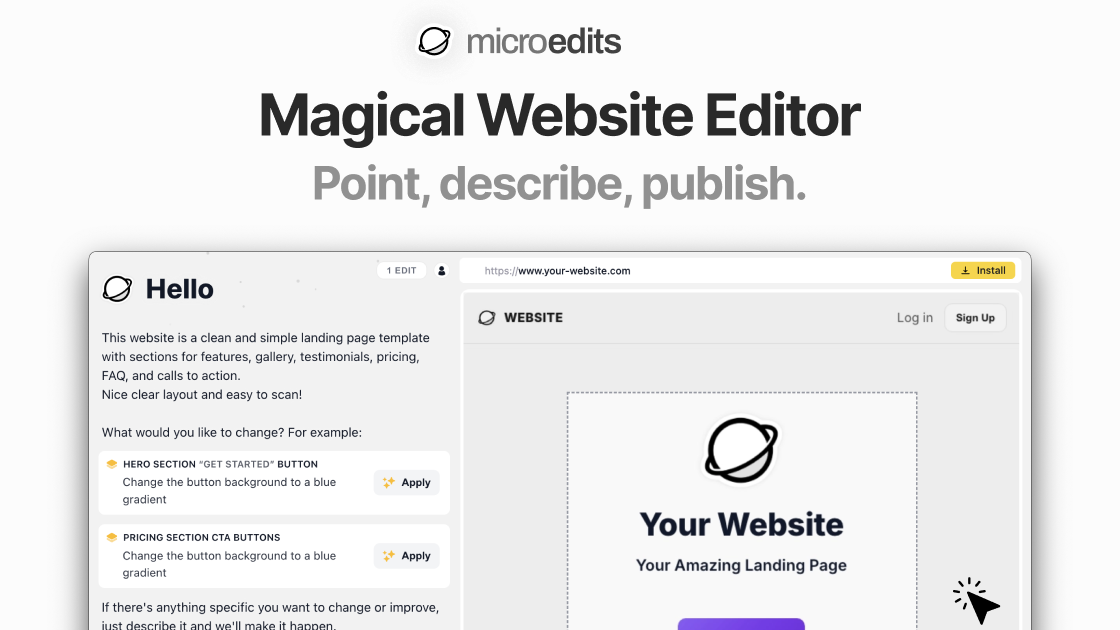
Microedits is an AI website editor that lets you make instant changes to any website by describing them in plain English. You input your website URL, describe the desired change, and the AI generates code and applies it live, with preview and rollback options. It is designed for website owners, marketers, business owners, and content managers who need to update sites without coding or developer help.
How it works
To use Microedits, you enter your website URL and describe the change in plain English, such as 'change the headline to Welcome to Our Shop' or 'replace the main image with this new photo'. The AI generates multiple preview options showing how your site would look, and you select the version you like best and click to publish, making the change live instantly. No coding is required, and you can revert any modification with one click.
Key capabilities
Microedits is framework-agnostic, working with WordPress, Squarespace, Webflow, Wix, Shopify, and static sites. It also supports frameworks like React, Next.js, Vue, Angular, Svelte, Tailwind, and Bootstrap, as it applies edits client-side via the DOM. You can add cookie banners, dark mode, age gates, announcement bars, popups, scroll buttons, and other visual elements. It is best for quick text and content edits rather than full redesigns.
Who it is for
Microedits is for website owners who need changes but don't want to code, including marketers, business owners, and content managers. It is especially useful for urgent edits when a developer is unavailable, and for nonprofits needing to update event info, donation buttons, or volunteer sign-ups quickly. The tool is designed to be user-friendly, even for those with no technical skills.
Pricing and limits
Microedits offers a free tier with limited uses, and paid plans start at around $2.99 per week for more edits and features. The pricing is subscription-based, and you can cancel anytime. There is no mention of a one-time payment option. The free tier allows you to test the tool before committing to a paid plan.
Key features
Plain English editing
Describe changes in plain English to edit any website without coding.
Framework-agnostic
Works with WordPress, Squarespace, Shopify, Wix, Webflow, and static sites, plus frameworks like React and Next.js.
Instant preview and rollback
Preview changes before publishing and revert any modification with one click.
Visual element additions
Add cookie banners, dark mode, age gates, announcement bars, popups, and scroll buttons.
Simple setup
One-line script installation, no plugins or downloads needed.
Use cases
Quick content updates
Update text, images, and links on your website without coding.
Add visual elements
Add cookie banners, dark mode, age gates, announcement bars, and popups.
Emergency edits
Make urgent changes when your developer is unavailable.
Nonprofit site updates
Update event info, donation buttons, and volunteer sign-ups for nonprofit sites.
Pricing & limits
From the official site · checked 10/10/2026Frequently asked questions about Microedits
- What is Microedits?
- Microedits is an AI website editor that lets you describe changes in plain English and applies them instantly to your site without coding.
- Who is Microedits for?
- It is for website owners, marketers, business owners, and content managers who need to make changes without coding.
- Is Microedits free?
- Yes, Microedits offers a free tier with limited uses. Paid plans start at around $2.99 per week.
- Which platforms does Microedits support?
- It works with WordPress, Squarespace, Shopify, Wix, Webflow, and static sites, as well as frameworks like React, Next.js, Vue, Angular, Svelte, Tailwind, and Bootstrap.
Related tools

Atoms AI
Build, launch, and grow apps with AI agents, no code needed.

VibeReady
Ship a production SaaS with an AI agent, RAG, and human-approved actions in about 10 minutes.
Defapi
Unified API access to OpenAI, Anthropic, Google models with intelligent routing and security.
APIPASS API Marketplace
Access 180+ AI models from OpenAI, Google, and Anthropic through one API key and one bill.

git-lrc
Catch leaked credentials, logic errors, and behavior changes before every commit.

Vicoa
Run and manage a team of coding agents from any device with Vicoa.

GemmaMatch
Find the right Gemma 4 model for your PC, Mac, or phone with auto GPU detection and copy-paste run commands.

YYLO
Coordinate coding agents from intent through validated code while preserving task, session, review, and evaluation evidence.