
GemmaMatch
gemmamatch.comGemma 4 hardware matcher with auto GPU detection
Find the right Gemma 4 model for your PC, Mac, or phone with auto GPU detection and copy-paste run commands.
Overview
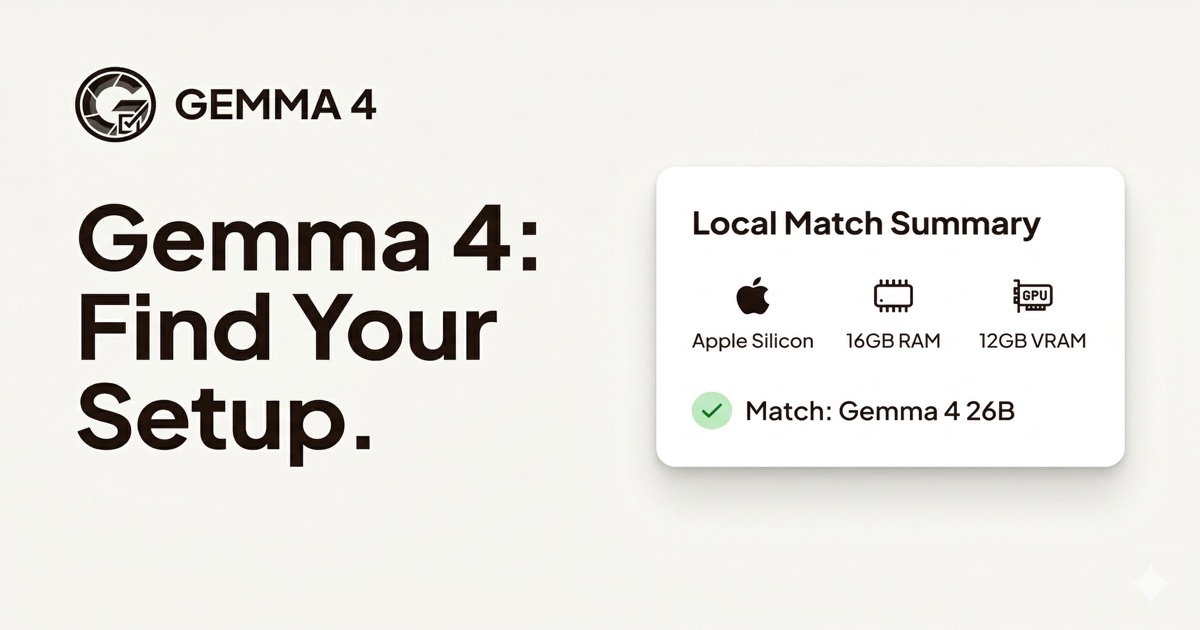
GemmaMatch is an independent third-party service built around Google's Gemma 4 models. It is a hardware matcher that auto-detects your GPU via browser-native WebGPU and WebGL APIs, then recommends the best Gemma 4 model tier for your system. It provides minimum RAM and VRAM requirements, expected speeds, and ready-to-paste run commands for Ollama, llama.cpp, or Transformers. The tool is for developers and enthusiasts who want to run Gemma 4 locally on PC, Mac, or mobile.
How it works
The tool scans your GPU and memory using WebGPU and WebGL APIs, with no data leaving your browser. On Mac, it identifies the exact Apple Silicon chip and unified memory size; on PC, it reads NVIDIA or AMD model and VRAM. It then cross-references your hardware against Gemma 4's model tiers and picks the largest model your system can run comfortably. You get a copy-paste terminal command for Ollama, llama.cpp, or Transformers, with model tag, context flags, and performance tweaks pre-filled.
Key capabilities
The tool covers all Gemma 4 model tiers: E2B (5B Dense), E4B (9B Dense), 26B-A4B MoE (27B total, 4B active), and 31B Dense. It provides minimum RAM and VRAM requirements, recommended GPUs, and expected speeds for each tier. It also includes a by-hardware reference table for popular setups like RTX 4060, RTX 4070 Ti, RTX 4090, MacBook M-series, iPhone 15 Pro, and Android flagships. Supported runtimes include Ollama (GGUF), LM Studio (GGUF, EXL2), llama.cpp, MLX, and ExLlamaV2.
Who it is for
The tool is designed for developers and enthusiasts who want to run Gemma 4 locally on their own hardware. It is useful for PC users with NVIDIA or AMD GPUs, Mac users with Apple Silicon, and mobile users with iOS or Android devices. It also helps those planning a hardware purchase by letting them compare RAM and VRAM combinations to see which upgrade unlocks a bigger model tier. The tool is free to use, requires no sign-up, and works entirely in the browser.
What sets it apart
The tool is free to use with no installs, sign-ups, or data collection. It runs entirely in the browser and can be used offline after the page loads. The auto-detection uses the same APIs that games and 3D apps use, ensuring accuracy. For troubleshooting, the tool provides tips for fixing OOM errors, such as reducing context length with --ctx-size 4096 or using lower quantization. It also notes that MLX has known bugs with Gemma 4 MoE, so Ollama is preferred on Mac.
Key features
Automatic hardware detection
Auto-detects GPU via WebGPU and WebGL APIs, no installs or sign-ups
Copy-paste run commands
Provides ready-to-paste terminal commands for Ollama, llama.cpp, or Transformers with pre-filled flags
Model tier comparison
Covers all Gemma 4 tiers: E2B, E4B, 26B MoE, and 31B Dense with minimum RAM, VRAM, and recommended GPUs
Manual override
Manual mode lets you set OS, RAM, and VRAM by hand for dual-GPU laptops, new GPUs, or purchase planning
Runtime and format support
Supports Ollama, LM Studio, llama.cpp, MLX, and ExLlamaV2 runtimes with GGUF and EXL2 formats
Use cases
Check hardware compatibility
Determine if your PC can run Gemma 4 and which model tier fits your hardware
Set up local inference
Get a ready-to-paste command for Ollama, llama.cpp, or Transformers to run Gemma 4 locally
Plan a hardware purchase
Compare RAM and VRAM combinations to see which upgrade unlocks a bigger model tier
Run on mobile devices
Run Gemma 4 E2B offline on iPhone or Android via Google AI Edge Gallery
Pricing & limits
Listed as free. A dated pricing breakdown is not available. Check the provider for current plans and allowances.
Check current pricing on the official siteFrequently asked questions about GemmaMatch
- How does the automatic GPU detection work?
- The tool uses browser-native WebGPU and WebGL APIs to read your GPU model and VRAM, and on Mac it identifies the Apple Silicon chip and unified memory. No data leaves your browser.
- Can an RTX 4060 run Gemma 4?
- Yes, an RTX 4060 with 8 GB VRAM can run the E4B model at Q4_K_M quantization with 20-35 t/s. The 26B MoE model requires 12 GB+ VRAM, so it won't fit on an RTX 4060.
- Can an RTX 4090 run Gemma 4 31B?
- Yes, the RTX 4090 with 24 GB VRAM can run Gemma 4 31B Dense at Q4_K_M quantization (~20 GB VRAM), achieving 15-25 t/s. Use -np 1 with Ollama to limit parallelism.
- Does Gemma 4 support EXL2 format?
- Yes, Gemma 4 models including the 31B Dense have been converted to EXL2 format by the community. EXL2 files are available on HuggingFace and work with ExLlamaV2, but require an NVIDIA GPU with CUDA.
- Can I run Gemma 4 on my phone?
- Yes, you can run Gemma 4 E2B on phones via Google AI Edge Gallery on Android or iOS. It runs entirely offline with no API key. The E4B model may work on phones with 10+ GB RAM but can crash on less.
Related tools

Microedits
Describe changes in plain English to edit any website instantly, no code required.

Atoms AI
Build, launch, and grow apps with AI agents, no code needed.

VibeReady
Ship a production SaaS with an AI agent, RAG, and human-approved actions in about 10 minutes.
Defapi
Unified API access to OpenAI, Anthropic, Google models with intelligent routing and security.

APIPASS API Marketplace
Access 180+ AI models from OpenAI, Google, and Anthropic through one API key and one bill.

git-lrc
Catch leaked credentials, logic errors, and behavior changes before every commit.

Vicoa
Run and manage a team of coding agents from any device with Vicoa.
YYLO
Coordinate coding agents from intent through validated code while preserving task, session, review, and evaluation evidence.