
Kling 2.6
Third-partykling2-6.comText-to-video with native audio sync
Generate cinematic videos with synchronized audio and consistent characters from text prompts.
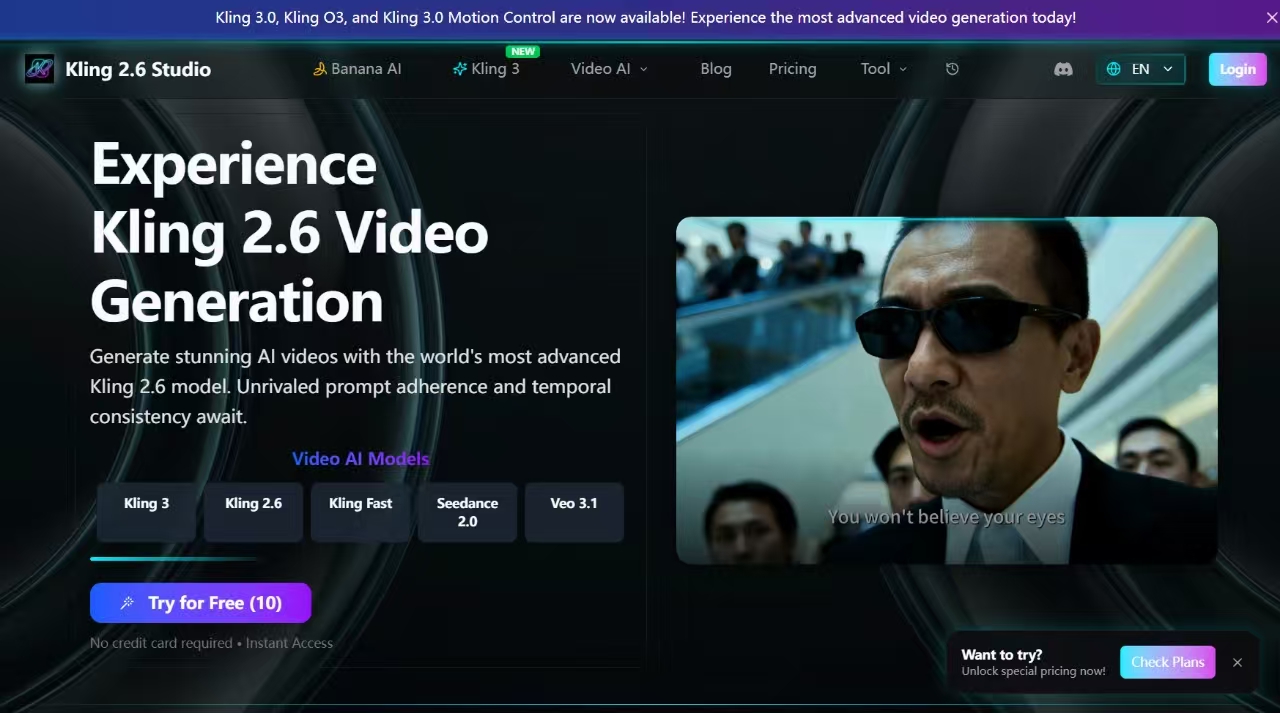
Overview
Kling 2.6 Studio is an independent third-party service built around the Kling 2.6 video model, offering text-to-video generation with native audio synchronization. Users input text prompts, optionally with reference images, and receive cinematic video clips with sound effects, dialogue, and music. It is designed for content creators, marketers, and filmmakers seeking high-quality, consistent AI video output.
How it works
Kling 2.6 generates videos from detailed text prompts, with options for image reference, duration, resolution, and aspect ratio. The workflow involves describing the scene, selecting Fast or Pro mode, and generating the video. Fast mode is optimized for speed, while Pro mode delivers higher visual fidelity and motion consistency. Users can also control start and end frames to interpolate movement between two images.
Key capabilities
Key capabilities include native audio generation that syncs sound effects, dialogue, and music with visuals, and temporal consistency that maintains character and scene coherence across clips. The model supports up to 2-minute videos in Pro mode with 1080p resolution and 4K upscaling. It also excels at rendering clear text overlays within videos and offers deep scene understanding for complex prompts.
Who it is for
Kling 2.6 Studio is for content creators, marketers, filmmakers, and developers. It suits casual creators with the Basic plan, content marketers with Standard, and agencies or power users with Pro. The platform also offers a Starter Pack for those who want to try features without a monthly commitment, and API access for developers building applications.
Pricing and limits
Pricing starts with a free 7-day check-in mission that grants credits, and paid plans include Basic at $15/month for 400 credits, Standard at $36/month for 1,200 credits, and Pro at $99/month for 3,300 credits. A one-time Starter Pack costs $9.9 for 240 credits that never expire. Annual plans offer discounts up to 58% off, and credits from subscriptions expire at the end of each billing cycle.
Key features
Native audio generation
Generate videos with synchronized sound effects, dialogue, and music directly from text prompts.
Fast and Pro modes
Choose between Fast mode for quick previews and Pro mode for cinematic quality and smooth motion.
Temporal consistency
Maintain character and scene consistency across longer clips, reducing morphing issues.
Start-end frame control
Control start and end frames to interpolate movement between two images for precise storytelling.
Text rendering in videos
Generate videos with clear text overlays by including specific words or phrases in prompts.
Use cases
Marketing campaigns
Create marketing videos with cinematic lighting and smooth motion for campaigns.
Video editing
Produce B-roll footage with perfect temporal consistency for video editing projects.
Architectural visualization
Generate architectural walkthroughs with accurate spatial movement and lighting.
Game development
Create game cinematics with consistent characters and precise motion timing.
Developer applications
Develop AI influencers or automated ad generators using the Kling 2.6 API.
Pricing & limits
From the official site · checked 10/10/2026Frequently asked questions about Kling 2.6
- What is Kling 2.6 Video AI?
- Kling 2.6 Video AI is a text-to-video generation engine that creates cinematic clips with native audio, including sound effects, dialogue, and music, synced to the visuals.
- What is the difference between Fast and Pro?
- Kling Fast is optimized for speed, ideal for quick iterations, while Kling Pro offers higher visual fidelity and motion consistency for final outputs.
- Do I own the videos?
- Yes, on paid plans (Pro/Elite), you have full commercial ownership of generated videos.
- Does it work on mobile?
- Yes, the web interface is fully responsive and works on mobile and tablet devices.
- How does the starter credit mission work?
- New accounts start at 0 credits. A one-time 7-day check-in mission provides 10 credits on day 5 and 15 credits on day 7.
Related tools

Photo Animate - Photo to Video AI
Turn still portraits into lifelike videos with natural motion and easy controls.

Molyin
Generate cinematic videos, images, and music from text prompts in one studio.

Magic Hour
Create videos, images, and audio with 100+ AI tools in one browser-based studio.

dancingai
Turn photos into share-ready dance videos with natural motion in minutes.

Crevid AI
Create videos, images, and music from text or images with over 20 AI models.

LTX 2.3 AI Video Generator
Generate connected, high-fidelity videos with synchronized audio, up to 4K, directly in your browser.

AI Pixel Animation Generator
Generate game-ready pixel sprites and looping animations from text prompts or reference images.

Musiv - AI Music Video Generator
Turn any song into a cinematic, beat-aware music video with scene-level control and MP4 export.