
GAAbstract
gaabstract.comAI graphical abstract generator for researchers
Turn your research paper into a clear, shareable graphical abstract in seconds.
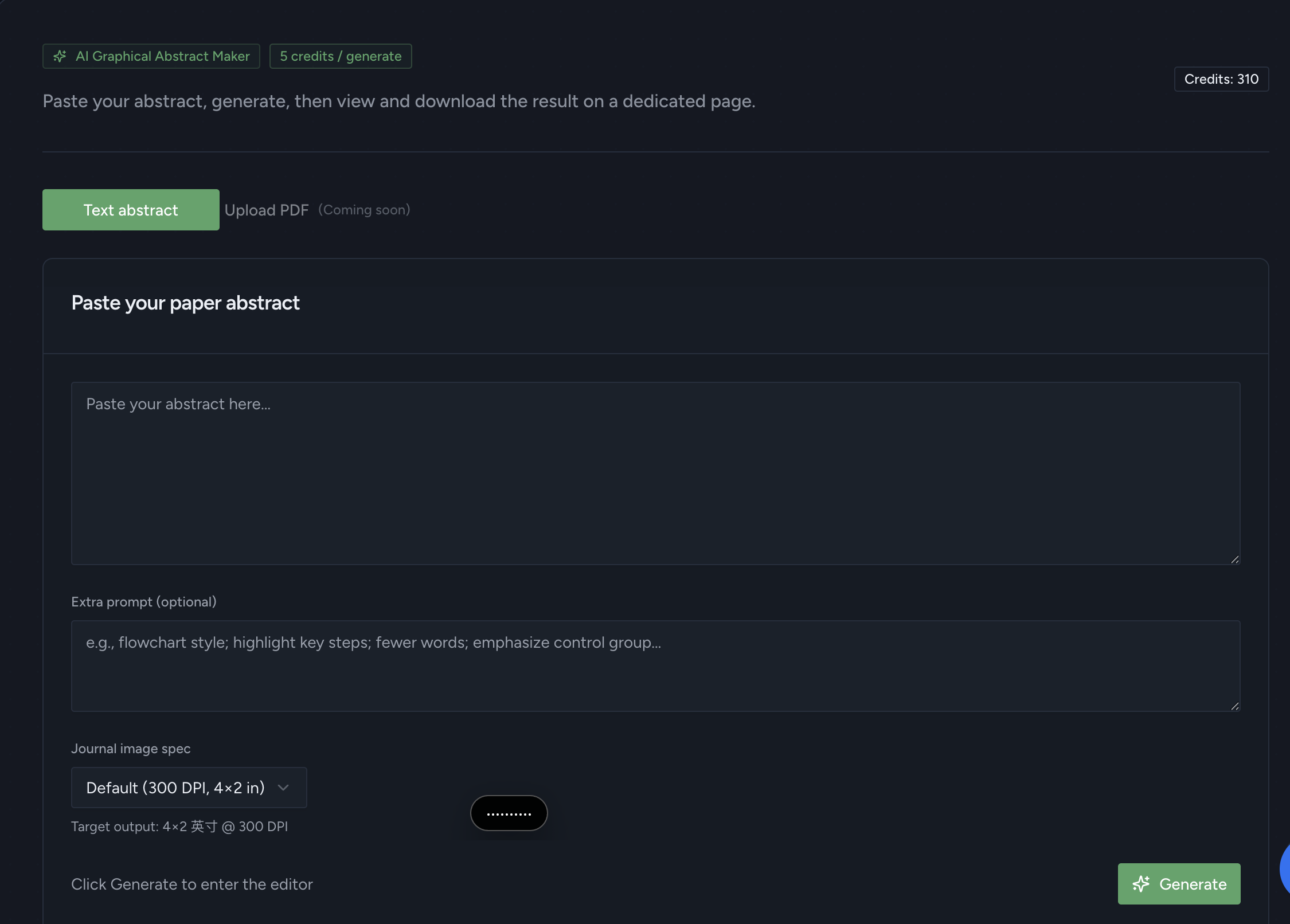
Overview
GAAbstract is an AI-powered graphical abstract maker built for academic researchers. You upload your paper PDF or paste your abstract, and the AI analyzes the content to identify key findings, then generates a journal-ready graphical abstract automatically. It is designed for researchers who need quick, professional visuals without spending hours learning design tools.
How it works
GAAbstract works in four simple steps: paste your abstract or upload your PDF, click generate, review the draft, and edit if needed. The AI identifies key entities, steps, and relationships to build a clear scientific schematic. Results are ready in under 60 seconds, and you can refine labels, icons, and layout before exporting.
Key capabilities
The tool offers 7 layout templates including Flow, Comparison, Branching, Matrix, Circular, Timeline, and Radial. You can also upload a style reference image (PNG, JPEG, or WebP up to 10 MB) for the AI to match its visual style. An extra prompt field lets you add specific instructions, and an AI optimize option refines the output.
Who it is for
GAAbstract is for academic researchers, PhD students, postdocs, lab managers, and science communicators who need graphical abstracts for journal submissions, conference slides, or social media. It covers all disciplines, including engineering, social science, computer science, and physics, not just life sciences. No design skills are required.
Pricing and limits
Pricing starts with a free tier that gives new accounts free credits to generate and preview a real graphical abstract. Paid plans start at $8.25/month for Basic, $16.58/month for Pro, and $24.92/month for Max, with credits per month and features like watermark-free export and priority support. One-time credit packages are also available, and education discounts are offered for students and teachers.
Key features
AI-powered generation
AI reads your paper or abstract and generates a structured graphical abstract in under 60 seconds.
Multiple layout templates
Choose from 7 layout templates including Flow, Comparison, Branching, Matrix, Circular, Timeline, and Radial.
Fully editable outputs
Edit any element after generation—layout, labels, icons, colors, and wording—with real-time preview.
Publication-ready exports
Export in PNG, JPG, TIFF, or SVG (SVG on paid plans) at 300 DPI for journal submission.
Paper Explainer tool
Paper Explainer opens any paper PDF with an expert beside you: highlight sentences for explanations, ask questions, and get a one-page summary card.
Use cases
Journal submission
Create a graphical abstract for journal submission, meeting journal size and DPI requirements.
Conference presentations
Generate visuals for conference slides, posters, and presentations.
Social media sharing
Share research findings on social media with engaging visual summaries.
Paper reading and understanding
Use Paper Explainer to read and understand papers, with highlights and questions answered from the full text.
Pricing & limits
From the official site · checked 10/10/2026Frequently asked questions about GAAbstract
- What is GAAbstract?
- GAAbstract is an AI-powered graphical abstract maker for academic researchers. You upload your paper PDF or paste your abstract, and the AI analyzes the content to generate a journal-ready graphical abstract automatically.
- Who is GAAbstract for?
- It is for academic researchers, students, and teams who need to create graphical abstracts for journal submissions, presentations, or social media without design skills.
- Is GAAbstract free to use?
- Yes. Every new account gets free credits to generate, edit, and preview a real graphical abstract. Free downloads carry a small watermark; paid plans remove it.
- What export formats does GAAbstract support?
- You can export as PNG, JPG, TIFF, or SVG (SVG on paid plans). Figures render at 300 DPI at standard single- or double-column widths.
Related tools

Userjam
Turn messy product data into plain English updates in Slack, email, or alerts.

Sellerview.ai
SKU-level profit analytics for Amazon sellers
Articos
Run synthetic user interviews and get a full research report in under 30 minutes.

BizIntelligenceChampions
Turn natural-language prompts into working, interactive charts in Power BI and Excel.

ExtWise
Search, compare, and analyze Chrome extensions with AI-powered insights across reviews, competitors, and security.

AccuraCite
Verify bibliographies against six academic databases and find real, claim-relevant citations in seconds.

HyperGSC
Google Search Console AI MCP

Tapetide
AI-first stock research platform and MCP server for every NSE & BSE listed stock.