
Consul
consul.soLoop-closing executive assistant
An AI executive assistant that schedules meetings, triages Gmail, and sends a daily brief over email or iMessage.
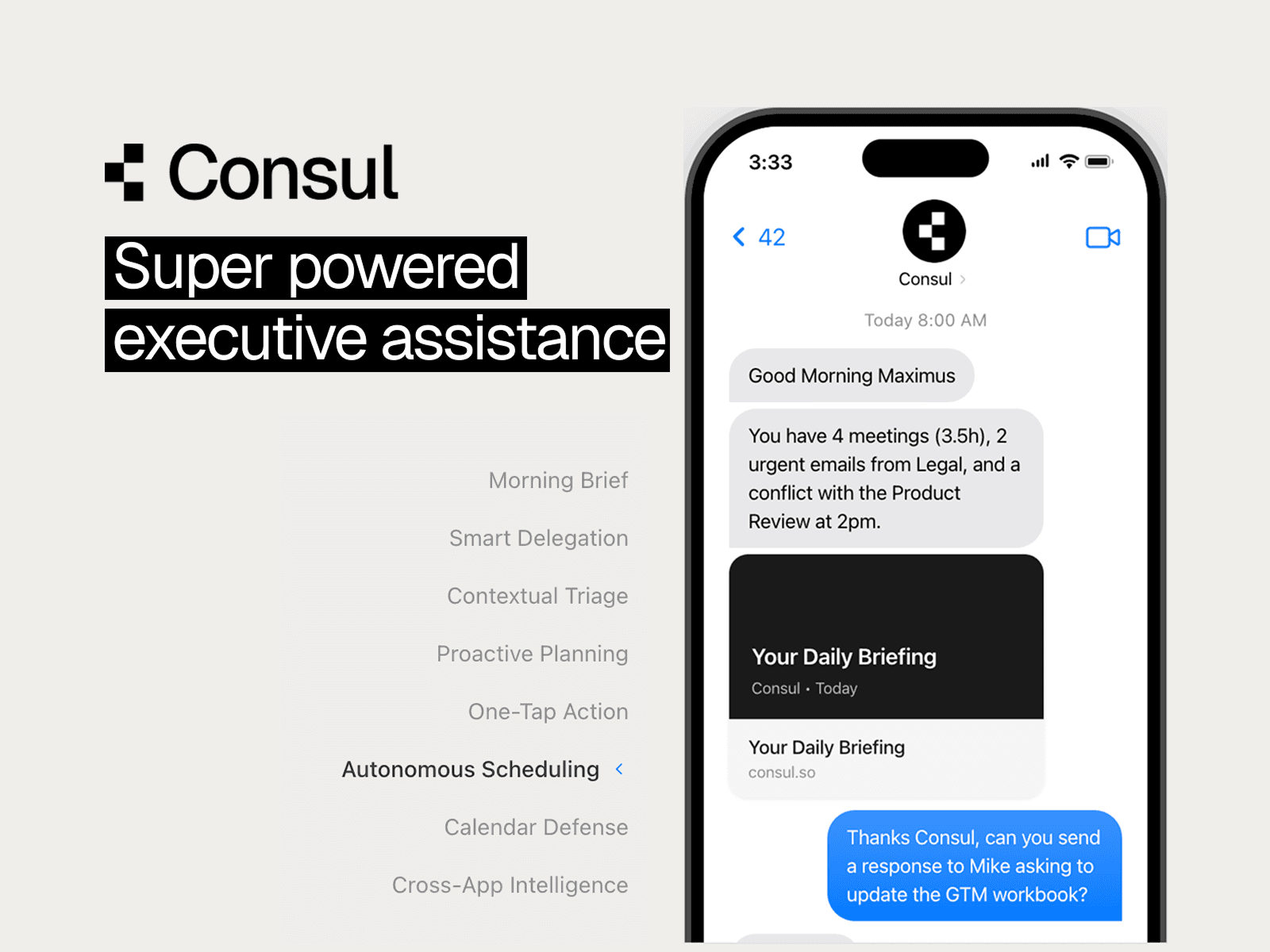
Overview
Consul is an AI executive assistant that connects to Gmail, Google Calendar, Google Contacts, Google Docs, Google Drive, and Slack to triage email, schedule meetings, and send daily briefs. It works through a web dashboard, email, iMessage, and SMS, and asks for approval before taking write actions. It is aimed at executives, founders, consultants, and busy professionals who manage constant coordination.
How it works
Consul learns from what you approve, edit, reject, and ignore, plus explicit settings such as writing voice, meeting windows, role context, and email triage rules. Read actions run instantly, while write actions require explicit approval by default, and when it is unsure it stops and asks one clear question or proposes options. Every action, decision, and outcome is visible in the web app, and you can pause, edit, or cancel workflows at any time. It coordinates over normal email and calendar threads with people who do not use Consul.
Key capabilities
Inbox management sorts and prioritizes mail and creates professional draft replies in your voice and tone. Scheduling matches your time preferences, finds available slots, handles conflicts, and books meetings, while daily briefings arrive by email or iMessage with your schedule and priority emails. Consul also handles task delegation for research, follow-ups, and administrative work, plus smart reminders and document automation with Google Docs.
Pricing and limits
Consul is listed at $50 per month, shown against a $200/mo figure, and founding members get a lifetime discount. The plan covers automated email triage and drafting, AI scheduling and calendar management, Google Docs automation, multi-interface access across web, email, and iMessage, 24/7 automated workflows, smart reminders and daily briefings, SMS and voice integration, and custom agent preferences and tone. Teams that want to buy for an entire organization are asked to contact the company directly.
Key features
Inbox triage and drafting
Consul sorts and prioritizes your inbox, categorizes messages, and writes context-aware draft replies in your voice and tone, ready to send.
Autonomous scheduling
It reads your time preferences, finds available slots, coordinates with attendees, handles conflicts, and books meetings on your behalf.
Daily briefings
A personalized morning summary with your schedule, priority emails, and what needs attention, delivered by email or iMessage.
Approval-first actions
Read actions run instantly, while write actions require explicit approval by default, and every action is logged and visible in the web app.
Multi-channel access
You can work with Consul through the web dashboard, email, iMessage, and SMS, and it coordinates with people who do not use Consul.
Task delegation
Hand off research, follow-ups, and administrative work, with smart reminders and follow-up automation that stay involved until the outcome is complete.
Use cases
Executive calendar management
Executives and founders can let Consul find slots, coordinate attendees, and book conflict-free meetings without back-and-forth email.
Inbox cleanup for busy professionals
Consultants and leaders with constant coordination can have priority emails surfaced and professional replies drafted for review.
Morning readiness
Users can start the day with a brief covering their schedule and priority emails, delivered before their first coffee.
Follow-up tracking
Consul sends follow-ups and reminders so commitments and email threads actually get resolved rather than just suggested.
Pricing & limits
From the official site · checked 11/17/2026Getting started
Onboarding is a five-step flow that takes under 3 minutes: create your account, connect Google through one OAuth flow for Gmail, Calendar, and Contacts, set preferences such as timezone, working hours, and communication style, configure your agent identity and name, then choose your plan. Each step has real-time validation, so a failed Google authentication shows exactly why. After setup, the dashboard shows activity, active skills, integration health, and settings such as morning briefing preferences, quiet hours, and response style.
Frequently asked questions about Consul
- What is Consul?
- Consul is a trust-first AI executive assistant that closes coordination loops across email, calendar, and messaging, handling scheduling, inbox triage, follow-ups, and daily briefs.
- Who is Consul for?
- It is built for executives, founders, consultants, and busy professionals who manage constant coordination and want reliable follow-through without managing another tool.
- How much does Consul cost?
- Consul is listed at $50 per month, with founding members receiving a lifetime discount. Teams interested in buying for the whole team can contact the company.
- Where can I use Consul?
- You use Consul in the web app for control and visibility, over iMessage and SMS for fast delegation and approvals, and by email, where you can CC it to handle scheduling and coordination.
- Can Consul act without my approval?
- Read actions run instantly, but write actions require explicit approval by default, and every action is logged, visible, and correctable in the web app.
Related tools

Dove
An AI email client that sorts Gmail, Outlook and IMAP mail into Focus, Feed and Noise and builds a daily brief.

Nean Project
Turn a rough idea into a structured task tree plan, then review AI-suggested changes before applying them.

Keebye
Hold a key, speak, and your words land in any app, including terminals, with on-device dictation for Mac and Windows.

Pavleur
Bring notes, screenshots, and live conversation into one AI workspace for every meeting.

GeekBye
Get real-time AI answers for coding, behavioral, and technical interview questions during live calls.

Dictationer
Turn videos, audio, and social links into transcripts, subtitles, summaries, and publish-ready content.

Transcript Lol
Transcribe audio and video files with AI, get accurate transcripts in seconds, and export in multiple formats.

OLVA.ai
Bot-free real-time AI meeting assistant with live insights and coaching