AI Image Generator
venngage.comAI image generator with prompt enhancement
Create custom images from text prompts and export them as PNG, PDF, HTML, or PPT.
Overview
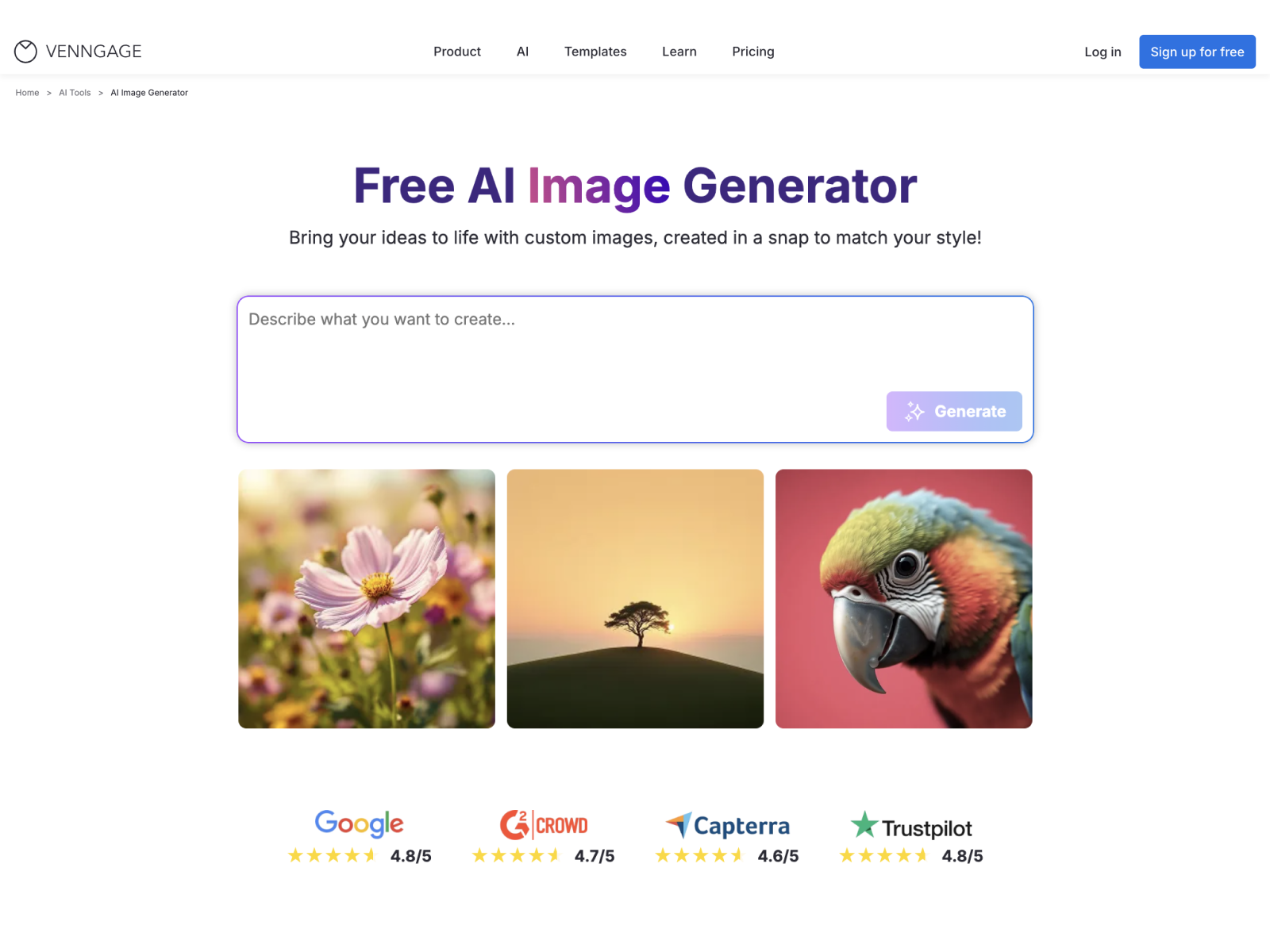
Venngage's AI Image Generator is a web-based tool that creates custom images from text prompts, designed for marketers, small business owners, educators, and creators. Users describe a scene or concept, and the AI produces visuals that can be edited and exported. It is part of the Venngage platform, which also offers infographic, poster, and presentation generators.
How it works
To generate an image, users write a prompt describing the scene, subject, or concept. The AI then creates the visual, which can be edited using Venngage's editor and AI Designer to adjust visuals, layout, and details. Finally, the image can be exported as PNG, PDF, HTML, or PPT for use in social posts, presentations, websites, or documents.
Key capabilities
The tool includes a Prompt Enhancer that automatically injects technical context and visual direction into raw text inputs, acting as a creative brief to ensure high-resolution assets with professional composition. Users can specify artistic styles such as photorealism, 3D renders, or flat illustrations. All generated images are fully customizable, allowing personalization of colors, layouts, and more.
Who it is for
The AI Image Generator is designed for content marketers creating campaign visuals, small business owners producing promotional images, and creators working on personal projects. It also serves educators and eLearning designers who need lesson visuals. The tool helps users create polished visuals without requiring outside design help.
Pricing and limits
Venngage offers a free plan that lets users try all AI features without spending anything. Premium and Business plans provide more advanced features like private sharing and auto branding. AI image generation uses credits allocated based on subscription plan, with free and lower-tier plans typically including limited credits and higher-tier plans offering more.
Key features
Text-to-image generation
Generate custom images from text prompts with no design skills needed.
Full customization
Fully customize generated images, including colors, layouts, and details.
Multiple export formats
Export images as PNG, PDF, HTML, or PPT for various uses.
Prompt Enhancer
The Prompt Enhancer injects technical context and visual direction to improve image quality.
Artistic style control
Specify artistic styles such as photorealism, 3D renders, or flat illustrations.
Commercial use allowed
AI-generated images can generally be used in commercial projects.
Use cases
Marketing campaign visuals
Generate visuals for social posts, blog headers, slide decks, and marketing one-pagers during campaign rollouts.
Small business branding
Produce promotional image designs for website banners, product launches, flyers, and sales one-pagers.
Personal creative projects
Create artwork for posters, social posts, digital projects, and presentations for personal or hobby use.
Educational content
Generate lesson visuals for online courses on topics like cybersecurity basics.
Pricing & limits
From the official site · checked 10/10/2026Frequently asked questions about AI Image Generator
- Can I customize the images generated by the AI?
- Yes, all AI-generated images on Venngage's platform are fully customizable, allowing you to personalize colors, layouts, images, and more to match your vision.
- Are the images created by the Venngage AI image generator copyright-free for commercial use?
- Yes, images generated with Venngage's AI tools can generally be used in commercial projects, such as marketing materials, presentations, and client work. It's good practice to review outputs to ensure they don't unintentionally resemble existing copyrighted material.
- How many images can I generate for free?
- Venngage offers a free plan so you can try out all AI features without spending anything. Premium and Business plans are available for more advanced features like private sharing and auto branding.
- How does the Venngage Prompt Enhancer help in generating higher-quality images?
- The Venngage Prompt Enhancer improves image quality by automatically injecting technical context and visual direction into raw text inputs, acting as a creative brief to ensure high-resolution assets with professional composition.
- Can I choose specific artistic styles like photorealism, 3D, or flat illustration?
- Yes, you can specify artistic styles such as photorealism, 3D renders, or flat illustrations.
Related tools
AI Photo Editor
Edit, enhance, and transform photos in one click with AI background removal, object erasing, and image upscaling.

AIClothSwap
Swap outfits, change backgrounds, and direct poses in photos with free daily credits.
AIGenTools
Create images, videos, and chat with leading AI models under one login.

AI Moire Remover
Upload screen photos or scans and get moire-free images in seconds with AI.

Consistent Character AI
Create recognizable characters across scenes, outfits, and videos with reference-guided AI.
BabyVideo.ai
Upload parent photos and generate a realistic future baby preview with AI.

Nano Banana Pro
Transform photos into posters, infographics, and storyboards with simple text prompts.
Pixolm
Generate AI images from text or references, then edit with prompts and masks.