SpriteGen
spritegen.aiAI sprite sheet generator for game creators
AI pixel-art sprites and sprite sheets for games
Overview
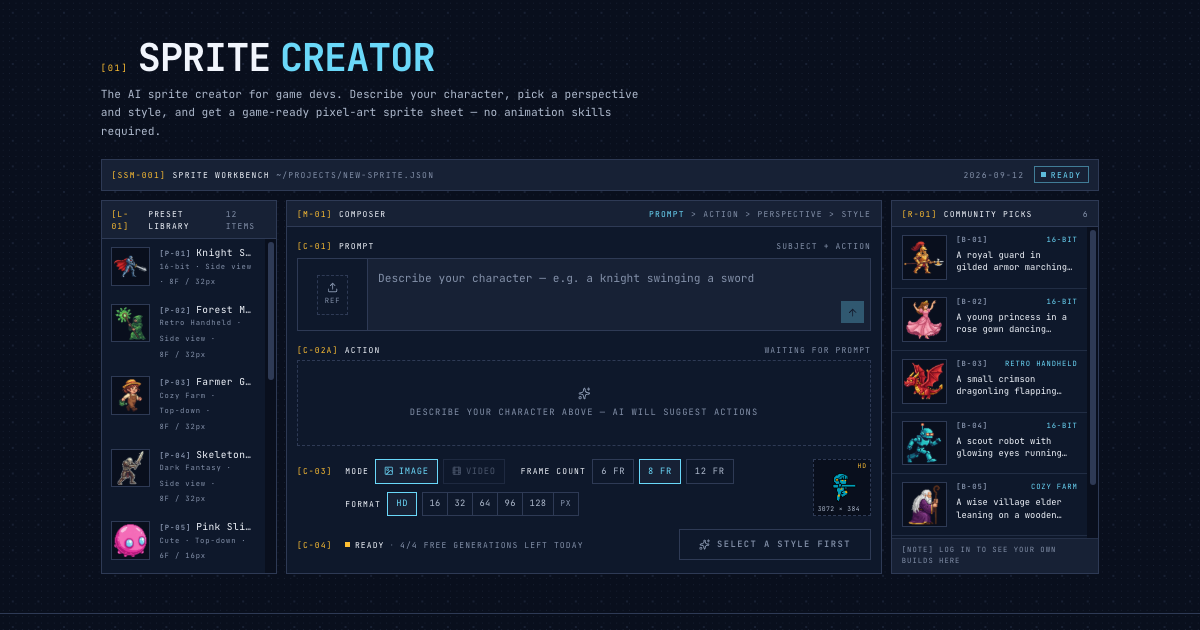
SpriteGen helps game creators generate pixel-art sprites and animated sprite sheets from text prompts. Create characters, enemies, and items, refine results with a pixel editor, preview animations, and export transparent PNG, GIF, or JSON. Free access is available for getting started, with paid credits for additional AI generation.
Key features
AI sprite sheet generation
Generate pixel-art sprites and sprite sheets from text prompts.
Live animated preview
Watch your character animate in a smooth loop before downloading.
Transparent PNG output
Get evenly spaced frames in a transparent PNG, ready for any game engine.
Multiple styles and views
Create pixel-art assets in different styles and perspectives.
Directional support
Create characters and actions for game projects.
Reference image consistency
Use a reference image to keep character face and outfit consistent across animations.
Use cases
Game development
Generate sprite sheets for characters, NPCs, and items to use in Unity, Godot, GameMaker, or Phaser.
Prototyping
Quickly create placeholder sprites for game prototypes without hiring an artist.
Fighting game moves
Build fighting game moves like a crouching heavy kick with custom actions.
Pricing & limits
Verified 10/29/2026Frequently asked questions about SpriteGen
- Is SpriteGen free?
- You can try AI generation for free without an account, behind a quick security check. After that, sign up for starter credits and claim more every day with the check-in.
- Can I make sprite characters with it?
- Yes. Describe a character and an action, and you get an animated sprite sheet of 6, 8, or 12 frames. Pick from nine common actions, type your own, or build fighting game moves.
- Can it make 4 or 8 directional sprites?
- Yes. Top-down and isometric views support all 8 directions, side view supports left and right, and each direction comes out as its own sheet with matching frames.
- Can I keep my character consistent across animations?
- Yes. Add your character as a reference image, or press Next action on a finished sheet, to help keep its face and outfit consistent.
- Does it work with Aseprite, Unity, and Godot?
- Yes. Every sheet is a transparent PNG with evenly spaced cells, which slices in Unity, Godot, GameMaker, and Phaser. You can also download a GIF, separate frames in a ZIP, or an atlas with Aseprite and TexturePacker JSON files.
Related tools
AI Headshot Generator
Upload your photos and get professional AI headshots for LinkedIn, CVs, and social media in minutes.

ogimagegenerator.dev
Turn any URL into an on-brand social preview with AI

Nana Banana
Edit photos with natural language commands and get results in under 15 seconds.
MyPhotoAI
Turn selfies into professional headshots for LinkedIn, resumes, and dating apps.

Alphaize
Generate and edit images with an AI agent that reviews plans and credit costs.
Foca Upscaler
Upscale images to 16K with natural texture recovery and high fidelity.
Nano Banana AI
Create and edit images with text prompts, keep characters consistent, and export up to 4K.

MagicShot.ai
Generate images, videos, photoshoots, and voiceovers with 500+ AI models under one plan.