AI Headshot Generator
aiheadshotgenerator.onlineFree daily AI headshot generator
Upload your photos and get professional AI headshots for LinkedIn, CVs, and social media in minutes.
Overview
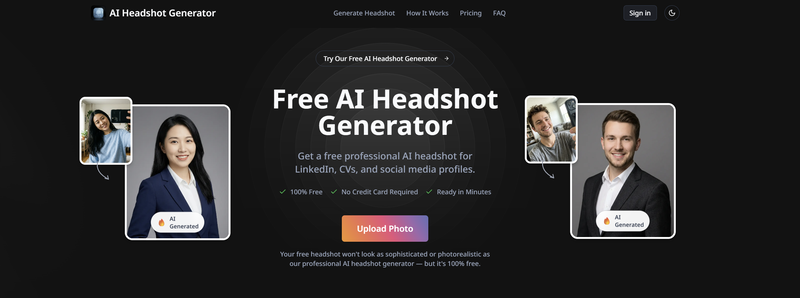
AI Headshot Generator is a web-based tool that turns your uploaded photos into professional AI-generated headshots for LinkedIn, CVs, and social media. You upload PNG or JPG images up to 10MB, choose a style, and download the results. It is designed for job seekers, freelancers, teams, and anyone needing a polished profile picture without a photo shoot.
How it works
Upload your best photos or take fresh selfies, then let the AI pull your most photogenic qualities. Choose from styles like Professional, Leather Jacket, Editorial, and Smart, and adjust the style strength from 0 to 100 percent. Generate multiple options per style and download your favorites. The free plan includes one free transformation daily.
Pricing and limits
The Free Plan costs $0 and includes 2 downloads at standard 512px resolution, 4 basic styles, no watermark, and a turnaround time of about 5 minutes, but it contains ads. The Starter Pack is $9.99 and offers 40 photos at 1024px, 8 professional styles, and fast turnaround under 2 minutes. The Pro Business plan is $19.99 with 120 photos at 4K Ultra HD (2048px), 20+ premium styles, priority turnaround, and free retakes if unsatisfied.
Who it is for
The tool serves professionals across many use cases: LinkedIn profiles, CVs and resumes, social media avatars, business cards, email signatures, and team directories. It also supports kid-friendly headshots for school use, yearbooks, and family albums. Teams can upload multiple photos per person and generate cohesive headshots for company pages.
Key features
Free daily transformation
Get one free headshot transformation every day without a credit card.
Multiple styles
Choose from Professional, Leather Jacket, Editorial, and Smart styles, with adjustable style strength.
High-resolution downloads
Paid plans offer up to 4K Ultra HD (2048px) resolution downloads.
No watermark
All plans, including the free tier, provide headshots without watermarks.
Fast turnaround
Paid plans generate headshots in under 2 minutes, while the free plan takes about 5 minutes.
Use cases
LinkedIn profile pictures
Generate a clean, professional headshot for your LinkedIn profile.
CV and resume photos
Use a professional headshot for resumes and CVs where a photo is appropriate.
Social media avatars
Create consistent profile pictures across platforms that stay sharp at small sizes.
Team headshots
Upload multiple photos per person and generate cohesive headshots for company directories and team pages.
Kids headshots
Generate kid-friendly headshots for school use, yearbooks, and family albums.
Pricing & limits
From the official site · checked 10/23/2026Getting started
Go to the tool page and sign in to upload your photo. Select a headshot style and optionally add a prompt or adjust the style strength. Click Generate Headshot and wait for the AI to process your photo. Preview the generated images and download the ones you like. The free plan requires no credit card and works directly in your browser on desktop or mobile.
Frequently asked questions about AI Headshot Generator
- What is this AI headshot generator?
- It is a web-based tool that turns your uploaded photos into professional AI-generated headshots for LinkedIn, CVs, social media, and other professional contexts.
- Is it really free?
- Yes, the free plan is 100% free with no credit card required. It includes 2 downloads, standard 512px resolution, 4 basic styles, and one free transformation daily.
- What photo formats and sizes are supported?
- You can upload PNG or JPG photos up to 10MB.
- Can I use the headshots for business purposes?
- Yes, you can use them for LinkedIn, CVs, resumes, social media profiles, team pages, business cards, and any professional context.
- Do you store the photos I upload?
- Photos are processed securely and are not shared with third parties, following strict data protection guidelines.
Related tools

ogimagegenerator.dev
Turn any URL into an on-brand social preview with AI

Nana Banana
Edit photos with natural language commands and get results in under 15 seconds.

MyPhotoAI
Turn selfies into professional headshots for LinkedIn, resumes, and dating apps.
Alphaize
Generate and edit images with an AI agent that reviews plans and credit costs.

Foca Upscaler
Upscale images to 16K with natural texture recovery and high fidelity.
Nano Banana AI
Create and edit images with text prompts, keep characters consistent, and export up to 4K.

MagicShot.ai
Generate images, videos, photoshoots, and voiceovers with 500+ AI models under one plan.

Bing Image Creator
Turn text descriptions into high-resolution, watermark-free posters in under 30 seconds.