QApilot MCP CLI
qapilot.ioAutonomous mobile testing platform
Automate mobile app testing across Android, iOS, and Flutter with AI-driven coverage and no scripts.
Overview
QApilot is an AI-native mobile testing platform that automates Android and iOS app testing. It uses an autonomous crawler to explore apps, build a knowledge graph, and generate test coverage without scripts. It also offers CoWork to convert existing test cases into runnable automation and an MCP CLI for coding agents. It is designed for QA teams and developers seeking release readiness.
How it works
QApilot's autonomous testing starts with uploading an app. The crawler explores it like a real user, identifying screens, transitions, and journeys, then builds a structured knowledge graph. Agents convert this graph into prioritized test cases, which execute across real devices and cloud farms. The system adapts as the app evolves, using self-healing to keep coverage current.
CoWork for existing tests
CoWork imports test cases from Jira, TestRail, or spreadsheets, converts them into structured BDD context, and executes them on real devices. It pauses for human input when needed and proposes replans when reality changes, requiring approval before proceeding. This activates more of the existing test inventory without scripting.
MCP CLI for coding agents
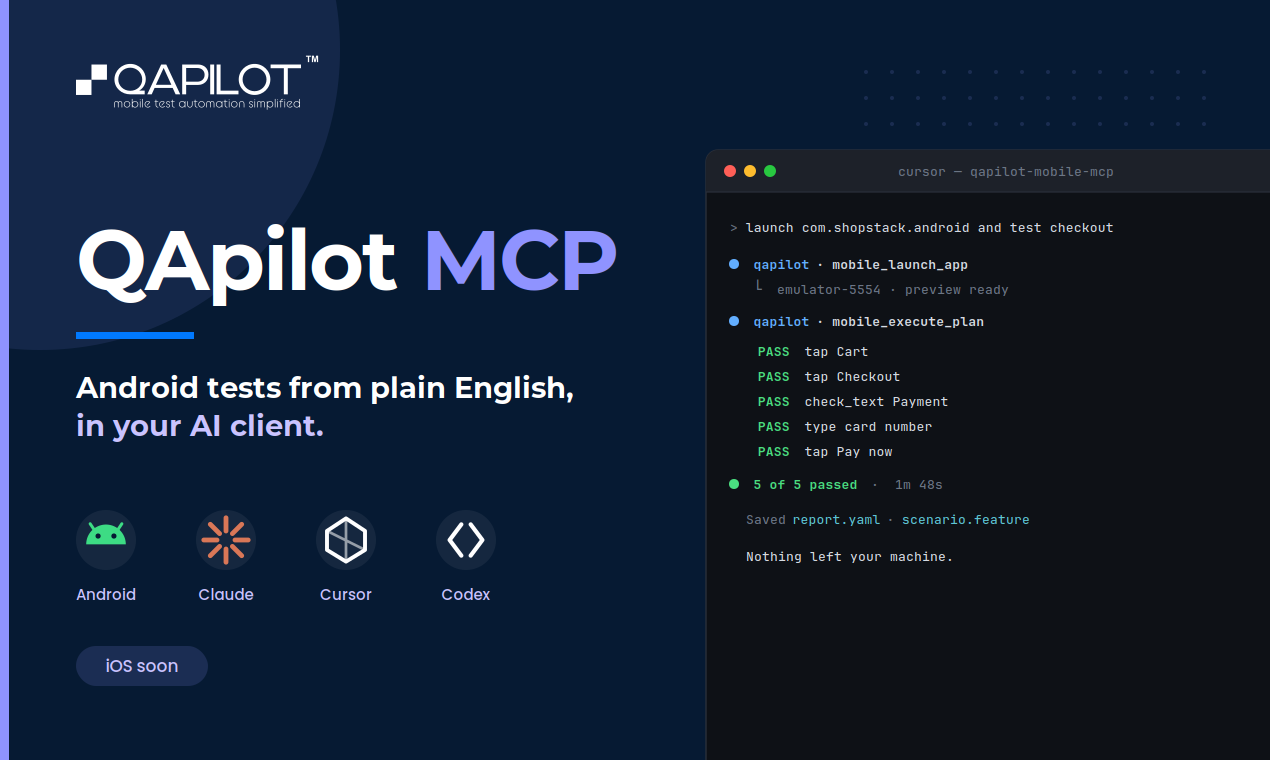
The MCP CLI lets users automate real Android devices and emulators by describing test flows in plain English to Claude, Cursor, or Codex. It requires Node.js 18+, Java JDK 11+, Android SDK, and Appium 2.19.0 with the UIAutomator2 driver. Users can record steps, accept them as test cases, replay by ID or from Excel, and generate reports with screenshots and timing.
Platform and compliance
QApilot supports Android, iOS, and Flutter apps, with real-device and cloud farm execution. It integrates with CI/CD pipelines and offers security reports. The platform is SOC 2 Type 2 and HIPAA compliant (in progress). A free trial is available, but pricing details are not published.
Key features
Autonomous app crawling
Autonomous crawler explores apps like a real user, building a knowledge graph of screens and journeys.
CoWork test activation
CoWork converts natural-language test cases from Jira, TestRail, or spreadsheets into executable automation with human approval.
MCP CLI for coding agents
MCP CLI lets users automate Android devices via plain English prompts in Claude, Cursor, or Codex, with no Appium code.
AI self-healing
Self-healing tests adapt to UI changes, reducing maintenance effort.
Cross-platform support
Supports Android, iOS, and Flutter, with real-device and cloud farm execution.
Use cases
Automated regression testing
QA teams can automate regression testing for Android and iOS apps without writing scripts, using autonomous crawling and CoWork.
In-editor test automation
Developers can use the MCP CLI to run tests on local emulators or devices from their coding agent, with plain English prompts.
Activating existing test inventory
Teams can convert existing test cases from Jira or TestRail into runnable automation, reducing manual execution bottlenecks.
Pricing & limits
From the official site · checked 10/15/2026Frequently asked questions about QApilot MCP CLI
- What is QApilot?
- QApilot is an AI-native mobile testing platform that automates Android and iOS app testing. It includes autonomous testing, CoWork for converting existing test cases, and an MCP CLI for coding agents.
- Who is QApilot for?
- It is for QA teams and mobile developers who want to automate testing without writing scripts, covering Android, iOS, and Flutter apps.
- Is QApilot free?
- The source mentions a free trial, but no permanent free plan is stated. Pricing details are not published.
- Which platforms does QApilot support?
- QApilot supports Android, iOS, and Flutter apps, and integrates with CI/CD pipelines. The MCP CLI works with Claude, Cursor, and other MCP-compatible clients.
Related tools

WZRD
Create interactive rooms with tabs, forms, and a voice agent that answers from your content.
AI ResumeGuru
Build ATS-optimized resumes with AI chat, scoring, and job tailoring.

AI Products & AI Strategy Consulting Company
Learn AI by building, with workshops, free playbooks, and apps from an operator-run studio.

GreenPT
Build AI assistants trained on your knowledge to answer customers and teams automatically, day and night.

UnitHub
Manage rentals with AI automation for rent tracking, maintenance, and tenant communication.
AI Contract Generator
Generate NDAs, service agreements, employment contracts, and leases from text prompts, then edit and export to Word, Google Docs, or PDF.
Resideline
Type an address, get ARV, rent, comps, and max offer in seconds, with a public accuracy scoreboard.
Reply Champion
Draft AI replies, request reviews, and display Google reviews on your website.