
PicOnTap
Third-partypicontap.comFree AI photo editor in the browser: describe an edit in a t
Free AI Image Editor — No Sign Up Required
Overview
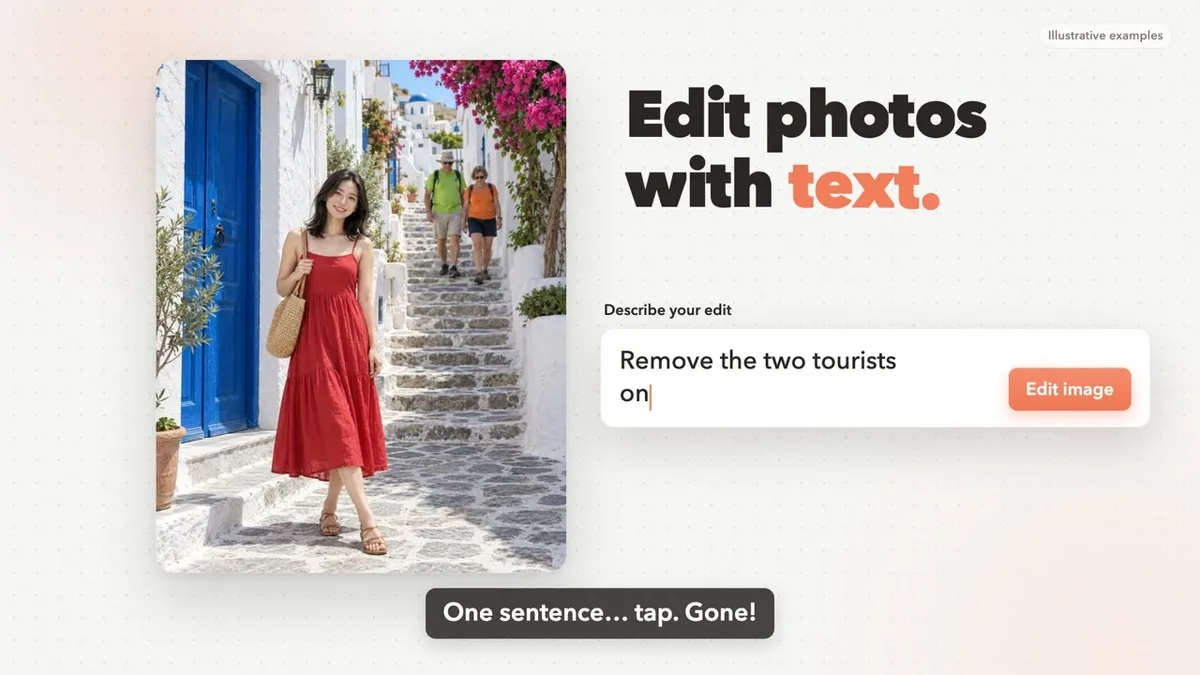
PicOnTap is a free-to-start AI image editor that runs in the browser with no sign-up required. Upload a photo and describe the change in a text prompt: remove objects, replace backgrounds, recolor details, restore old photos, and remove shadows or glare.
Brush an area for precise local edits and compare before and after. Several image models are available. The credit cost of each edit is shown before you submit. Paid plans add monthly credits for frequent editing.
Key features
Text-based editing
Describe changes in plain words to edit photos.
Area selection
Paint over areas to guide local edits.
Multiple models
Choose from GPT Image 2.5, GPT Image 2, Nano Banana, Nano Banana 2.1, and Seedream 5.0.
Free edit, no sign-up
Start with a free edit without creating an account; the credit cost is shown before you submit.
Compare and download
Slide to compare results with originals before downloading.
Dedicated tools
Specialized tools for background replacement, recoloring, object removal, and restoration.
Use cases
Product photography
Replace backgrounds with studio scenes for product shots.
Travel photo cleanup
Remove tourists or distractions from travel memories.
Color exploration
Try new colors on clothing, furniture, or products.
Photo restoration
Reduce scratches, stains, and fading in old family photos.
Social media content
Add details or relight images for engaging posts.
Pricing & limits
Verified 11/18/2026Frequently asked questions about PicOnTap
- What is PicOnTap?
- PicOnTap is a free AI image editor that runs in your browser. You describe changes in text, and it edits photos by removing objects, changing backgrounds, recoloring details, or restoring old pictures.
- Is PicOnTap really free?
- Yes. Every visitor gets free daily credits (2 credits, reset at 00:00 UTC) with no sign-up required. Downloading results costs nothing extra. Paid plans start at $5/month for more credits.
- Which platforms does PicOnTap support?
- PicOnTap is a web app that works online in browsers on computers, tablets, and phones. There is nothing to download or install.
- What image formats and sizes are supported?
- You can upload static PNG, JPEG, or WebP images up to 10 MiB. GIF and animated images are not supported.
- Can I use PicOnTap without signing up?
- Yes. Guests can edit and download results within the free daily allowance without creating an account. Signing in keeps your image, prompt, and saved selection.
Related tools

LayerGrab
Remove backgrounds from images and videos with AI — free tier available

MotifDeck
Animate your character. Keep the little details.

Qwen Image 2.1
Turn every idea into a vivid visual direction.

Nano Banana 2.1
Bring Your Imagination to Life with Nano Banana 2.1.

NanoBananaPro
Generate hyper-realistic images from text or reference images with sharper 2K output and intelligent 4K scaling.

AI Image Edit
Edit photos by describing the change in plain English
Enhance My Photo
Online AI photo enhancer that sharpens portraits, product shots, scenery, pets, and images with text — export JPEG/PNG/WebP without watermarks.

Estate AI by Pixel Perfects Solutions
Upload property photos once, then enhance, stage, declutter, convert to dusk, and deliver market-ready listing media from one connected workspace.