
AI writing assistant for grammar and tone
Fix grammar, adjust tone, and rewrite sentences as you type in browsers, Microsoft Office, Google Docs, and mobile apps.
Description
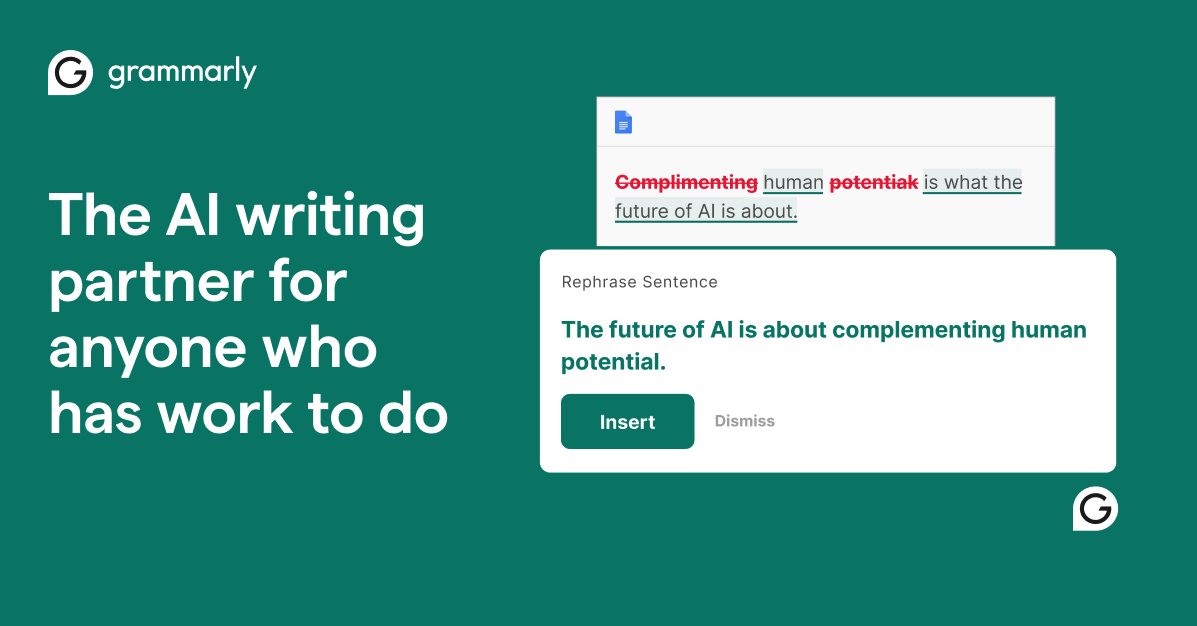
Grammarly is an AI writing assistant that checks text as you type. It corrects grammar and spelling, flags unclear sentences, shows how the tone reads, and offers rewrites. It works inside the apps people already write in, and is used by students, professionals, and companies.
How it works
After you install Grammarly, it underlines issues in the text field you are typing in and shows a suggested correction you can accept with a click. Generative features let you ask for a rewrite or a draft from a prompt. It runs as desktop apps for Windows and Mac, browser extensions for Chrome, Safari, Firefox, and Edge, and in Microsoft Office and Google Docs.
Who it is for
Grammarly suits anyone who wants to polish existing writing rather than generate long content from scratch: emails, reports, essays, and messages. Mobile keyboards cover iPhone, iPad, and Android. Enterprise plans add organization-wide controls.
Pricing and limits
The Free plan costs $0 and includes mistake correction, tone detection, and 100 AI prompts per month. Pro is listed at $12 and comes with a 7-day free trial. Enterprise pricing is available from sales.
Key Features
Grammar and spelling correction
Underlines mistakes as you type and fixes them with a click.
Tone detection
Shows how a message is likely to come across before you send it.
Rewrites and AI prompts
Rephrase sentences or draft text from a prompt.
Works where you write
Desktop apps, browser extensions, Microsoft Office, Google Docs, and mobile keyboards.
Use Cases
Polishing emails
Catch mistakes and tone problems before sending.
Editing essays and reports
Tighten wording and fix errors in longer documents.
Writing in a second language
Get corrections and clearer phrasing while writing in English.
Grammarly Alternatives

Copy.ai
Turn sales, marketing, and operations processes into AI workflows, or use the chat plan to write copy.

Jasper
Create on-brand marketing copy, blog posts, and campaign content with an AI platform built for marketing teams.

NovelAI
Co-write fiction with an AI storyteller and generate anime-style art with character consistency tools.

Report Maker Ai
Paste notes or a topic and get a structured, PDF-ready report in seconds without signing up.
ai story generator
Generate complete stories with characters, plot, and chapters in minutes, up to 5,000 words per credit.

Storyha
Generate plot twists, build fantasy worlds, and name characters with AI assistance for fiction writers.

WriteABookAI
Structure, draft, and publish your non-fiction book with AI assistance in 6-8 weeks.

DigestFlow AI
Turn RSS feeds into polished newsletters in under 2 minutes with AI-generated titles, subject lines, and body copy.