
AI Math Photo Solver & Calculator Extension
math.photosMath solver with tutoring
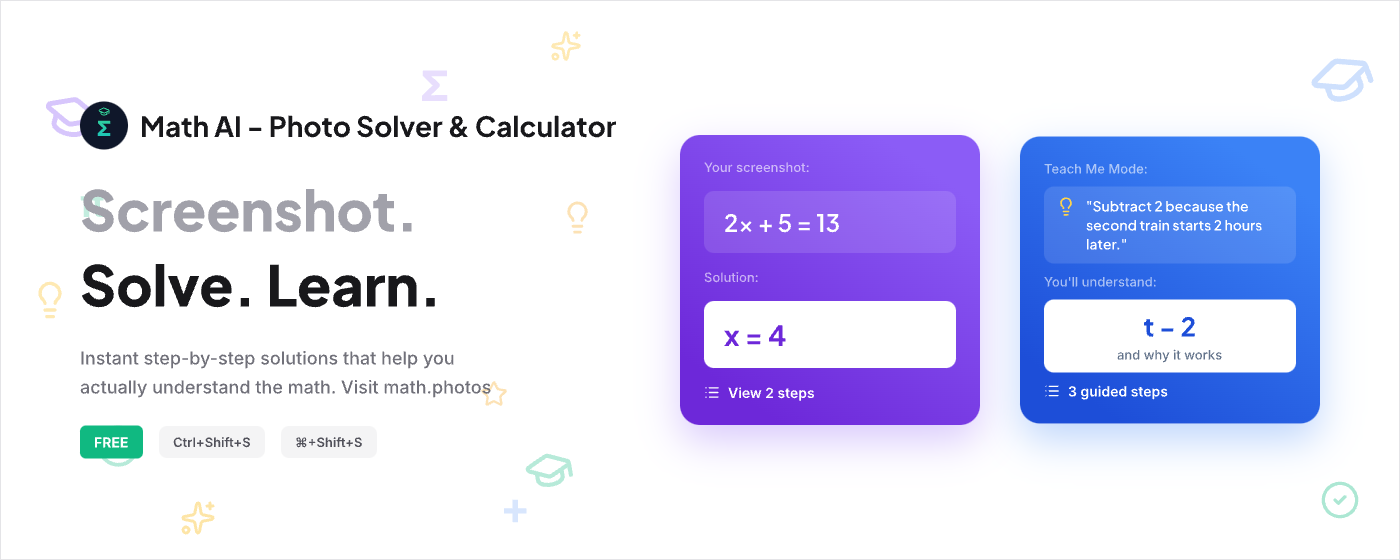
Screenshot any math problem and get step-by-step solutions that make sense, free in any browser.
Overview
Math.Photos is a free browser extension for Chrome, Firefox, and Safari that solves math problems from screenshots or photos. It provides step-by-step solutions with explanations, from algebra to calculus, and includes an interactive Teach Me mode for Socratic learning. Designed for students who want to understand math, not just get answers.
How it works
Capture a math problem by selecting an area on your screen with the cursor, or screenshot a photo of a handwritten problem. The extension then processes the image and returns a step-by-step solution, with each step explained. Answers are verified by SymPy and multiple AI models, with a confidence score shown.
Key capabilities
Key features include full step-by-step explanations on every problem, a Teach Me mode that uses Socratic questioning to guide learning, multi-model verification with confidence scores, handwriting recognition for notebook screenshots, and keyboard shortcuts (Cmd+Shift+E for sidebar, Cmd+Shift+S for capture). It works on any math website and supports all major browsers.
Who it is for
Math.Photos is built for students from high school to college, covering algebra, calculus, geometry, trigonometry, and more. It is used by over 250 active students across 15+ school districts. The tool is designed for learners who want to understand the process, not just copy answers, with a focus on privacy and no data selling.
Pricing and limits
The free tier includes 20 solves with full step-by-step explanations. Paid plans start at $1.99/month for 50 solves, $4.99/month for 500 solves with practice mode and priority support, and $9.99/month for 3,000 solves with multi-device sync and API access. A free trial is available for the Student plan, and 0.5% of subscriptions go to CO2 removal.
Key features
Screenshot-based solving
Screenshot any math problem or photo and get step-by-step solutions.
Teach Me mode
Interactive Socratic learning mode that guides discovery.
Multi-model verification
Answers cross-checked by multiple AI models and a symbolic solver with confidence scores.
Cross-browser support
Works on Chrome, Firefox, and Safari.
Handwriting recognition
Understands handwritten math problems from notebook screenshots.
Use cases
Homework help
Students can screenshot problems from homework websites or textbooks and get step-by-step solutions to understand the process.
Exam preparation
Use the Teach Me mode for interactive Socratic learning before exams to reinforce understanding.
Teaching aid
Teachers and tutors can use the extension to quickly verify solutions and provide explanations to students.
Pricing & limits
From the official site · checked 10/10/2026Frequently asked questions about AI Math Photo Solver & Calculator Extension
- Is Math.Photos free?
- Yes, Math.Photos offers 20 free solves with full step-by-step explanations. Premium plans start at $4.99/month for 500 solves.
- Does Math.Photos show step-by-step solutions?
- Yes, Math.Photos shows complete step-by-step solutions on the free tier.
- What browsers does Math.Photos support?
- Math.Photos works on Chrome, Firefox, and Safari. Install the extension from your browser's extension store.
- Can Math.Photos solve calculus problems?
- Yes, Math.Photos handles algebra, calculus, geometry, trigonometry, and more. It can solve integrals, derivatives, equations, and word problems with detailed explanations.
Related tools

Cramberry
Upload notes, PDFs, or videos and get flashcards, quizzes, and summaries in seconds.
Learn English Fast
Practice CEFR-aligned conversations, study daily vocabulary, and get AI writing feedback to improve your English.

Quiz Genius - AI Flashcards and more
Turn notes, PDFs, and photos into flashcards, quizzes, and exams with AI, and study with spaced repetition on any device.

FluentDictation
Practice English dictation with YouTube videos, bilingual subtitles, and instant feedback.

Cuflow AI
Turn PDFs, slides, and videos into summaries, flashcards, mind maps, and quizzes.
Bonjournal
Write journal entries in your target language and get AI corrections, coaching, and progress scores.

Permito
Practice US visa interviews with an AI officer and get verdicts plus specific feedback.

PatterAI
Practice speaking daily with personalized feedback to improve clarity, confidence, and conversation skills.