
See3DArt
see3d.artImage-to-3D model generator with a browser viewer
Turn a reference image or text prompt into a 3D mesh you can inspect and export in your browser.
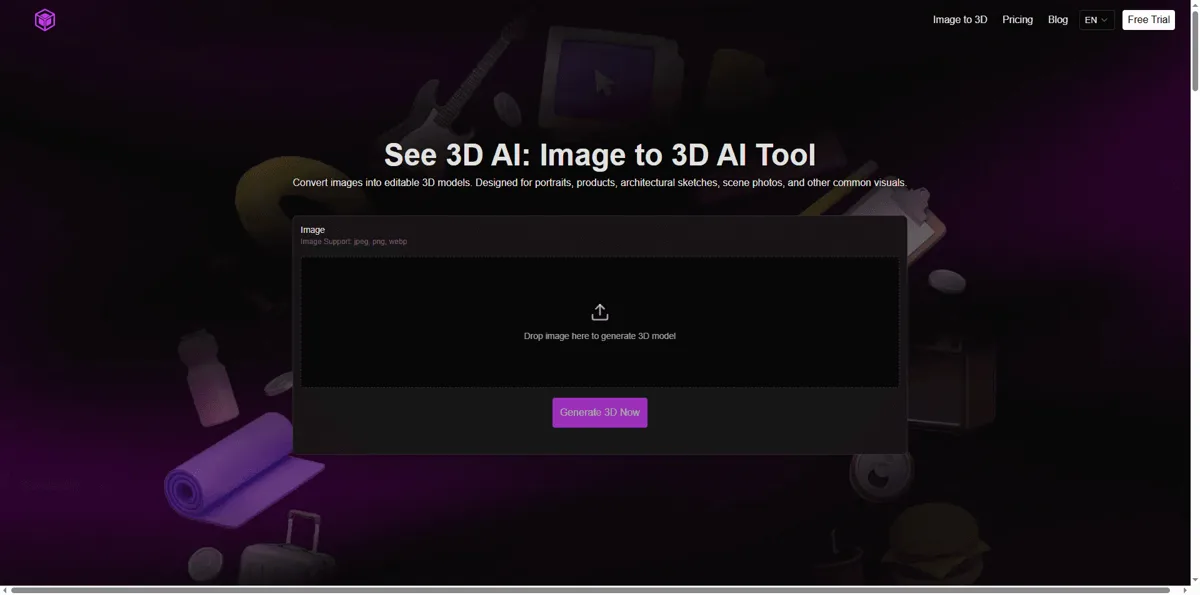
Overview
See 3D AI is a browser-based tool that creates 3D models from text descriptions, a single reference image, or multiple views. You pick an AI model such as Hunyuan, Meshy or Tripo, generate a starting mesh, inspect its shape and textures in a 3D viewer, and export it in an available format. It is aimed at designers, game artists and creators building product, AR and character assets.
How it works
The workflow starts with a clear reference image that has a complete subject, or with a text prompt. You then choose a model and available settings, generate the asset, and inspect the result in the browser before exporting. The site describes this as a way to reduce the work of modeling an object from scratch. A separate 3D viewer guide covers opening common 3D formats and reviewing results before cleanup.
Key capabilities
Generation modes include image to 3D, text to 3D and multi-view input. Model pages listed on the site include Hunyuan, Meshy and Tripo, with a guide on what changed in Tripo H3.1 covering geometry, texture, silhouette and exports. After generation you can inspect shape and textures and export in an available format for further editing. The site also points to a text-to-3D prompt guide for clearer prompts.
Who it is for
The site groups its scenarios as IP and characters, product showcase, game assets, interior ideas, and pets and memories. One example turns character artwork into a 3D model for a brand and creative projects. The metadata describes the tool for product design, game assets, AR, ecommerce and creative prototypes. These are starting meshes meant to be refined rather than finished assets.
Pricing and limits
The free tier gives 60 credits to new users and 20 credits for each daily check-in, with limited access to standard models, slower processing priority, 15-day history and no watermark removal. Yearly plans cost $7.99, $15.99 and $39.99 per month and include 5,000, 13,000 and 40,000 credits per month respectively, with credits valid for one year. One-time packs add 4,000 credits for $9.99 or 10,000 credits for $19.99, valid for one month. Paid tiers add watermark-free results, 365-day history, a fast queue, private generation and a商业?
Key features
Image to 3D
Upload a clear reference image with a complete subject to generate a starting 3D mesh.
Text to 3D
Generate 3D models from text descriptions instead of modeling an object from scratch.
Multi-view input
Generate 3D models from text, a single image, or multiple views.
Browser 3D viewer
Inspect the shape and textures of a generated model and open common 3D formats before cleanup.
Multiple 3D models
Choose between Hunyuan, Meshy and Tripo model pages when generating an asset.
Export for further editing
Export generated models in an available format for further editing or use in a project.
Use cases
IP and characters
Turn character artwork into a 3D model for a brand and creative projects.
Game assets
Produce 3D assets for game development from reference images or prompts.
Product showcase
Create 3D models for product design and ecommerce presentations.
Interior ideas
Generate 3D assets for interior concept work.
Creative prototypes
Build starting meshes for AR and creative prototype projects.
Pricing & limits
From the official site · checked 11/24/2026Frequently asked questions about See3DArt
- What is See 3D AI?
- It is a browser-based tool that creates 3D models from text descriptions or reference images, then lets you inspect the shape and textures and export the result.
- Which input types can I use to create a 3D model?
- You can start from a text prompt, a single clear reference image, or multiple views, depending on the model you select.
- Is See 3D AI free to use?
- New users get 60 credits and can earn 20 credits for each daily check-in, with limited access to standard models. Paid yearly plans and one-time credit packs are also available.
- Which AI models can I choose from?
- The site lists Hunyuan, Meshy and Tripo model pages, including Tripo H3.1, for 3D generation.
- Can I use generated models commercially?
- A commercial license is included with the paid yearly plans and one-time credit packs; the free tier lists commercial license as unavailable.
Related tools

GlobalGPT
Access ChatGPT, Claude, Gemini, Midjourney, Veo and other models for chat, images, video and audio from one account.

Ranx
Ranx is an online social platform for crowdsourcing, aggregating and analyzing opinion using AI and…

ytvidhub
Download YouTube subtitles as SRT, VTT, or TXT from videos, playlists, and channels, with bulk processing and AI summaries.

Image Generator
Create Stunning Images with AI Image Generator

remover.work
AI remover that just works

OmniBioFex.Cloud
AI-Powered Medical Imaging for Everyone

SameMuse
Private AI clothes changer for virtual try-on previews

ProfileLoom
Turn one photo into the right portrait for every profile.