
Format JSON Online
formatjsononline.comClient-side JSON formatter and validator
Paste JSON to beautify it with 2-8 space or tab indentation, validate syntax, or minify payloads by 30-50%.
Overview
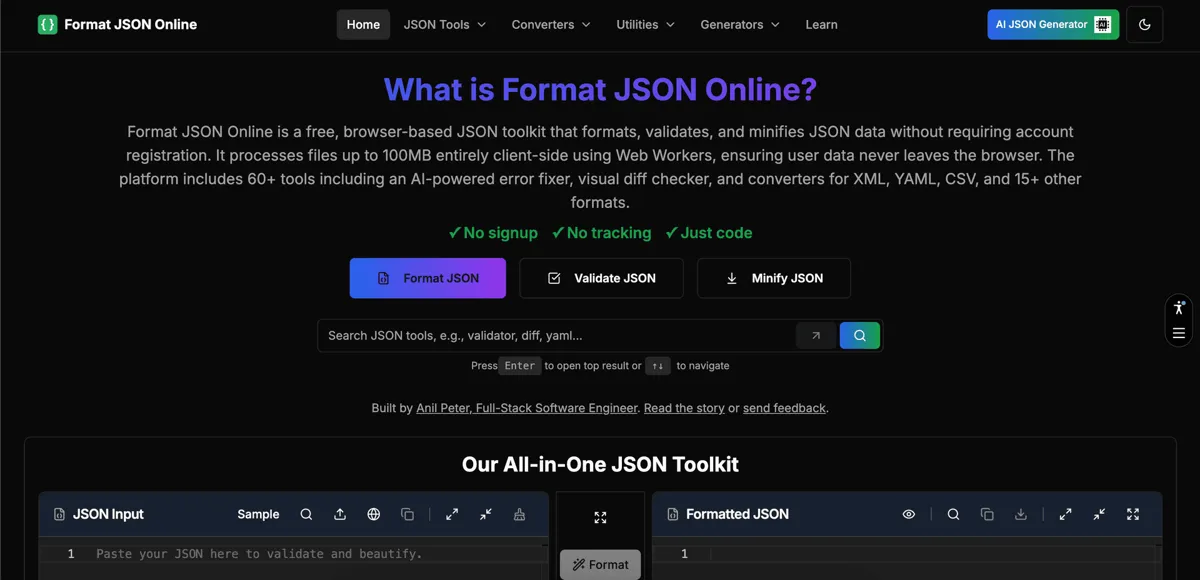
Format JSON Online is a free, browser-based toolkit for developers that formats, validates, minifies, compares, and converts JSON. You paste or load JSON and get beautified output with 2-8 space or tab indentation, line-level syntax errors, compressed payloads, or converted files such as CSV and Excel. Core processing runs client-side, and files up to 100MB are supported without signup.
How it works
Each task has a dedicated tool: paste your JSON, click Format, Validate, or Minify, then copy or download the result. The formatter adds indentation and line breaks and can sort keys alphabetically. The validator reports the exact line number, an error description, and fix suggestions, and a Fix with AI button corrects issues such as missing quotes, trailing commas, or mismatched brackets. The minifier strips all whitespace while keeping the JSON valid.
Key capabilities
Beyond formatting, the site offers a JSON Compare tool that shows two structures side by side and highlights differences. It also provides JSON Escape and Unescape, a JSON Schema Generator, and 15+ conversions including JSON to CSV, Excel, XML, YAML, SQL, C#, Python, and TypeScript, most of them bidirectional. Large files up to 100MB are handled through Web Worker optimization, and the interface is responsive across desktop, tablet, and mobile browsers.
Privacy and processing
Core tools such as the formatter, validator, and minifier run 100% in your browser using client-side JavaScript, so your JSON never leaves your device. Only the optional AI features require server-side processing to reach AI models, and the site states it never stores or logs your JSON data or prompts. The project describes itself as GDPR and CCPA compliant with zero reported security issues.
Key features
JSON Formatter
Beautifies JSON with clean indentation and line breaks, lets you choose 2-8 spaces or tabs, sort keys alphabetically, and copy or download the result.
JSON Validator with AI fix
Checks syntax against RFC 8259 and reports the exact line number, error description, and fix suggestions; a Fix with AI option corrects missing quotes, trailing commas, and mismatched brackets.
JSON Minifier
Removes all whitespace to shrink payloads by 30-50% for production APIs and bundles while keeping the JSON valid.
JSON Compare
Compares two JSON structures side by side and visualizes the differences between them.
15+ JSON conversions
Converts JSON to CSV, Excel, XML, YAML, SQL, C#, Python, and TypeScript, with most conversions bidirectional.
Large-file handling
Supports files up to 100MB through Web Worker optimization, with all core processing running client-side in the browser.
Use cases
Debugging API responses
Developers paste minified API payloads into the formatter to make nested structures readable during debugging and code reviews.
Fixing broken JSON
When parsing fails, the validator points to the exact line and the AI fix corrects common syntax mistakes before the data is used in an application.
Preparing production payloads
Teams minify JSON before deployment to cut file size by 30-50%, speed up API responses, and reduce bandwidth costs.
Moving data into spreadsheets
The JSON to Excel and JSON to CSV converters turn API responses into spreadsheet-ready data.
Reviewing config changes
The compare tool highlights differences between two JSON structures, useful for reviewing configuration file edits.
Pricing & limits
Listed as free. A dated pricing breakdown is not available. Check the provider for current plans and allowances.
Check current pricing on the official siteGetting started
Open the specific tool you need, such as the JSON Formatter, JSON Minifier, or JSON Compare page. Paste your JSON, choose options like indentation width or key sorting, and run the action. Copy the output or download it as a file. If parsing fails, run the validator first and apply the AI fix before formatting or minifying.
Frequently asked questions about Format JSON Online
- What is Format JSON Online?
- It is a free, browser-based toolkit for formatting, validating, minifying, comparing, and converting JSON. Core processing runs client-side, and files up to 100MB are supported with no signup or installation.
- Is my JSON data sent to a server?
- Core tools such as the formatter, validator, and minifier run 100% in your browser, so your JSON never leaves your device. Only the optional AI features use server-side processing, and the site states it does not store or log that data.
- Is Format JSON Online free?
- Yes. The site states that all JSON tools are completely free to use with no registration required and no paywalls.
- Which conversion formats are supported?
- The site lists 15+ conversions including JSON to CSV, Excel, XML, YAML, SQL, C#, Python, and TypeScript. Most conversions are bidirectional, such as CSV to JSON and JSON to CSV.
- Does it work on mobile devices?
- Yes. The tools are responsive and work on desktop, tablet, and mobile browsers, with the same features available on each.
Related tools

vuln0x
Edirne-based product studio building custom software, AI systems, tourism SaaS and digital heritage platforms.

Achiya Automation
Builds WhatsApp bots and n8n workflows that answer leads, book Google Calendar appointments and send invoices for Israeli small businesses.

OSMEXO: AI Model Exchange
Route OpenAI, Claude, Gemini and DeepSeek calls through one OpenAI-compatible key billed at or below list price.

UnoRouter
One OpenAI compatible key for models from every major AI lab

BWorlds
Audit, fix, and monitor AI-built apps with guided prompts and 24/7 oversight.

Bitculator
Crypto market data in 27 different languages, an API with SDKs in 8 languages, an MCP server, and an…

SecVibe
Security controls for AI-generated code, with real-time analysis and context-aware protection for modern development teams.

Kadmo
Run Claude Code and Codex agents with roles, playbooks, and gates on your own cloud.