
Enhance My Photo
enhancemyphoto.netAI photo enhancer for portraits, products, scenery, pets, an
Online AI photo enhancer that sharpens portraits, product shots, scenery, pets, and images with text — export JPEG/PNG/WebP without watermarks.
Overview
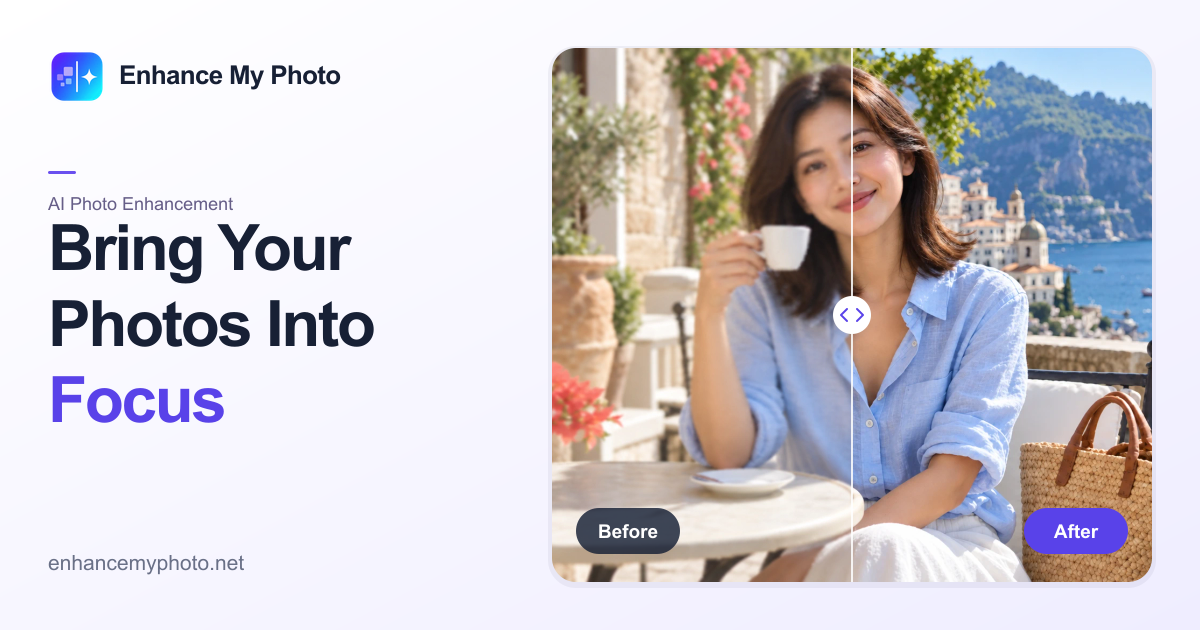
Enhance My Photo is an online AI photo enhancer that improves clarity and detail in portraits, product shots, scenery, pets, and text. Users upload a JPEG, PNG, or WebP image, choose a scene preset and quality level, then compare and download the enhanced result. It is designed for individuals and professionals who need clearer photos for personal use, e-commerce listings, or document legibility.
How it works
Upload a photo, select a scene preset (general, portrait, product, scenery, pets, or text), and choose between Flash for quick everyday enhancement or Pro for fine detail. The tool shows a fixed credit quote before processing. After enhancement, compare the result with the original and download it in JPEG, PNG, or WebP format. Visitors can try without signing up, but results are only available in the current session.
Key capabilities
The tool supports up to 16MP maximum output size and offers six scene presets tailored to different photo types. Batch processing is available on paid plans, allowing multiple photos to be enhanced at once. The Pro quality mode may reconstruct missing details, with protective processing for portraits, products, and text to keep them natural. Users can delete tasks individually or as a batch, with refunds for queued and submitting photos.
Pricing and limits
A free plan provides 10 credits per day, valid that day only, with basic Flash quality and single-photo processing. Paid plans start at $10/month for Starter (300 monthly credits), $20/month for Creator (1,000 monthly credits), and $40/month for Studio (2,000 monthly credits). Annual billing offers discounts of 20%, 35%, and 40%, respectively. Credits roll over for one billing cycle, and history retention ranges from 24 hours on Free to 60 days on Studio.
Key features
Scene presets
Choose from six starting points: general, portrait, product, scenery, pets, and text, each tailored to bring out relevant details.
Flash and Pro quality
Flash offers fast, efficient enhancement for everyday photos, while Pro focuses on fine detail and may reconstruct missing details with protective processing for portraits, products, and text.
Batch processing
Paid plans include batch processing to enhance multiple photos at once, with the ability to delete tasks individually or as a whole batch.
Multiple export formats
Uploads accept JPEG, PNG, and WebP, and enhanced results can be exported in any of these three formats.
Credit system
Enhancements cost credits, with a fixed per-image quote shown before processing. Free daily credits are available, and paid plans include monthly credits with rollover.
Use cases
Portrait enhancement
Improve facial details like eyes, hair, and skin texture while keeping a natural look, ideal for personal photos or professional portraits.
Product photo clarity
Sharpen product images to show labels, materials, and small features clearly, useful for e-commerce listings and catalogs.
Text and scan legibility
Enhance screenshots, photographed pages, and scanned documents to make text more readable, with a dedicated text preset.
Pet and scenery photos
Bring out fur, eyes, and landscape details in pet and scenery shots, with presets designed for these subjects.
Pricing & limits
Verified 11/1/2026Getting started
Visit the Enhance My Photo website and upload a JPEG, PNG, or WebP image. Choose a scene preset that matches your photo type, then select Flash or Pro quality. Check the credit quote displayed on the button before confirming. After processing, compare the before and after result, then download your enhanced photo. Sign in to save new enhancements to your task history and access daily free credits.
Frequently asked questions about Enhance My Photo
- Can I enhance a photo for free without signing up?
- Yes, you can try photo enhancement without creating an account, subject to visitor usage limits. Download your result before leaving or refreshing the page. Sign in for daily free-account credits and to save new enhancements to your history.
- Which image formats are supported?
- Uploads accept JPEG, PNG, and WebP after server-side validation. Enhanced results are exported as JPEG, PNG, or WebP.
- How long are uploaded assets kept?
- History is available for 24 hours on Free, 15 days on Starter, 30 days on Creator, and 60 days on Studio, measured from creation. Guest results are available only in the current page session.
- Can I remove a task later?
- Yes, a single task or whole batch can be deleted in any state. Active work is canceled locally before its assets are removed. Queued and submitting photos are refunded; waiting and processing photos are not.
Related tools

NanoBananaPro
Generate hyper-realistic images from text or reference images with sharper 2K output and intelligent 4K scaling.

Hotel Lobby AI
Two photos, one mic, one unforgettable duet.

Consistent Character AI Generator
Generate the same character in different poses, expressions, and scenes from a single reference photo.

Beautyface AI
Turn 1 to 5 selfies into studio-quality AI photoshoots with identity-preserving facial lock and 1K to 4K export.

AI Headshot Generator
Upload your photos and get professional AI headshots for LinkedIn, CVs, and social media in minutes.

Nano Banana 2
Generate 2K images with readable text in 100+ languages and upscale them to 4K.

SpriteGen
AI pixel-art sprites and sprite sheets for games

ogimagegenerator.dev
Turn any URL into an on-brand social preview with AI